Chapter 32. Class Odds and Ends
This chapter concludes our look at OOP in Python by presenting a collage of more advanced class topics. We will survey customizing built-in types, the relationship of classes and types, attribute tools like slots and properties, the special-case static and class methods, decorators and metaclasses, and the super call’s complete story. Some of these are introduced here but resumed by focused chapters in this book’s Part VIII, “Advanced Topics”.
As we’ve seen, Python’s OOP model is, at its core, relatively simple, and some of the topics presented in this chapter are so advanced and optional that you may not encounter them very often in your Python applications-programming career. In the interest of completeness, though—and because you never know when an “advanced” topic may crop up in code you use—we’ll round out our discussion of classes with a brief look at these advanced tools for OOP work.
As usual, because this is the last chapter in this part of the book, it ends with a section on class-related “gotchas” and a set of lab exercises for this part to help cement the ideas we’ve studied here. Beyond these exercises, studying larger OOP Python projects or starting some of your own is heartily recommended as a supplement to this book. As with much in life and computing, the benefits of OOP tend to become more apparent with practice.
Note
Blast from the past: Python 3.X launched with a mandatory “new-style” class model that could be enabled in 2.X as an option; 2.X’s own model was dubbed “classic.” At least in terms of its OOP support, new-style classes transformed Python into a different language altogether—one that borrows much more from, and is often as complex as, other languages in this domain. The last chapter’s MRO and most topics in this chapter were part of this package. Because this book is now focused on 3.X only, the term “new style” is moot and unused here—all its classes qualify.
Extending Built-in Object Types
Besides implementing new kinds of objects, classes are sometimes used to extend the functionality of Python’s built-in object types to support more exotic data structures. For instance, to add queue insert and delete methods to lists, you can code classes that wrap (embed) a list object and augment it with insert and delete methods that process the list specially, using the delegation technique we studied in Chapter 31. You can also use simple inheritance to customize built-in types for such custom roles. The next two sections show both techniques in action.
Extending Types by Embedding
Do you remember those set functions we wrote in Chapters 16 and 18? Here’s what they look like brought back to life as a Python class. Example 32-1 (file setwrapper.py) implements a new set object type by moving set functions to methods and adding some basic operator overloading. For the most part, this class just wraps a Python list with extra set operations. But because it’s a class, it also supports multiple instances and customization by inheritance in subclasses. Unlike our earlier functions, using classes here allows us to make multiple self-contained set objects with preset data and behavior rather than passing lists into functions manually.
Example 32-1. setwrapper.py
class Set: def __init__(self, value = []):# Constructorself.data = []# Manages a listself.concat(value)# Removes duplicatesdef intersect(self, other):# other is any iterableres = []# self is the subjectfor x in self.data: if x in other:# Pick common itemsres.append(x) return Set(res)# Return a new Setdef union(self, other):# other is any iterableres = self.data[:]# Copy of my listfor x in other:# Add items in otherif not x in res: res.append(x) return Set(res) def concat(self, value):# value: list, Set...for x in value:# Removes duplicatesif not x in self.data: self.data.append(x) def __len__(self): return len(self.data)# len(self), if selfdef __getitem__(self, key): return self.data[key]# self[i], self[i:j]def __and__(self, other): return self.intersect(other)# self & otherdef __or__(self, other): return self.union(other)# self | otherdef __repr__(self): return f'Set({self.data!r})'# print(self),...def __iter__(self): return iter(self.data)# for x in self,...
To use this class, we make instances, call methods, and run defined operators as usual:
$python3>>>from setwrapper import Set>>>x = Set([1, 3, 5, 7, 3])>>>x.union(Set([1, 4, 7]))Set([1, 3, 5, 7, 4]) >>>x | Set([1, 4, 6, 4])Set([1, 3, 5, 7, 4, 6])
Overloading operations such as indexing and iteration also enables instances of our Set class to often masquerade as real lists. Because you will interact with and extend this class in an exercise at the end of this chapter, we’ll put this code on the back burner until its solution in Appendix B.
Extending Types by Subclassing
While the prior section’s embedding works, Python’s built-in types can also be subclassed directly. In fact, type-conversion functions such as list, str, dict, and tuple are really built-in type names; although transparent to your script, a type-conversion call (e.g., list('text')) is really an invocation of a type’s constructor.
This allows you to customize or extend the behavior of built-in types with user-defined class statements: simply subclass the type names to customize them. Instances of your type subclasses can generally be used anywhere that the original built-in type can appear. For example, suppose you have trouble getting used to the fact that Python list offsets begin at 0 instead of 1. Not to worry—you can always code your own subclass that customizes this core behavior of lists, and Example 32-2 shows how.
Example 32-2. typesubclass.py
"""
Subclass built-in list type/class.
Map 1..N to 0..N-1, call back to built-in version.
"""

class MyList(list):
    def __getitem__(self, offset):
        print(f'<indexing {self} at {offset}>')
        return list.__getitem__(self, offset - 1)

if __name__ == '__main__':
    print(list('abc'))
    x = MyList('abc')               # __init__ inherited from list
    print(x)                        # __str__/__repr__ inherited from list

    print(x[1])                     # MyList.__getitem__
    print(x[3])                     # Customizes list superclass method

    x.append('hack!'); print(x)     # Attributes from list superclass
    x.reverse();       print(x)
In this file, the MyList subclass extends the built-in list’s __getitem__ indexing method only, to map indexes 1 to N back to the required 0 to N−1. Really, all it does is decrement the submitted index and call back to the superclass’s version of indexing, but it’s enough to do the trick:
$ python3 typesubclass.py
['a', 'b', 'c']
['a', 'b', 'c']
<indexing ['a', 'b', 'c'] at 1>
a
<indexing ['a', 'b', 'c'] at 3>
c
['a', 'b', 'c', 'hack!']
['hack!', 'c', 'b', 'a']
This output also includes tracing text the class prints on indexing. Of course, whether changing indexing this way is a good idea, in general, is another issue—users of your MyList class may very well be confused by such a core departure from Python sequence behavior. The ability to customize built-in types this way can be a powerful asset, though.
For instance, this coding pattern gives rise to an alternative way to code a set—as a subclass of the built-in list type rather than a standalone class that manages an embedded list object, as shown in the prior section. As discussed in Chapter 5, Python today comes with a powerful built-in set object, along with literal and comprehension syntax for making new sets. Coding one yourself, though, is still a great way to learn about type subclassing in general.
The code in Example 32-3, file setsubclass.py, customizes lists to add just methods and operators related to set processing. Because all other behavior is inherited from the built-in list superclass, this makes for a shorter and simpler alternative—everything not defined here is routed to list directly.
Example 32-3. setsubclass.py
class Set(list):
    def __init__(self, value = []):      # Constructor
        list.__init__(self)              # Customizes list
        self.concat(value)               # Copies mutable defaults

    def intersect(self, other):          # other is any iterable
        res = []                         # self is the subject
        for x in self:
            if x in other:               # Pick common items
                res.append(x)
        return Set(res)                  # Return a new Set

    def union(self, other):              # other is any iterable
        res = Set(self)                  # Copy me and my list
        res.concat(other)
        return res

    def concat(self, value):             # value: list, Set, etc.
        for x in value:                  # Removes duplicates
            if not x in self:
                self.append(x)

    def __and__(self, other): return self.intersect(other)
    def __or__(self, other):  return self.union(other)
    def __repr__(self):       return f'Set({list.__repr__(self)})'

if __name__ == '__main__':
    x = Set([1, 3, 5, 7])
    y = Set([2, 1, 4, 5, 6])
    print(x, y, len(x))
    print(x.intersect(y), y.union(x))
    print(x & y, x | y)
    x.reverse(); print(x)
Here is the output of the self-test code at the end of this file. Because subclassing core types is a somewhat advanced feature with a limited audience, we’ll end this topic here, but you’re invited to trace through these results in the code to study its behavior:
$ python3 setsubclass.py
Set([1, 3, 5, 7]) Set([2, 1, 4, 5, 6]) 4
Set([1, 5]) Set([2, 1, 4, 5, 6, 3, 7])
Set([1, 5]) Set([1, 3, 5, 7, 2, 4, 6])
Set([7, 5, 3, 1])
Subtleties: some inherited list operations may introduce duplicates to our Set, and there are more efficient ways to implement sets with dictionaries in Python, which replace the nested linear search scans in the set implementations shown here with more direct dictionary index operations (hashing) and so run much quicker. If you’re interested in sets, also take another look at the set object type we explored in Chapter 5; this type provides extensive set operations as built-in tools. Set implementations are fun to experiment with but not strictly required in Python today.
More important here is the question of why we can subclass built-in types like list at all. The next section solves the mystery—at least as much as this chapter can.
The Python Object Model
The reason we could subclass built-in types in the prior section is that types and classes are largely one and the same—a unification that came with the “new-style” model alluded to at the start of this chapter. For built-ins, some instances can uniquely be coded with literal syntax like [], 'lp6e', and 3.12 instead of class calls like list(), str(), and float(), but they are instances of a class, nonetheless.
In fact, built-in types and user-defined classes are both classes and are both themselves instances of the built-in type class. The type object generates classes as its instances, classes generate instances of themselves, and classes are really just user-defined types. And on top of all this, the built-in object class provides defaults for every object.
Classes are Types are Classes
While you probably shouldn’t ponder the preceding definitions before operating heavy machinery, it’s easy to see all this in code. The type built-in with one argument returns any object’s type, which is normally the same as the object’s __class__, and isinstance checks whether an object inherits from another. Here’s the story for user-defined classes (a.k.a. types):
>>>class Hack: pass# A humble user-defined class>>>I = Hack()# Make an instance by calling the class>>>type(I)# Type is the user-defined class of origin<class '__main__.Hack'> >>>type(Hack)# User-defined classes are instances of type<class 'type'> >>>I.__class__, C.__class__(<class '__main__.Hack'>, <class 'type'>) >>>isinstance(I, object), isinstance(Hack, object)(True, True)
This works the same for built-in types (a.k.a. classes), but there is also literal syntax for generating instances:
>>>I = 'hack'# Make an instance by literal syntax, or str()>>>type(I)# Built-in objects are instances of classes<class 'str'> >>>type(str)# Built-in classes are instances of type<class 'type'> >>>I.__class__, str.__class__(<class 'str'>, <class 'type'>) >>>isinstance(I, object), isinstance(str, object)(True, True)
In fact, type itself reports in as a class, though it has no type but itself—circularly capping the chain:
>>>type(type)# The type class ends the chain<class 'type'> >>>type(type(type))# Hmm... the top of the chain<class 'type'>
This model may seem academic (and to some extent is), but it allows us to specialize built-in types with normal user-defined classes and bears on type-testing code: you must know what a type is to test it accurately.
Some Instances Are More Equal than Others
It’s tempting to simply take away from the foregoing that classes and types are the same, but this story is richer than that may imply: the instances we make from these objects diverge in both functionality and inheritance.
To truly understand how, we have to briefly factor in metaclasses—classes that generate other classes. The type built-in itself is a metaclass and may be customized with user-defined subclasses. These subclasses are coded with normal class statements, selected with special syntax in class headers, and designed to play metaclass roles, but they won’t be covered in full until Chapter 40.
In brief, though, the complete relationship between instances, classes, and types is as follows:
Instances are created from classes—both built-in and user-defined
Classes themselves are created from the built-in
typeclass or one of its subclassesThe
objectbuilt-in class is a superclass to every object—instance, class, or both
Although everything is ultimately an “instance” in Python, there are two fundamentally different kinds of instances, and conflating these only serves to mask the true complexity of the model. It doesn’t help to distinguish these as instances of user-defined classes or not: metaclasses may be user-defined classes too. Nor is this about being a subclass of a type: the real fork in this model is that classes are created from a type class specially.
As you’ll learn in full later, classes define their types with optional metaclass syntax that defaults to type if omitted, but other instances define their types by the class calls or literal syntax we’ve used so far:
class C(metaclass=Meta): …# Class creation: metaclass defaults to "type"I = C(…)# Instance creation: user-defined classesX = [1, 2]# Instance creation: built-in classes
While both produce instances in some sense, these different syntaxes create very different kinds of instances—class and nonclass—with fundamentally different behaviors:
- Nonclass instances do not make instances
- Classes are created from
type(or other metaclass), similar to the way instances are created from classes. Once created, though, the analogy fails: classes create instances of their own, but nonclass instances do not. - Classes have an extra inheritance search
- There are really two inheritance trees and searches in Python, which are distinct but not entirely disjoint. The secondary tree is formed by
typeand its subclasses and is searched only for classes, not nonclass instances.
In other words, nonclass instances seal off the instantiation chain, and inheritance differs for nonclass instances and classes themselves—even though the latter are also instances of type. All of this boils down to different creation syntax that makes different kinds of objects, which are often confusingly lumped together as “instances”:
>>>class C: pass# A type instance>>>I = C()# A nonclass instance>>>isinstance(I, type), isinstance(C, type)# Only classes are types(False, True)
While types and classes may be synonymous, the instances we create from them vary per creation code.
The Inheritance Bifurcation
Though we can’t get into full details here, the inheritance search used for classes (a.k.a. types) differs from what we’ve seen so far and may be their most profound distinction. In short, inheritance is always based on the MRO (method resolution order) we studied in the last chapter’s “Multiple Inheritance and the MRO”, but varies as follows:
- Nonclass inheritance
- As we’ve seen, inheritance run on a nonclass instance searches the
__dict__attributes of instance, class, and superclasses, per the MRO order we studied in the prior chapter. This works by first checking the instance, then following the instance’s__class__to its class, and finally following each class’s__bases__to superclasses. Technically,__bases__are used to make an__mro__at__class__, which inheritance scans. - Class inheritance
- Inheritance run on a class directly, though, first searches the
__dict__of the class and all its supers available from__bases__as usual, but then also searches the separate class tree formed by thetypeclass and its metaclass subclasses. The second part of this works by following the class’s own__class__to itstypeclass tree and using__bases__and MROs there, too—but only as a last resort and only for inheritance run on classes.
In fact, if you know where to look, you can inspect the inheritance sources that differ for nonclass instances like I and classes like C in the prior example—though the underscores and displays aren’t pretty:
>>>isinstance(I, C), type(I)(True, <class '__main__.C'>) >>>I, I.__class__, I.__class__.__bases__(<__main__.C object at 0x101265d60>, <class '__main__.C'>, (<class 'object'>,)) >>>C, C.__bases__, C.__class__, C.__class__.__bases__(<class '__main__.C'>, (<class 'object'>,), <class 'type'>, (<class 'object'>,))
But due to the way MROs are computed from __bases__ and scanned, it’s more accurate to think of inheritance’s different search orders for nonclass instances and classes as follows—where each __mro__ is a flattened tree:
>>>I, I.__class__.__mro__(<__main__.C object at 0x101265d60>, (<class '__main__.C'>, <class 'object'>)) >>>C.__mro__, C.__class__.__mro__((<class '__main__.C'>, <class 'object'>), (<class 'type'>, <class 'object'>))
And because each item’s __dict__ is checked, the ordered set of candidates searched by inheritance for nonclass instances I and classes C is ultimately and respectively as follows—with two MRO scans of flattened trees for classes only, and ignoring the fact that some kinds of descriptors, introduced ahead, take precedence in both trees as you’ll learn in Chapter 40:
[I.__dict__] + [x.__dict__ for x in I.__class__.__mro__]

[x.__dict__ for x in C.__mro__] + [x.__dict__ for x in C.__class__.__mro__]
Wait—there’s a second tree in inheritance? Well, yes, though it doesn’t come into play in the vast majority of application code. The type/metaclass tree is used in advanced class-management roles and, even then, is often limited to class customization at class creation time.
Still, this secondary tree, along with the descriptors’ special cases omitted here, bifurcates and convolutes the inheritance story, especially compared to its prior forms. It also explains why some class attributes like __bases__ are not inherited by nonclass instances—they’re located in the secondary tree (i.e., MRO) searched only for classes:
>>>'__bases__' in I.__dict__# Not in instanceFalse >>>'__bases__' in C.__dict__# Not in instance's classFalse >>>'__bases__' in C.__class__.__dict__# In instance's class's classTrue
Because of the two-tree inheritance model, such names inherited by classes are not inherited by their instances:
>>>C.__bases__# Instance does not inherit!(<class 'object'>,) >>>I.__bases__AttributeError: 'C' object has no attribute '__bases__'. Did you mean: '__class__'?
The Metaclass/Class Dichotomy
So, where does this odd tale of type/class unification leave us? Types indeed behave as classes, and this allows us to extend them with normal class syntax in both the primary and metaclass trees. But it also comes with noticeable seams, including special-case syntax for class instantiation, an extra type-tree search for classes only, two very different kinds of instances, and unique semantics for metaclasses that customize types (a.k.a. classes), which we’ll uncover later.
In fact, a reasonable argument can be made that the type/class dichotomy of earlier Pythons may simply have morphed into one of metaclass/class—which trades a straightforward distinction for all the seams just enumerated and muddles inheritance and the fundamental meaning of names in Python everywhere to support what in the end is a very rare use case. As usual, the net merit of the morph is yours to weigh.
To be fair, some of the widespread confusion this model has spawned may stem from type itself: it’s overloaded to either return a sole argument’s type, or generate a new instance of itself for multiple arguments—just like other constructors and equivalent to what a class statement does to make a class object:
type(object)# Fetch object typetype(classname,superclasses,attributedict)# Make a class/type
The first of these roles might have been better named “typeof,” but the second will have to await the metaclass preview later in this chapter and the extended coverage in Chapter 40.
And One “object” to Rule Them All
To round out this topic, keep in mind that because topmost classes inherit from the built-in class object, every object derives (i.e., inherits) from it, whether directly or through a superclass—and whether you code object or not:
>>>class C: pass>>>class D(object): pass>>>dir(C) == dir(D)True >>>C.__bases__, D.__bases__((<class 'object'>,), (<class 'object'>,))
In fact, the type class inherits from the object class, and object inherits from type, even though the two are different objects—a circular relationship that crowns the object model and may make your cranium catch fire (to avoid combustion, keep in mind that isinstance is true for either a subclass relationship or creation source, though the latter may also imply inheritance through the secondary type-class tree for classes):
>>>type is objectFalse >>>type(type), type(object)(<class 'type'>, <class 'type'>) >>>isinstance(type, object), isinstance(object, type)(True, True) >>>type.__bases__, object.__bases__((<class 'object'>,), ())
Strange though it may seem, this has a number of practical consequences. For one thing, it means that we sometimes must be aware of the method defaults that come with the implicit (or explicit) object root class. As we noted in earlier chapters, for instance, the object class comes with a __repr__ for display:
>>>class C: pass# All classes inherit object defaults>>>X = C()>>>X.__repr__<method-wrapper '__repr__' of C object at 0x1091a7920>
For another, this also allows us to write code that can safely assume and use an object superclass. As an example, we can rely on it to be a call-chain “anchor” in some super built-in roles described ahead and can reroute method calls to it from attribute-interceptor methods to invoke higher default behavior. Per Chapter 30:
object.__setattr__(self,attr,value)
We’ll code examples of such rerouting later in the book; for now, let’s move on to something a bit more tangible and our next topic in this OOP jamboree.
Advanced Attribute Tools
Along with the normal class and instance attributes we’ve been using so far, Python’s OOP support includes attribute tools of narrower scope—slots, properties, descriptors, and more. Slots, for example, are an optimization option, and properties and descriptors allow classes to augment access. None of these tools are required, but as for most topics in this chapter, all are fair game in Python code you may someday use. Most of these tools get extended coverage in the online-only “Managed Attributes” chapter, but slots get full coverage here, and others are presented in abbreviated form.
Slots: Attribute Declarations
First off, we’ve noted the implications of slots several times in this part of the book. In short, by assigning an iterable of attribute name strings to a special __slots__ class attribute, we can enable a class to both limit the set of legal attributes that instances of the class will have and optimize memory usage and possibly program speed. As you’ll find, though, slots should be used only in applications that clearly warrant the added complexity. They will complicate your code, may complicate or break code you may use, and rigidly require universal deployment to be effective.
Slot basics
To declare slots, assign an iterable (e.g., list) of string names to the special __slots__ variable and attribute at the top level of a class statement: only those names in __slots__ can be assigned as instance attributes. This doesn’t change the way these attributes work in general, though; like all names in Python, instance attribute names must always be assigned before they can be referenced, even if they’re listed in __slots__. Here are the basics:
>>>class Limiter(object): __slots__ = ['age', 'name', 'job']# Slots "declaration">>>I = Limiter()>>>I.age# Must assign before useAttributeError: 'Limiter' object has no attribute 'age' >>>I.age = 40# Looks like instance data>>>I.age40 >>>I.ape = 1000# Fails: not in __slots__AttributeError: 'Limiter' object has no attribute 'ape'
This feature is advertised as both a way to catch typo errors like this (assignments to illegal attribute names not in __slots__ are detected instead of silently assigned), as well as an optimization mechanism that saves memory.
Allocating a namespace dictionary for every instance object can be expensive in terms of memory if many instances are created and only a few attributes are required. To save space, instead of allocating a dictionary for each instance, Python reserves just enough space in each instance to hold a value for each slot attribute, along with inherited attributes in the common class to manage slot access. This might additionally speed execution, though this benefit may vary per program, platform, and Python version (spoiler: the speedup is trivial today, as we’ll prove ahead).
You shouldn’t normally use slots
Slots are a fairly major break with Python’s core dynamic nature, which dictates that any name may be created by assignment (and frankly, tend to appeal most to people with backgrounds in draconian languages). In fact, they partly imitate C++ for efficiency at the expense of flexibility and even have the potential to break some programs.
As you’ll see, slots also come with a plethora of special-case usage rules. Per Python’s own manual, they should not be used except in clearly warranted cases—they are difficult to deploy correctly, complicate your code badly, and are best limited to very rare memory-critical programs that produce an extremely large numbers of instances.
In other words, this is yet another feature that should be used only if clearly justified. Unfortunately, slots seem to be showing up in Python code much more often than they should; their obscurity seems to be a draw in itself. Slots are actually used by Python, unlike type hinting, their declaration cousin of Chapter 6, but they are similarly paradoxical and restrictive. As usual, knowledge is your best ally in such things, so let’s take a deeper look here.
Slots and namespace dictionaries
Potential benefits aside, slots can complicate a class model—and code that relies on it—substantially. In fact, some instances with slots may not have a __dict__ attribute namespace dictionary at all, and others will have data attributes that this dictionary does not include. To be clear, this is a major incompatibility with the traditional class model—one that can impact any code that accesses attributes generically and may even cause some to fail altogether.
For instance, programs that list or access instance attributes by name string may need to use more storage-neutral interfaces than __dict__ if slots may be used. Because an instance’s data may include class-level names such as slots—either in addition to or instead of namespace dictionary storage—both attribute sources may need to be queried for completeness, and some roles may be rendered impossible.
Let’s see what this means in terms of code and explore more about slots along the way. First off, when slots are used, instances do not normally have an attribute dictionary—instead, Python uses the class descriptors feature introduced ahead to allocate and manage space reserved for slot attributes in the instance:
>>>class C:__slots__ = ['a', 'b']# __slots__ means no __dict__ by default>>>I = C()>>>I.a = 1>>>I.a1 >>>I.__dict__AttributeError: 'C' object has no attribute '__dict__'. Did you mean: '__dir__'?
However, we can still fetch and set slot-based attributes by name string using storage-neutral tools such as getattr and setattr (which look beyond the instance __dict__ and thus include class-level names like slots) and list them with dir (which collects all inherited names of any kind throughout a class tree):
>>>getattr(I, 'a')1 >>>setattr(I, 'b', 2)# But getattr() and setattr() still work>>>I.b2 >>>'a' in dir(I)# And dir() finds slot attributes tooTrue >>>'b' in dir(I)# Though __dict__ access will failTrue >>>I.__dict__AttributeError: 'C' object has no attribute '__dict__'. Did you mean: '__dir__'?
Also keep in mind that without an attribute namespace dictionary, it’s not possible to assign new names to instances that are not names in the slots list:
>>>class D:__slots__ = ['a', 'b'] def __init__(self): self.d = 4# Cannot add new names if no __dict__>>>I = D()AttributeError: 'D' object has no attribute 'd'
We can still accommodate extra attributes, though, by including __dict__ explicitly in __slots__ in order to create an attribute namespace dictionary in addition to slots:
>>>class D: __slots__ = ['a', 'b', '__dict__']# Name __dict__ to include one tooc = 3# Class attrs work normallydef __init__(self): self.d = 4# d stored in __dict__, a is a slot>>>I = D()>>>I.d4 >>>I.c3 >>>I.a# All instance attrs undefined until assignedAttributeError: 'D' object has no attribute 'a' >>>I.a = 1>>>I.b = 2
In this case, both storage mechanisms are used. This renders __dict__ too limited for code that wishes to treat slots as instance data, but generic tools such as getattr still allow us to process both storage forms as a single set of attributes:
>>>I.__dict__# Some objects have both __dict__ and slot names{'d': 4}# getattr() can fetch either type of attr>>>I.__slots__['a', 'b', '__dict__'] >>>getattr(I, 'a'), getattr(I, 'c'), getattr(I, 'd')# Fetches all 3 forms(1, 3, 4)
Because dir also returns all inherited attributes, though, it might be too broad in some contexts; it also includes class-level methods and even all object defaults. Code that wishes to list just instance attributes may, in principle, still need to allow for both storage forms explicitly. We might at first naively code this as follows:
>>>for attr in list(I.__dict__) + I.__slots__:# Wrong...print(attr, '=>', getattr(I, attr))
Since either can be omitted, we may more correctly code this as follows, using getattr to allow for defaults—a noble but nonetheless inaccurate approach, as the next section will explain:
>>>for attr in list(getattr(I, '__dict__', [])) + getattr(I, '__slots__', []): print(attr, '=>', getattr(I, attr))d => 4 a => 1# Less wrong...b => 2 __dict__ => {'d': 4}
Multiple __slot__ lists in superclasses
The preceding code works in this specific case, but in general, it’s not entirely accurate. Specifically, this code addresses only slot names in the lowest __slots__ attribute inherited by an instance, but slot lists may appear more than once in a class tree. That is, a name’s absence in the lowest __slots__ list does not preclude its existence in a higher __slots__. Because slot names become class-level attributes, instances acquire the union of all slot names anywhere in the tree by the normal inheritance rule:
>>>class E: __slots__ = ['c', 'd']# Superclass has slots>>>class D(E): __slots__ = ['a', '__dict__']# But so does its subclass>>>I = D()# The instance gets the union of each>>>dir(I)[…names omitted…, 'a', 'c', 'd']>>>I.a = 1; I.b = 2; I.c = 3# slots: a, c, __dict__: b>>>I.a, I.c(1, 3)
But inspecting just the inherited slots list won’t pick up slots defined higher in a class tree:
>>>E.__slots__# But __slots__ not concatenated['c', 'd'] >>>D.__slots__['a', '__dict__'] >>>I.__slots__# Instance inherits *lowest* __slots__['a', '__dict__'] >>>I.__dict__# And has its own an attr dict{'b': 2} >>>for attr in list(getattr(I, '__dict__', [])) + getattr(I, '__slots__', []): print(attr, '=>', getattr(I, attr))b => 2# Other superclass slots missed!a => 1 __dict__ => {'b': 2} >>>dir(I)# But dir() includes all slot names[…names omitted…, 'a', 'b', 'c', 'd']
In other words, in terms of listing instance attributes generically, one __slots__ isn’t always enough—they are potentially subject to the full inheritance search procedure. If multiple classes in a class tree may have their own __slots__ attributes, tools must develop other policies for listing attributes—as the next section explains.
Handling slots and other “virtual” attributes generically
The prior chapter concluded with a brief summary of the slots policies of its attribute lister tools—a prime example of why generic programs may need to care about slots. Such tools that attempt to list instance data attributes generically must account for slots and perhaps other such “virtual” instance attributes like properties and descriptors introduced ahead—names that similarly reside in classes but may provide attribute values for instances on request. Slots are the most data-centric of these but are representative of a larger category.
Such attributes require inclusive approaches, special handling, or general avoidance—the latter of which becomes unsatisfactory as soon as any programmer uses slots in subject code. Really, class-level instance attributes like slots probably necessitate a redefinition of the term instance data—as locally stored attributes, the union of all inherited attributes, or some subset thereof.
For example, some programs might classify slot names as attributes of classes instead of instances; these attributes do not exist in instance namespace dictionaries, after all. Alternatively, as shown earlier, programs can be more inclusive by relying on dir to fetch all inherited attribute names and getattr to fetch their corresponding values—without regard to their physical location or implementation. If you must support slots as instance data, this may be the most robust way to proceed:
>>>class Slotful: __slots__ = ['a', 'b', '__dict__'] def __init__(self, data): self.c = data>>>I = Slotful(3)>>>I.a, I.b = 1, 2>>>I.a, I.b, I.c# Normal attribute fetch(1, 2, 3) >>>I.__dict__# Both __dict__ and slots storage{'c': 3} >>>[x for x in dir(I) if not x.startswith('__')]['a', 'b', 'c'] >>>I.__dict__['c']# __dict__ is only one attr source3 >>>getattr(I, 'c'), getattr(I, 'a')# dir+getattr is broader than __dict__(3, 1)# applies to slots, properties, descrip>>>for a in (x for x in dir(I) if not x.startswith('__')): print(a, '=>', getattr(I, a))a 1 b 2 c 3
Under this dir/getattr model, you can still map attributes to their inheritance sources and filter them more selectively by source or type, if needed, by scanning the MRO—as we did in the prior chapter’s mapattrs.py. As a bonus, such tools and policies for handling slots will potentially apply automatically to properties and descriptors too, though these attributes are more explicitly computed values, and less obviously instance-related data than slots.
Also keep in mind that this is not just a tools issue. Class-based instance attributes like slots also impact the traditional coding of the __setattr__ operator-overloading method we met in Chapter 30. Because slots and some other attributes are not stored in the instance __dict__, and may even imply its absence, classes must instead generally run attribute assignments by rerouting them to the object superclass.
Slot usage rules
Slot declarations can appear in multiple classes in a class tree, but when they do, they are subject to a number of constraints that are somewhat difficult to rationalize unless you understand the implementation of slots as class-level descriptors for each slot name that are inherited by the instances in which the managed space is reserved (again, you’ll meet descriptors briefly ahead). Here are the main constraints that slots impose:
Slots in subs are pointless when absent in supers: If a subclass inherits from a superclass without a
__slots__, the instance__dict__attribute created for the superclass will always be accessible, making a__slots__in the subclass largely pointless. The subclass still manages its slots but doesn’t compute their values in any way and doesn’t avoid a dictionary—the main reason to use slots.Slots in supers are pointless when absent in subs: Similarly, because the meaning of a
__slots__declaration is limited to the class in which it appears, subclasses will produce an instance__dict__if they do not define a__slots__, rendering a__slots__in a superclass largely pointless.Redefinition renders super slots pointless: If a class defines the same slot name as a superclass, its redefinition hides the slot in the superclass per normal inheritance. You can access the version of the name defined by the superclass slot only by fetching its descriptor directly from the superclass.
Slots prevent class-level defaults: Because slots are implemented as class-level descriptors (along with per-instance space), you cannot use class attributes of the same name to provide defaults as you can for normal instance attributes: assigning the same name in the class overwrites the slot descriptor.
Slots cannot be combined in multiple inheritance: Multiple inheritance cannot be used if more than one of the classes mixed together have nonempty slots lists—even if their slots define the same names. You’ll get an error when running the class that does the mixing. Empty slots lists allow the mixer to define slots or not, as desired.
Slots and __dict__: As shown earlier,
__slots__preclude both an instance__dict__and assigning names not listed, unless__dict__is listed explicitly too. Slots similarly preclude a__weakref__attribute used to support instance “weak references” covered briefly in Chapter 6, but these are rare enough to soft-pedal here.
We’ve already seen the last of these in action. It’s easy to demonstrate how the new rules here translate to actual code—most crucially, a namespace dictionary is created when any class in a tree omits slots, thereby negating the memory optimization benefit but also supporting classes that require a __dict__ when mixed in with others:
>>>class C: pass# Bullet 1: slots in sub but not super>>>class D(C): __slots__ = ['a']# Makes instance dict for nonslots>>>I = D()# But slot name still managed in class>>>I.a = 1; I.b = 2>>>I.__dict__{'b': 2} >>>D.__dict__.keys()dict_keys([… '__slots__', 'a', …]) >>>class C: __slots__ = ['a']# Bullet 2: slots in super but not sub>>>class D(C): pass# Makes instance dict for nonslots>>>I = D()# But slot name still managed in class>>>I.a = 1; I.b = 2>>>I.__dict__{'b': 2} >>>C.__dict__.keys()dict_keys([… '__slots__', 'a', …]) >>>class C: __slots__ = ['a']# Bullet 3: only lowest slot accessible>>>class D(C): __slots__ = ['a']# Superclass slot 'a' is pointless>>>class C: __slots__ = ['a']; a = 99# Bullet 4: no class-level defaultsValueError: 'a' in __slots__ conflicts with class variable >>>class C: __slots__ = ['a']# Bullet 5: only one nonempty in mixins>>>class D: __slots__ = ['a']# Use empty slots or omit in all but one>>>class E(C, D): passTypeError: multiple bases have instance lay-out conflict
In other words, besides their program-breaking potential, slots essentially require both universal and careful deployment to be effective—because slots do not compute values dynamically like properties (coming up in the next section), they are largely pointless unless each class in a tree uses them and is cautious to define only new slot names not defined by other classes. It’s an all-or-nothing feature—an unfortunate property shared by the super call discussed ahead:
>>>class C: __slots__ = ['a']# Assumes universal use, differing names>>>class D(C): __slots__ = ['b']>>>I = D()# And may break code and tools you use>>>I.a = 1; I.b = 2>>>I.__dict__AttributeError: 'D' object has no attribute '__dict__'. Did you mean: '__dir__'? >>>C.__dict__.keys(), D.__dict__.keys()(dict_keys([… '__slots__', 'a', …]), dict_keys([… '__slots__', 'b', …]))
Such rules—and others omitted here for space—are part of the reason slots are not widely used and are not generally recommended except in pathological cases where their space reduction is significant. Even then, their potential to complicate or break code should be ample cause to carefully consider the trade-offs. Not only must they be spread almost neurotically throughout a framework, but they may also break tools you rely on.
Example impacts of slots: ListTree and mapattrs
As a more realistic example of slots’ effects, due to the first bullet in the prior section, Chapter 31’s ListTree class (Example 31-13) does not fail when mixed in to a class that defines __slots__, even though it scans instance namespace dictionaries without verifying their presence. This lister class’s own lack of slots is enough to ensure that the instance will still have a __dict__ and hence not trigger an exception when fetched or indexed.
For example, both of the following single-inheritance trees display without error—the second also allows names not in the slots list to be assigned as instances attributes, including any required by the superclass:
class C(ListTree): pass I = C()# OK: no __slots__ usedprint(I) class C(ListTree): __slots__ = ['a', 'b']# OK: superclass produces __dict__I = C() I.c = 3 print(I)# Displays c at I, a and b at C
The following multiple-inheritance classes display correctly as well—any nonslot class like ListTree generates an instance __dict__ and can thus safely assume its presence. Although it renders subclass slots pointless, this is a positive side effect for tool classes like ListTree and its Chapter 28 predecessor:
class A: __slots__ = ['a']# Both OK by bullet 1 aboveclass B(A, ListTree): pass print(B()) class A: __slots__ = ['a'] class B(A, ListTree): __slots__ = ['b']# Displays b at B, a at Aprint(B())
In general, though, tools may need to catch exceptions when __dict__ is absent or use a hasattr or getattr to test or provide defaults if slot usage may preclude an instance namespace dictionary. For instance, Chapter 31’s mapattrs.py module (Example 31-14) must check for __dict__ presence explicitly because it is not a class mixed into others, and so cannot assume this attribute. Like ListTree, this example also associates slots with their classes.
Run these examples on your own for more info. Slots’ impacts may be onerous, but knowledge is your best defense.
What about slots speed?
Finally, while slots primarily optimize memory use, their speed impact is less clear-cut. Example 32-4 codes a simple test script using the timeit techniques we studied in Chapter 21. For both the slots and nonslots (instance dictionary) storage models, it makes 1,000 instances, assigns and fetches 4 attributes on each, and repeats 1,000 times—for both models taking the best of 5 runs that each exercise a total of 8M attribute operations.
Example 32-4. slots-test.py
importtimeitbase="""Is = []for i in range(1000):I = C()I.a = 1; I.b = 2; I.c = 3; I.d = 4t = I.a + I.b + I.c + I.dIs.append(I)"""stmt="""class C:__slots__ = ['a', 'b', 'c', 'd']"""+base('Slots =>',end=' ')(min(timeit.repeat(stmt,number=1000,repeat=5)))stmt="""class C:pass"""+base('Nonslots=>',end=' ')(min(timeit.repeat(stmt,number=1000,repeat=5)))
At least for this code, on the macOS test host, and using CPython 3.12, the best times imply that slots are only slightly quicker, though this says little about memory space and is prone to change arbitrarily in the future (PyPy 7.3 struggled on this test with times 10x slower than CPython presumably due to dynamic class creation, but relatively similar):
$ python3 slots-test.py
Slots   => 0.17895982996560633
Nonslots=> 0.18887511501088738
For more on slots in general, see the Python standard manual set. Also, watch for the Private decorator case study of the online-only “Decorators” chapter—an example that naturally allows for attributes based on both __slots__ and __dict__ storage, by using delegation and storage-neutral accessor tools like getattr.
Properties: Attribute Accessors
Our next attribute-related topic is properties—a mechanism that provides another way for classes to define methods called automatically for access or assignment to instance attributes. This feature is similar to “getters” and “setters” in languages like Java and C#, but in Python is generally best used sparingly as a way to add accessors to attributes after the fact as needs evolve and warrant. Where needed, though, properties allow attribute values to be computed dynamically without requiring method calls at the point of access.
Though properties cannot support generic attribute routing goals, at least for specific attributes, they are an alternative to some traditional uses of the __getattr__ and __setattr__ overloading methods we first studied in Chapter 30. Properties can have a similar effect to these two methods but, by contrast, incur an extra method call only for accesses to names that require dynamic computation—other nonproperty names are accessed normally with no extra calls. Although __getattr__ is invoked only for undefined names, the __setattr__ method is instead called for assignment to every attribute.
Properties and slots are related, too, but serve different goals. Both implement instance attributes that are not physically stored in instance namespace dictionaries—a sort of “virtual” attribute—and both are based on the notion of class-level attribute descriptors. In contrast, slots manage instance storage, while properties intercept access and compute values arbitrarily. Because their underlying descriptor implementation tool is too advanced for us to cover here, properties and descriptors both get full treatment in the online-only “Managed Attributes” chapter.
Property basics
As a brief introduction, though, a property is a type of object assigned to a class attribute name. You can generate a property by calling the property built-in function, passing in up to three accessor methods—handlers for get, set, and delete operations—as well as an optional docstring for the property. If any argument is passed as None or omitted, that operation is not supported.
The resulting property object is typically assigned to a name at the top level of a class statement as a class attribute (e.g., name=property(…)), and a special @ decorator syntax you’ll meet later is available to automate this step. When thus assigned, later accesses to the class property name itself as an object attribute (e.g., obj.name) are automatically routed to one of the accessor methods passed into the property call.
For example, we’ve seen how the __getattr__ operator-overloading method allows classes to intercept undefined attribute references:
>>>class WithOperators: def __getattr__(self, name): # On undefined attr if name == 'age': return 40 else: raise AttributeError(name)>>>x = WithOperators()>>>x.age# Runs __getattr__40 >>>x.name# Runs __getattr__AttributeError: name
Here is the same example, coded with properties instead:
>>>class WithProperties:def getage(self): return 40 age = property(getage)# (get?, set?, del?, docs?), or @>>>x = WithProperties()>>>x.age# Runs getage40 >>>x.name# Normal fetchAttributeError: 'WithProperties' object has no attribute 'name'
For some coding tasks, properties can be less complex and quicker to run than the traditional techniques. For example, when we add attribute assignment support, properties become more attractive—there’s less code to type, and no extra method calls are incurred for assignments to attributes we don’t wish to manage or compute dynamically:
>>>class WithProperties:def getage(self):print('get age')return 40 def setage(self, value): print('set age:', value) self._age = value age = property(getage, setage)>>>x = WithProperties()>>>x.age# Runs getageget age 40 >>>x.age = 42# Runs setageset age: 42 >>>x._age# Normal fetch: no getage call42 >>>x.job = 'hacker'# Normal assign: no setage call>>>x.job# Normal fetch: no getage call'hacker'
The equivalent class based on operator overloading incurs extra method calls for assignments to attributes not being managed and needs to route attribute assignments through the attribute dictionary to avoid loops (or to the object superclass’s __setattr__ to better support “virtual” attributes such as slots and properties coded in other classes):
>>>class WithOperators: def __getattr__(self, name):# On undefined attrif name == 'age':print('get age') return 40 else: raise AttributeError(name) def __setattr__(self, name, value):# On all assignmentsprint('set:', name, value) if name == 'age': self.__dict__['_age'] = value # Or object.__setattr__(self, ...)else: self.__dict__[name] = value>>>x = WithOperators()>>>x.age# Runs __getattr__get age40 >>>x.age = 41# Runs __setattr__set: age 41 >>>x._age# Defined: no __getattr__ call41 >>>x.job = 'coder'# Runs __setattr__ againset: job coder >>>x.job# Defined: no __getattr__ call'coder'
Properties seem like a win for this simple example. However, some applications of __getattr__ and __setattr__ still require more dynamic or generic interfaces than properties directly provide.
For example, the set of attributes to be managed might be unknown when a class is coded and may not even exist in a tangible form (e.g., when delegating arbitrary attribute references to a wrapped and embedded object generically). In such contexts, a generic attribute handler like __getattr__ with a passed-in attribute name may be preferable. Because such generic handlers can also support simpler cases, properties may be a redundant extension—albeit one that may avoid extra calls on assignments and one that some programmers may prefer when applicable.
For more details on both options, tune in for the online-only “Managed Attributes” chapter. As you’ll see there, it’s also possible to code properties using the @ symbol function decorator syntax—a topic introduced in brief later in this chapter and an equivalent and automatic alternative to manual assignment in the class scope:
class WithProperties:
    @property                     # Coding properties with decorators: ahead
    def age(self):                # On instance.age
        …
    @age.setter
    def age(self, value):         # On instance.age = value
        …
To make sense of this decorator syntax, though, we must move ahead.
__getattribute__ and Descriptors: Attribute Tools
To complete our attribute-tools collection, the __getattribute__ operator-overloading method intercepts all attribute references, not just undefined references. This makes it more potent than its __getattr__ cousin we used in the prior section, but also trickier to use—it’s prone to loops much like __setattr__, but in different ways.
For more specialized attribute interception goals, in addition to properties and operator-overloading methods, Python provides attribute descriptors—classes with __get__ and __set__ methods, assigned to class attributes and inherited by instances, that intercept read and write accesses to specific attributes. As a preview, here’s one of the simplest descriptors you’re likely to encounter:
>>>class AgeDesc: def __get__(self, instance, owner): return 40 def __set__(self, instance, value): instance._age = value>>>class WithDescriptors: age = AgeDesc()# Assign descriptor instance>>>x = WithDescriptors()>>>x.age# Runs AgeDesc.__get__40 >>>x.age = 42# Runs AgeDesc.__set__>>>x._age# Normal fetch: no AgeDesc call42
Descriptors have access to state-information attributes in instances of themselves as well as their client class and are, in a sense, a more general form of properties. In fact, properties are a simplified way to define a specific type of descriptor—one that runs functions on access. Descriptors are also used to implement the slots feature we met earlier, among other Python tools, and are afforded special cases in attribute inheritance alluded to earlier in this chapter.
Because __getattribute__ and descriptors are too substantial to present here, we’ll defer the rest of their coverage, as well as much more on properties, to the online-only “Managed Attributes” chapter. We’ll also employ them in examples in the online-only “Decorators” chapter and study how they factor into inheritance in Chapter 40. Here, the topics tour is moving on.
Static and Class Methods
Beyond the usual methods we’ve been using so far, classes can define two kinds of methods called without an instance: static methods work roughly like simple instance-less functions inside a class no matter how they’re called, and class methods are passed a class instead of an instance. Both are similar to tools in other languages (e.g., C++ static methods). The prior chapter’s bound method coverage noted these briefly, but we’ll finish the story here.
To enable these special method modes, you call built-in functions named staticmethod and classmethod within the class or invoke them with the special @name decoration syntax you’ll meet later in this chapter. The classmethod call is required to enable its mode; staticmethod is not required for instance-less methods called only through a class name but is required if such methods are called through instances.
Why the Special Methods?
As we’ve seen, a class’s method is normally passed an instance object in its first argument to serve as the implied subject of the method call—that’s the “object” in “object-oriented programming.” Though much less common, there are two formal ways to temper this model. Before we get to the syntax, let’s clarify why this might matter to you.
Sometimes, programs need to process data associated with classes instead of instances. Consider keeping track of the number of instances created from a class or maintaining a list of all of a class’s instances that are currently in use. This type of information and its processing are associated with the class rather than its instances. That is, the information is usually stored on the class itself and processed apart from any instance.
For such tasks, simple functions coded outside a class might suffice—because they can access class attributes through the class name, they have access to class data, and never require access to an instance. However, to better associate such code with a class and to allow such processing to be customized with inheritance as usual, it would be better to code these types of functions inside the class itself. To make this work, we need methods in a class that are not passed, and do not expect, a self instance argument.
Per the prior chapter, methods accessed through the class are plain functions that meet some of this need but fail if accessed through an instance: the resulting bound method passes an instance in calls, even if the plain function doesn’t expect one. To address, Python provides static methods—plain functions that are nested in a class and never expect nor receive an automatic self argument, regardless of how they are called. They’re optional for methods only ever accessed through classes but needed for access through instances.
Although less commonly used, Python also supports class methods—methods of a class that are passed a class object in their first argument instead of an instance, regardless of whether they are called through an instance or a class. Such methods can access class data through their class argument—what we’ve called self thus far—even if called through an instance. Normal methods, sometimes called instance methods, still receive a subject instance when called; static and class methods do not.
Plain-Function Methods
To demo the preceding ideas, let’s suppose that we want to use class attributes to count how many instances are generated from a class. Example 32-5, hack1.py, makes a first attempt—its class has a counter stored as a class attribute, a constructor that bumps up the counter by one each time a new instance is created, and a method that displays the counter’s value. Remember, class attributes are stored just once on a class and shared by all instances; storing the counter this way ensures that it effectively spans all instances.
Example 32-5. hack1.py
classHack:numInstances=0def__init__(self):Hack.numInstances+=1defprintNumInstances():('Number of instances created:',Hack.numInstances)
The printNumInstances method is designed to process class data, not instance data—it’s about all the instances, not any one in particular. Because of that, we want to be able to call it without having to pass an instance. Indeed, we don’t want to make an instance to fetch the number of instances because this would change the number of instances we’re trying to fetch! In other words, we want a self-less “static” method.
Whether this code’s printNumInstances works or not, though, depends on which way you call the method—through the class or through an instance. Calls to self-less methods made through classes work because they produce plain functions, but calls from instances produce bound methods and fail:
$python3>>>from hack1 import Hack>>>a, b, c = Hack(), Hack(), Hack()# Make three instances>>>Hack.printNumInstances()# Okay to call from instance – only!Number of instances created: 3 >>>a.printNumInstances()TypeError: Hack.printNumInstances() takes 0 positional arguments but 1 was given
Calls to instance-less methods like printNumInstances made through the class work, but calls made through an instance fail because an instance is automatically passed to a method that does not have an argument to receive it. If you’re able to stick with calling self-less methods through classes only, you already have a static method. However, to allow self-less methods to be called through instances, you need to either adopt other designs or mark such methods as special. Let’s look at both options in turn.
Static Method Alternatives
Short of marking a self-less method as special, you can sometimes achieve similar results with different coding structures. For example, if you just want to call functions that access class members without an instance, perhaps the simplest idea is to use normal functions outside the class, not class methods. This way, an instance isn’t expected in the call. The mutation in Example 32-6 illustrates.
Example 32-6. hack2.py
defprintNumInstances():('Number of instances created:',Hack.numInstances)classHack:numInstances=0def__init__(self):Hack.numInstances+=1
Because the class name is accessible to the simple function as a global variable, this works fine. Also, note that the name of the function becomes global, but only to this single module; it will not clash with names in other files:
>>>import hack2 as hack>>>a = hack.Hack()>>>b = hack.Hack()>>>c = hack.Hack()>>>hack.printNumInstances()# But function may be too far removedNumber of instances created: 3# And cannot be changed via inheritance>>>hack.Hack.numInstances3
Prior to static methods in Python, this structure was the general prescription. Because Python already provides modules as a namespace-partitioning tool, one could argue that there’s not typically any need to package functions in classes unless they implement object behavior. Simple functions within modules like the one here do much of what instance-less class methods could and are already associated with the class because they live in the same module.
This approach, though, may be subpar. For one thing, it adds to this file’s scope an extra name that is used only for processing a single class. For another, the function is not directly associated with the class by structure; in fact, its def could be hundreds of lines away. Worse, simple functions like this cannot be customized by inheritance since they live outside a class’s namespace: subclasses cannot directly replace or extend such a function by redefining it.
We might also try to make this example work by simply using a normal method and always calling it through an instance, as usual. Unfortunately, such an approach is completely unworkable if we don’t have an instance available, and making an instance changes the class data, as noted earlier. A better solution would be to somehow mark a method inside a class as never requiring an instance. The next section shows how.
Using Static and Class Methods
To designate a self-less method that may be called through either the class or its instances, classes can simply call the built-in functions staticmethod and classmethod. Both mark a function object as special—requiring no instance for the former and requiring a class argument for the latter. Example 32-7 shows how.
Example 32-7. allmethods.py
class Methods:
    def imeth(self, x):            # Instance method: passed a self
        print([self, x])           # Always expects a self instance

    def smeth(x):                  # Static method: no instance passed
        print([x])                 # Also a plain function from the class

    def cmeth(cls, x):             # Class method: gets class, not instance
        print([cls, x])            # Always expects a class, not instance

    smeth = staticmethod(smeth)    # Make smeth a static method (or use @: ahead)
    cmeth = classmethod(cmeth)     # Make cmeth a class method (or use @: ahead)
Notice how the last two assignments in this code simply reassign (a.k.a. rebind) the method names smeth and cmeth. Attributes are created and changed by any assignment in a class statement, so these final assignments simply overwrite the assignments made earlier by the defs. As you’ll see in a few moments, the special @ decorator syntax works here as an alternative to this just as it does for properties—but makes little sense unless you first understand the assignment form here that it automates.
Technically, Python supports three kinds of class-related methods with differing argument protocols:
Instance methods, passed a
selfinstance object (the default)Static methods, passed no extra instance object (via
staticmethod)Class methods, passed a class object (via
classmethod, and inherent in metaclasses)
Moreover, simple functions in a class also serve the role of static methods without requiring any extra protocol when called through a class object only. The allmethods.py module illustrates all three method types, so let’s expand on these in turn.
Instance methods are the normal and default case that we’ve used in this book so far. An instance method must always be called with an instance object. When you call it through an instance, Python passes the instance to the first (leftmost) argument automatically; when you call it through a class, you must pass along the instance manually:
>>>from allmethods import Methods# Normal instance methods>>>obj = Methods()# Callable through instance or class>>>obj.imeth(1)# Becomes imeth(obj, 1)[<allmethods.Methods object at 0x1015a79b0>, 1] >>>Methods.imeth(obj, 2)[<allmethods.Methods object at 0x1015a79b0>, 2]
Static methods, by contrast, are called without an instance argument. Unlike simple functions outside a class, their names are local to the scopes of the classes in which they are defined, and they may be looked up by inheritance. Instance-less functions can be called through a class normally, but using the staticmethod built-in allows such methods to also be called through an instance. That is, the first of the following works without the staticmethod in the class but the second does not:
>>>Methods.smeth(3)# Static method: call through class[3]# No instance passed or expected>>>obj.smeth(4)# Static method: call through instance[4]# Instance not passed – requires staticmethod
Class methods are similar, but Python automatically passes the class (not an instance) to a class method’s first (leftmost) argument, whether it is called through a class or an instance:
>>>Methods.cmeth(5)# Class method: call through class[<class 'allmethods.Methods'>, 5]# Becomes cmeth(Methods, 5)>>>obj.cmeth(6)# Class method: call through instance[<class 'allmethods.Methods'>, 6]# Becomes cmeth(Methods, 6)
In Chapter 40, you’ll also find that metaclass methods—an advanced and technically distinct method type used in the secondary class trees of types—behave similarly to the explicitly declared class methods we’re exploring here.
Counting Instances with Static Methods
Now, given these built-ins, Example 32-8 codes the static method equivalent of this section’s instance-counting example—it marks the method as special, so it will never be passed an instance automatically.
Example 32-8. hack_static.py
class Hack:
    numInstances = 0                         # Use static method for class data
    def __init__(self):
        Hack.numInstances += 1
    def printNumInstances():
        print('Number of instances:', Hack.numInstances)
    printNumInstances = staticmethod(printNumInstances)
Using the static method built-in, our code now allows the self-less method to be called through the class or any instance of it:
>>>from hack_static import Hack>>>a, b, c = Hack(), Hack(), Hack()>>>Hack.printNumInstances()# Call as simple functionNumber of instances: 3 >>>a.printNumInstances()# Instance argument not passedNumber of instances: 3
Compared to simply moving printNumInstances outside the class, as prescribed earlier, this version requires an extra staticmethod call (or an @ line you’ll meet ahead). However, it also localizes the function name in the class scope (so it won’t clash with other names in the module); moves the function code closer to where it is used (inside the class statement); and allows subclasses to customize the static method with inheritance—a more convenient and powerful approach than importing functions from the files in which superclasses are coded. The following subclass illustrates (this continues the prior session, so the count is already 3 at the start):
>>>class Sub(Hack):def printNumInstances():# Override a static methodprint('Extra stuff...')# But call back to originalHack.printNumInstances()printNumInstances = staticmethod(printNumInstances)>>>a, b = Sub(), Sub()>>>a.printNumInstances()# Call from subclass instanceExtra stuff... Number of instances: 5 >>>Sub.printNumInstances()# Call from subclass itselfExtra stuff... Number of instances: 5 >>>Hack.printNumInstances()# Call original versionNumber of instances: 5
Moreover, classes can inherit the static method without redefining it—it is run without an instance, regardless of where it is defined in a class tree:
>>>class Other(Hack): pass# Inherit static method verbatim>>>c = Other()>>>c.printNumInstances()Number of instances: 6
Notice how this also bumps up the superclass’s instance counter because its constructor is inherited and run—a behavior that begins to encroach on the next section’s subject.
Counting Instances with Class Methods
Interestingly, a class method can do similar work here—Example 32-9 has the same behavior as the static method version listed earlier, but it uses a class method that receives the instance’s class in its first argument. Rather than hardcoding the class name, the class method uses the automatically passed class object generically.
Example 32-9. hack_class.py
class Hack:
    numInstances = 0                         # Use class method instead of static
    def __init__(self):
        Hack.numInstances += 1
    def printNumInstances(cls):
        print('Number of instances:', cls.numInstances)
    printNumInstances = classmethod(printNumInstances)
This class is used in the same way as the prior versions, but its printNumInstances method receives the Hack class, not the instance, when called from either the class or an instance:
>>>from hack_class import Hack>>>a, b = Hack(), Hack()>>>a.printNumInstances()# Passes class to first argumentNumber of instances: 2 >>>Hack.printNumInstances()# Also passes class to first argumentNumber of instances: 2
When using class methods, though, keep in mind that they receive the most specific (i.e., lowest) class of the call’s subject. This has some subtle implications when trying to update class data through the passed-in class. To demo, Example 32-10 subclasses to customize the same way we did for static methods in the prior section, and augments Hack.printNumInstances to also trace its cls argument.
Example 32-10. hack_class2.py
class Hack:
    numInstances = 0                         # Trace class passed in
    def __init__(self):
        Hack.numInstances += 1
    def printNumInstances(cls):
        print('Number of instances:', cls.numInstances, cls)
    printNumInstances = classmethod(printNumInstances)

class Sub(Hack):
    def printNumInstances(cls):              # Override a class method
        print('Extra stuff...', cls)         # But call back to original
        Hack.printNumInstances()
    printNumInstances = classmethod(printNumInstances)

class Other(Hack): pass                      # Inherit class method verbatim
Running this in a REPL reveals that the lowest class is passed in whenever a class method is run—even for subclasses that have no class methods of their own:
>>>from hack_class2 import Hack, Sub, Other>>>x = Sub()>>>y = Hack()>>>x.printNumInstances()# Call from subclass instanceExtra stuff... <class 'hack_class2.Sub'> Number of instances: 2 <class 'hack_class2.Hack'> >>>Sub.printNumInstances()# Call from subclass itselfExtra stuff... <class 'hack_class2.Sub'> Number of instances: 2 <class 'hack_class2.Hack'> >>>y.printNumInstances()# Call from superclass instanceNumber of instances: 2 <class 'hack_class2.Hack'>
In the first call here, a class method call is made through an instance of the Sub subclass, and Python passes the lowest class, Sub, to the class method. All is well in this case—since Sub’s redefinition of the method calls the Hack superclass’s version explicitly, the superclass method in Hack receives its own class in its first argument. But watch what happens for an object that inherits the class method verbatim:
>>>z = Other()# Call from lower sub's instance>>>z.printNumInstances()Number of instances: 3 <class 'hack_class2.Other'>
This last call here passes Other to Hack’s class method. This works in this example because fetching the counter finds it in Hack by class inheritance. If this method tried to assign to the passed class’s data, though, it would update Other, not Hack! In this specific case, Hack is probably better off hardcoding its own class name to update its data if it means to count instances of all its subclasses, too, rather than relying on the passed-in class argument.
Counting instances per class with class methods
In fact, because class methods always receive the lowest class in an instance’s tree:
Static methods and explicit class names may be a better solution for processing data local to a class.
Class methods may be better suited to processing data that may differ for each class in a hierarchy.
Code that needs to manage per-class instance counters, for example, might be best off leveraging class methods. To illustrate, the top-level superclass in Example 32-11 uses a class method to manage state information that varies for and is stored on each class in the tree—similar in spirit to the way instance methods manage state information that varies per class instance.
Example 32-11. hack_class3.py
class Hack:
    numInstances = 0
    def count(cls):                    # Per-class instance counters
        cls.numInstances += 1          # cls is lowest class above instance
    def __init__(self):
        self.count()                   # Passes self.__class__ to count
    count = classmethod(count)

class Sub(Hack):
    numInstances = 0
    def __init__(self):                # Redefines __init__ (to demo)
        Hack.__init__(self)

class Other(Hack):                     # Inherits __init__
    numInstances = 0
When run, the Hack class keeps track of each of its subclasses’ instances, using a counter on each subclass:
>>>from hack_class3 import Hack, Sub, Other>>>x = Hack()>>>y1, y2 = Sub(), Sub()>>>z1, z2, z3 = Other(), Other(), Other()>>>x.numInstances, y1.numInstances, z1.numInstances# Per-class data!(1, 2, 3) >>>Hack.numInstances, Sub.numInstances, Other.numInstances(1, 2, 3)
Static and class methods have additional advanced roles, which we will skip here; see other resources for more use cases. In later Python versions, though, the static and class method designations became even simpler with the advent of function decoration syntax—a way to apply one function to another that has roles well beyond the static method use case that was one of its initial motivations. This syntax also allows us to augment classes—to initialize data like the numInstances counter in the last example, for instance. The next section explains how.
Note
The methods finale: For a postscript on Python’s method types, be sure to watch for coverage of metaclass methods in Chapter 40—because these are designed to process a class that is an instance of a metaclass, they turn out to be very similar to the class methods defined here but require no classmethod declaration, and apply only to the shadowy metaclass realm previewed next.
Decorators and Metaclasses
Because the staticmethod and classmethod call technique described in the prior section initially seemed obscure to some observers, a device was eventually added to make the operation simpler. Python decorators—similar to the notion and syntax of annotations in Java—both address this specific need and provide a general tool for adding logic that manages functions and classes or later calls to them.
This is called a “decoration,” but in more concrete terms is really just a way to run extra processing steps at function and class definition time with explicit syntax. It comes in two flavors:
Function decorators—the initial entry, augment function definitions at
defstatements. They specify operation modes for both simple functions and classes’ methods by wrapping them in an extra layer of logic implemented as another function. That function is often called a metafunction, though this is just terminology.Class decorators—a later extension, augment class definitions at
classstatements. They wrap classes in a similar way, adding support for management of whole objects and their interfaces instead of a single function.
We met decorators very briefly in Chapter 19 in relation to simple functions, but they are more general than earlier implied: they can also be used for class methods and classes and can add nearly arbitrary logic to functions and classes that go well beyond that the static- and class-method roles used as a segue here.
For instance, function decorators may be used to augment functions with code that logs calls made to them, checks argument types during debugging, times calls, and so on, and can be used to manage either functions themselves or later calls to them. In the latter mode, function decorators are similar to the delegation design pattern we explored in Chapter 31, but they are designed to augment a specific function or method call, not an entire object interface.
Python provides a few built-in function decorators for operations, such as marking static and class methods and defining properties (as sketched earlier, the property built-in works as a decorator automatically), but programmers can also code arbitrary decorators of their own. Although they are not strictly tied to classes, user-defined function decorators are often coded as classes to save the original functions for later dispatch, along with other data as state information.
This proved such a useful hook that it was eventually extended—class decorators bring augmentation to classes, too, and are more directly tied to the class model. Like their function cohorts, class decorators may manage classes themselves or later instance-creation calls and often employ delegation of entire interfaces in the latter mode. As you’ll find, their roles also often overlap with metaclasses but are a more lightweight way to achieve some goals.
Function Decorator Basics
Syntactically, a function decorator is a sort of runtime declaration about the function that follows it. A function decorator is coded on a line by itself just before the def statement that defines a function or method. It consists of the @ symbol, followed by a metafunction—a plain function (or other callable object) of one argument, which is passed and manages another function. The code following the @ is usually the name of a metafunction with an optional arguments list, but as of Python 3.9, it can be any expression returning a one-argument function. Listing multiple decorators on consecutive lines allows them to nest, as you’ll see later in this book.
For example, the prior section’s methods may be coded with decorator syntax like this:
class C:
   @staticmethod                    # Function decoration syntax
   def meth():
       …
Internally, this syntax has the same effect as the following—passing the function through the decorator and assigning the result back to the original name:
class C:
   def meth():
       …
   meth = staticmethod(meth)        # Name rebinding equivalent
Decoration rebinds the method name to the decorator’s result. The net effect is that calling the method function’s name later actually triggers the result of its staticmethod decorator first. Because a decorator can return any sort of object, this allows the decorator to insert a layer of logic to be run on every later call. The decorator function is free to return either the original function itself or a new proxy object that saves the original function passed to the decorator to be invoked indirectly after the extra logic layer runs.
With this addition, Example 32-12 is a better way to code our static method code of Example 32-8.
Example 32-12. hack_static_deco.py
classHack:numInstances=0def__init__(self):Hack.numInstances+=1@staticmethoddefprintNumInstances():('Number of instances:',Hack.numInstances)
Here is this example in action works as before:
>>>from hack_static_deco import Hack>>>a, b, c = Hack(), Hack(), Hack()>>>Hack.printNumInstances()# Calls from classes and instances workNumber of instances: 3 >>>a.printNumInstances()Number of instances: 3
Because they also accept and return functions, the classmethod and property built-in functions may be used as decorators in the same way—as in Example 32-13, which demos all three built-in decorators previewed earlier.
Example 32-13. alldecorators.py
class Methods:
    def imeth(self, x):            # Normal instance method: passed a self
        print([self, x])

    @staticmethod
    def smeth(x):                  # Static: no instance passed
        print([x])

    @classmethod
    def cmeth(cls, x):             # Class: gets class, not instance
        print([cls, x])

    @property                      # Property: computed on fetch
    def name(self):
        return 'Pat ' + self.__class__.__name__
Running this live in a REPL proves the point:
>>>from alldecorators import Methods>>>obj = Methods()>>>obj.imeth(1)[<alldecorators.Methods object at 0x10d2839b0>, 1] >>>obj.smeth(2)[2] >>>obj.cmeth(3)[<class 'alldecorators.Methods'>, 3] >>>obj.name'Pat Methods'
Bear in mind that staticmethod and its kin here are still built-in functions; they may be used in decoration syntax just because they take a function as an argument and return a callable to which the original function name can be rebound. In fact, any such function can be used in this way—even user-defined functions we code ourselves, as the next section explains.
A First Look at User-Defined Function Decorators
Although Python provides a handful of built-in functions that can be used as decorators, we can also write custom decorators of our own. Because of their wide utility, we’re going to devote an entire chapter to coding decorators in the final part of this book. As a quick example, though, let’s look at a simple user-defined decorator at work.
Recall from Chapter 30 that the __call__ operator-overloading method implements a function-call interface for class instances. Example 32-14 uses this to code a call proxy class that saves the decorated function in the instance and catches calls to the original name. Because this is a class, it also has state information—a counter of calls made.
Example 32-14. tracer1.py
class tracer:
    def __init__(self, func):          # Remember original, init counter
        self.calls = 0
        self.func  = func
    def __call__(self, *args):         # On later calls: add logic, run original
        self.calls += 1
        print(f'call {self.calls} to {self.func.__name__}')
        return self.func(*args)

@tracer                                # Same as hack = tracer(hack)
def hack(a, b, c):                     # Wrap hack in a decorator object
    return a + b + c

if __name__ == '__main__':
    print(hack(1, 2, 3))               # Really calls the tracer wrapper object
    print(hack('a', 'b', 'c'))         # Invokes __call__ in class
Because the hack function is run through the tracer decorator, when the original hack name is called, it actually triggers the __call__ method in the class. This method counts and logs the call and then dispatches it to the original wrapped function. Note how the *name argument syntax is used to pack and unpack the passed-in arguments; because of this, this decorator can be used to wrap any function with any number of positional arguments.
The net effect, again, is to add a layer of logic to the original hack function. When run, the first output line comes from the tracer class, and the second gives the return value of the hack function itself:
$ python3 tracer1.py
call 1 to hack
6
call 2 to hack
abc
Trace through this example’s code for more insight. As it is, this decorator works for any function that takes positional arguments, but it does not handle keyword arguments and cannot decorate class-level method functions (in short, for methods, its __call__ would be passed a tracer instance only). As you’ll learn in Part VIII, there are a variety of ways to code function decorators, including nested def statements, and some of the alternatives are better suited to methods than the version shown here.
For example, by using nested functions with enclosing scopes for state instead of callable class instances with attributes, function decorators often become more broadly applicable to class-level methods too. We’ll postpone the full details on this, but Example 32-15 provides a brief look at this closure-based coding model; it uses function attributes for counter state for portability but could also leverage variables and nonlocal instead.
Example 32-15. tracer2.py
def tracer(func):# Remember originaldef oncall(*args):# On later callsoncall.calls += 1 print(f'call {oncall.calls} to {func.__name__}') return func(*args) oncall.calls = 0 return oncall class C: @tracer def hack(self, a, b, c): return a + b + c if __name__ == '__main__': x = C() print(x.hack(1, 2, 3)) print(x.hack('a', 'b', 'c'))
The example’s output is the same as its predecessor but reflects a decorated class method; more on this later.
A First Look at Class Decorators and Metaclasses
Python later generalized decorators, allowing them to be applied to classes as well as functions. In short, class decorators are similar to function decorators, but they are run at the end of a class statement to rebind a class name to a callable. As such, they can be used to either manage classes just after they are created or insert a layer of wrapper logic to manage instances when they are later created. Symbolically, the code structure:
def decorator(aClass): …

@decorator                       # Class decoration syntax
class C: …
is mapped to the following equivalent:
def decorator(aClass): …

class C: …                       # Name rebinding equivalent
C = decorator(C)
The class decorator is free to augment the class itself or return a proxy object that intercepts later instance construction calls. For example, in the code of the section “Counting instances per class with class methods”, we could use this hook to automatically augment the classes with instance counters and any other data required:
def count(aClass):
    aClass.numInstances = 0
    return aClass                # Return class itself instead of a wrapper

@count
class Hack: …                    # Same as Hack = count(Hack)

@count
class Sub(Hack): …               # numInstances = 0 not needed here
In fact, as coded, this decorator can be applied to classes or functions—it happily returns the object being defined in either context after initializing the object’s attribute:
@count def hack(): pass# Like hack = count(hack)@count class Hack: pass# Like Hack = count(Hack)hack.numInstances# Both are set to zeroHack.numInstances
Though this decorator manages a function or class itself, as detailed later in this book, class decorators can also manage an object’s entire interface by intercepting construction calls and wrapping the new instance object in a proxy that deploys attribute accessor tools to intercept later requests—a multilevel coding technique we’ll use to implement class attribute privacy in the online-only “Decorators” chapter. Here’s a preview of the model:
def decorator(cls):# On @ decorationclass Proxy: def __init__(self, *args):# On instance creation: make a clsself.wrapped = cls(*args) def __getattr__(self, name):# On attribute fetch: extra ops herereturn getattr(self.wrapped, name) return Proxy @decorator class C: …# Like C = decorator(C)X = C()# Makes a Proxy that wraps a C, and catches later X.attr
Finally, metaclasses, mentioned briefly earlier in this chapter, are a similarly advanced class-based tool whose roles often intersect with those of class decorators. They provide an alternate model, which routes the creation of a class object to a subclass of the top-level type class (normally), at the conclusion of a class statement:
class Meta(type):
    def __new__(meta, classname, supers, classdict):
        …extra logic + class creation via type call…

class C(metaclass=Meta):
    …my creation routed to Meta…            # Like C = Meta('C', (), {…})
Python calls a class’s metaclass to create the new class object, passing in the data defined during the class statement’s run; if omitted, the metaclass simply defaults to the type class we explored earlier. Abstractly speaking, here’s what happens at the end of class statements having explicit metaclasses like the preceding:
classname= Meta(classname,superclasses,attributedict)
To manage the creation or initialization of a new class object, a metaclass generally redefines the __new__ or __init__ method of the type class that intercepts this call by default. The net effect, as with class decorators, is to define code to be run automatically at class creation time. Here, this binds the class name to the result of a call to a user-defined metaclass. In fact, a metaclass need not be a class at all—a possibility we’ll explore later that blurs some of the distinction between this tool and decorators and even qualifies the two as functionally equivalent in some roles.
Both schemes, class decorators and metaclasses, are free to augment a class or return an arbitrary object to replace it—a hook with almost limitless class-based customization possibilities. As you’ll learn later, metaclasses may also define methods that process their instance classes rather than normal instances of them—a technique that’s similar (if not redundant) to class methods and might be emulated by methods and data in class decorator proxies, or even a class decorator that returns a metaclass instance.
Such mind-bending concepts, however, require Chapter 40’s conceptual groundwork (and quite possibly sedation).
For More Details
Naturally, there’s more to the decorator and metaclass stories than shown here. Although they are a general mechanism whose usage may be required by some packages, coding new user-defined decorators and metaclasses is an advanced topic of interest primarily to tool writers, not application programmers. Because of this, this book defers additional coverage until its final and optional part:
The online-only “Managed Attributes” chapter shows how to code properties using function decorator syntax in more depth.
The online-only “Decorators” chapter focuses on decorators, and includes more comprehensive examples.
Chapter 40 covers metaclasses, and more on the class and instance management story.
Although these chapters cover advanced topics, they’ll also provide us with a chance to see Python at work in substantial examples. For now, let’s move on to our final class-related topic.
The super Function
To close out this chapter, we turn to super: a built-in function that can be used to both reference superclass attributes implicitly without naming a superclass explicitly and route method calls coherently in multiple-inheritance trees.
So far, super has been called out in Chapter 28’s sidebar, “The super Alternative”, as well as multiple notes along the way, but has not appeared in code. This was by design: super comes with substantial complexities and downsides that make it difficult to recommend to learners. In short, it’s an all-or-nothing tool with several arduous coding requirements and relies on special-case and wildly implicit semantics that run counter to Python norms.
The super call also tends to be abused for “Java-fication” of Python code. Newcomers with backgrounds in Java often rush to use Python’s super simply because of its similarity to a Java tool but are unaware of its much more subtle implications in Python’s multiple inheritance—until adding superclasses breaks their programs.
Nevertheless, this call has grown pervasive in Python code and merits further elaboration, especially for those opting to use it naively. Hence, this section both covers super usage and notes its pitfalls along the way. Ultimately, though, the merit of this call, like everything else presented in this chapter and book, is ultimately yours to decide.
The super Basics
First off, let’s review the explicit alternative that’s more closely in step with Python’s own idioms. As we’ve seen in this book so far, it’s always possible to reference a superclass’s attributes—whether method or data—by naming their desired source class explicitly:
>>>class C:def act(self): print('hack')>>>class D(C): def act(self):C.act(self)# Name superclass explicitly, pass selfprint('code')>>>I = D()>>>I.act()hack code
In single-inheritance trees like this one, the super alternative seems relatively straightforward at first glance: its most common form in the following automatically selects the calling class’s superclass generically and implicitly when an attribute is later fetched. An explicit call like class.method(self), for example, becomes an implicit super().method(), as in our example:
>>>class C:def act(self): print('hack')>>>class D(C): def act(self): super().act()# Reference superclass implicitly, omit selfprint('code')>>>I = D()>>>I.act()hack code
This works as advertised and may minimize work—you don’t need to list self in the call, don’t need to update the call if D’s superclass changes in the future, and don’t need to code long superclass names or package-import paths.
The super Details
If you study the preceding code closely, though, you’ll realize that there’s something odd going on here. The super call somehow knows about the class, its superclass, and the self instance, even though none are present in its call. The backstory involves MROs, a proxy, and an algorithm that are required reading for super aspirants of all kinds.
A “magic” proxy
To understand how super works, you first need to be fluent in the MRO algorithm covered in the last chapter’s “Multiple Inheritance and the MRO”—and you should review that now if you gave it a pass. The MRO is both a firm prerequisite and nested component of super. Given the complexity and artificial nature of the MRO, some may rule this a first strike against super.
Once you’ve mastered the MRO, the simplest description of super is this: when used in a class method, super returns a proxy object that will locate an attribute in a class following that of the containing class in the MRO of the self instance’s class. The net effect finds an attribute in a superclass or other relative of the class containing the call.
This works as expected in single-inheritance trees because the superclass naturally follows the containing class on self’s MRO. Really, though, this relies on deep magic. Apart from the MRO itself, super works by inspecting:
The runtime call stack info for the calling method’s arguments
The
__class__variable internally added to the__closure__of methods that callsuper
The combo automatically locates both the self argument and the class containing the super call and then pairs the two in a special proxy object that routes later attribute fetches to a superclass’s version of a name.
In fact, the common no-argument super form is equivalent to manually passing in the class containing the super call, along with the self instance. That is, within a class’s method function, the following forms work the same, though the second can be used outside a method, too, and its first argument can be __class__ inside a method:
super() super(class-containing-the-super-call,method-self-argument)
Both forms can be used in your code, and manual arguments may be handy in some roles. Because the second may be harder to code and maintain than explicit class-name references, though, Python roots out the class and instance for you behind the scenes. Here’s the equivalent manual version in our example:
class D(C):
    def act(self):
        super(D, self).act()    # Works the same as super().act()
        print('code')           # And D is available as __class__
If that all sounds complicated and strange, it’s because it is. Due to its unusual semantics, the no-argument super call form doesn’t work at all outside the context of a class’s method:
>>>super# A "magic" proxy object that routes later calls<class 'super'> >>>super()# This form has no meaning outside a methodRuntimeError: super(): no arguments
And where it does work, its implicit pairing of class and instance is nowhere to be found in your code:
>>>class E(C):def method(self):proxy = super()# self is implicit in super - only!return proxy>>>prx = E().method()# The normally hidden proxy object>>>prx<super: <class 'E'>, <E object>> >>>prx.act()# Find act on MRO past hidden E, bind with hidden self, call (!)Hack
To be sure, this call’s semantics resembles nothing else in Python—it’s neither a bound nor nonbound method and fills in a class and self even though you omit both in the call. This deviates from Python’s explicit self policy, which holds true everywhere else. As we’ve seen, class methods list and use self explicitly to make instance references apparent. Operator overloading, including constructors, implies a self, but this is trivial by comparison.
By hiding the instance, super violates this fundamental Python idiom for a single role. While that may be comfortable to those accustomed to other OOP languages, it may also qualify as a strike two to others.
Attribute-fetch algorithm
In a single-inheritance tree like the preceding example, super is straightforward because there’s just one obvious follower on the MRO—the superclass of the class containing the super call. In fact, in this simple case, the immediate superclass can be had from an instance at __class__.__bases__ without applying MROs at all:
>>>E.__mro__(<class '__main__.E'>, <class '__main__.C'>, <class 'object'>) >>>E().__class__.__bases__[0]<class '__main__.C'>
In the more complex class trees of multiple inheritance, though, you must understand super’s full algorithm to know what it will choose in a given tree.
Here’s how this works. The proxy object that super returns—created “magically” from runtime info as described in the prior section—uses its saved instance and class containing the call to resolve attribute references as follows:
Fetch the MRO of the saved
selfinstance’s class, available atself.__class__.__mro__Scan this MRO from left to right to find the saved containing class, and skip it
Search the namespace dictionaries of each following class in the MRO until the requested attribute is found
If the attribute was found and is a method, bind it with the saved
selfinstance
This procedure is run for each attribute fetch and is wholly based on MRO ordering. It must start with self’s MRO because the containing class’s own MRO won’t apply if it has been mixed with other classes; class-tree shape and hence MRO may be arbitrary for instances made from lower classes (and may even change dynamically in rare cases).
You can’t ignore these underlying mechanics except in very simple class trees. Unlike in Java, the utility of mix-in classes in Python makes multiple inheritance from disjoint and independent superclasses a common occurrence in realistic code. And once you add multiple superclasses, you’ve kicked super up to a whole new level.
Universal deployment
Let’s illustrate with code. Suppose you’ve written the following classes that happily deploy super in simple single-inheritance mode to implicitly invoke a method one level up from C:
>>>class A:def act(self): print('A')>>>class B: def act(self): print('B')>>>class C(B): def act(self): super().act()# super applied to a single-inheritance tree>>>C().act()# Make an instance and call its methodB
If such classes later grow to use more than one superclass, though, super’s effects might be surprising—it does not raise an exception when the same name appears in more than one superclass of a multiple inheritance tree but will naively pick just the leftmost superclass having the method being run (really, the first per the class tree’s flattened MRO). This may or may not be the class that you want, and is completely wrong if you want both:
>>>class C(B, A):# Add an A mix-in class with the same methoddef act(self): super().act()# Doesn't fail on conflicts - picks just one>>>C().act()B >>>class C(A, B): def act(self): super().act()# If A is listed first, B.act() is no longer run>>>C().act()A
This silently masks a source of OOP errors so common that it shows up again in this part’s “Gotchas” ahead. Explicit calls are one way to solve this dilemma. With explicit class names, you can choose either the left class, the right class, or both, and with substantially less drama. If you may need to be explicit later, why not use this form earlier too?
>>>class C(A, B):# Explicit formdef act(self):# You probably want to be more explicit hereA.act(self)# This handles both single and multiple inher.B.act(self)# So why use the super special case at all?>>>C().act()A B
Technically speaking, this example’s explicit class inheritance also searches the metaclass type tree for names not defined in superclasses, per “The Inheritance Bifurcation” earlier in this chapter. This secondary-tree search differs from super, which always searches just a tail portion of the instance’s MRO (and hence just the superclass tree), but is completely moot for defined names and unlikely to matter for undefined names.
The real underlying issue with super here, though, is that it requires itself to be called in every class’s method in order to propagate the call chain. Without this universal deployment, the call dies in the first class that doesn’t call super—as in our A and B. While we can add super to these classes, too, this is the first of that handful of arduous super coding requirements and quickly leads to another issue, as the next section explains.
Call-chain anchors
Since both A and B of the prior section’s example are somewhere on C’s MRO, we might be tempted to make both classes’ methods run by propagating the call with added super calls in both.
This scheme is called cooperative method dispatch: each class in a tree runs super to hand the call off to the next class on the MRO that cares about it. This automatically routes calls through each calling class just once and avoids running a method in a diamond’s common superclass more than once (it appears just once in an MRO). It assumes that the MRO’s order makes sense for your method calls, but explicit class-name calls are a fallback if not.
Armed with that info, here’s the mod in our example:
>>>class A:def act(self):print('A')super().act()# Add a super here too>>>class B:def act(self):print('B')super().act()# Add a super here too>>>class C(B, A):def act(self):super().act()# Hope this winds up running all methods>>>C().act()B A AttributeError: 'super' object has no attribute 'act'
Immediately, though, we’re in trouble here, and the reason requires inspecting the MRO of an instance’s class:
>>>I = C()>>>I.__class__.__mro__(<class '__main__.C'>, <class '__main__.B'>, <class '__main__.A'>, <class 'object'>)
Here’s the subtle problem. The super in C will select act in B, the next on this MRO; the super in B will then select act in A, its follower on self’s MRO; but then there are no more act definitions to be had: the super in A looks for act in object and beyond, and of course fails. We say that there is no call-chain anchor—no end point for the call propagation. Hence, the last super call in A dies with an exception.
In fact, you’ve just met a possible strike three for this call. While this code works if you omit the super in A, this policy won’t help in general: classes like A and B are probably designed to be mixed into other classes, too, and it wouldn’t make sense to specialize their code just for the C class’s use case. To propagate super method calls, all classes must define super, too, and there must be an anchor to catch and end the chain somewhere.
Although we can add an anchor in a pointless superclass that defines the method but does not call super again, this is another of those arduous coding requirements—and substantially more effort than simply running the explicit class-name calls alternative shown earlier:
>>>class X:# Code a bogus class, just to appease superdef act(self):print('anchor')>>>class A:…same… >>>class B:…same… >>>class C(B, A, X):# Add a final anchor, just to appease superdef act(self):super().act()>>>C().act()B A anchor >>>[c.__name__ for c in C().__class__.__mro__]['C', 'B', 'A', 'X', 'object']
This works because X precedes object on the MRO as shown, and hence stops the act call chain. Adding the anchor class X as a common superclass to both A and B in a diamond would work, too, because the resulting MRO is the same (remember, the MRO removes all but the last (rightmost) appearance of a class from the DFLR order):
>>>class X:…same… >>>class A(X):…same… >>>class B(X):…same… >>>class C(B, A):…same… >>>C().act()B A anchor >>>[c.__name__ for c in C().__class__.__mro__]['C', 'B', 'A', 'X', 'object']
Again, though, if you have to code a special class just to appease super, why not just use explicit class names? Similarity to other languages isn’t a very good reason, especially in contexts that other languages don’t support.
Also, keep in mind that the class selected by super for an attribute reference may not be a superclass at all and may vary per tree that a class is mixed into. For instance, the super in B in our example dispatches to A—the next on the MRO, but a sibling, not a superclass. This may be moot in most programs, but if you must be sure that an immediate superclass’s method is run, you again must use explicit class names instead of super.
Same argument lists
While super always demands a call-chain anchor, you may occasionally get one for free. As a special case, object defines a constructor that can be relied on to anchor some chains (recall that the __init__ constructor method is a class attribute like any other, despite its odd name and automatic invocation):
>>>class A:def __init__(self):print('A')super().__init__()# Propagate constructor calls>>>class B:def __init__(self):print('B')super().__init__()# Propagate constructor calls>>>class C(B, A):def __init__(self):super().__init__()# Assume object anchors constructor chain>>>I = C()B A
This propagates the constructor call through C, B, A, and object per the I instance’s MRO via cooperative method dispatch as before. This also fails, however, for constructors that take any arguments because that of object takes none except self:
>>>class A:def __init__(self, name):# Add an argument to the methodprint('A')super().__init__(name)>>>class B:def __init__(self, name):print('B')super().__init__(name)>>>class C(B, A):def __init__(self, name):super().__init__(name)# But object's arguments list differs>>>I = C('Pat')B A TypeError: object.__init__() takes exactly one argument (the instance to initialize)
And now you’ve run into another one of those other arduous coding requirements: super generally assumes that all the methods in a call chain use the same arguments list because the MRO’s ordering of method calls can vary with class-tree shape: an arbitrary change in inheritance may change call order arbitrarily.
This limits flexibility inherently. While you may be able to ensure same arguments for classes used only in a single program and can sometimes fudge it with starred-argument collectors for generality, neither policy will apply to code meant to be reused in multiple contexts—which is really one the main points behind Python programming.
Noncalls and operator overloading
To close, here are two more super oddities. First, keep in mind that super, like the MRO, is not just about methods, despite their prevalence in its jargon. It can also fetch the class data attributes we met in Chapter 29 and the bound methods we met in Chapter 31:
>>>class C:attr1 = 'hack'# super also fetches data attributesdef attr2(self):# And returns bound methods sans callsreturn 'code'>>>class D(C):def act(self):return super().attr1, super().attr2>>>I = D()>>>I.act()('hack', <bound method C.attr2 of <__main__.D object at 0x103993200>>) >>>I.act()[1]()'code'
When you access a method like attr2 from a super proxy, the proxy binds it with the saved instance to produce a bound method. Fetching a method as a plain function, however, may require an explicit class name, like C.attr2. This leads down a rabbit hole too deep to plumb here but it’s another way that super clashes with normal semantics.
Second, super also doesn’t fully work in the presence of __X__ operator-overloading methods. If you study the following code, you’ll see that explicit named calls to overloading methods in the superclass work normally, but using the super result in an expression fails to dispatch to the superclass’s method:
>>>class C:def __getitem__(self, ix):# Indexing overload methodprint('C index')>>>class D(C): def __getitem__(self, ix):# Redefine to extend hereprint('D index') C.__getitem__(self, ix)# Explicit call form workssuper().__getitem__(ix)# Direct name calls work toosuper()[ix]# But operators do not! (__getattribute__)>>>I = C()>>>I[99]C index >>>I = D()>>>I[99]D index C index C index TypeError: 'super' object is not subscriptable
This behavior is due to the same limitation described in Chapter 28’s “Delegating Built-Ins—or Not”—because the proxy object returned by super uses the __getattribute__ method we met earlier to catch and dispatch later attribute requests, it fails to intercept the automatic __X__ method invocations run by built-in operations including expressions, as these begin their search in the class instead of the instance.
This may seem less severe than the other limitations we’ve met, but operators should generally work the same as the equivalent method call, especially for a built-in like this. Not supporting this adds another exception for super users to confront and remember. Other languages’ mileage may vary, but in Python, self is explicit, multiple-inheritance mix-ins and operator overloading are common, and superclass name changes are rare enough to pass as a red herring.
The super Wrap-Up
So there you have it: a brief tutorial on the super built-in, for which you can find copious supplements in all the standard places, some of which seem as focused on defending super as on documenting it. Hopefully, the coverage here has given you a balanced view of this tool’s trade-offs while introducing its fundamentals.
As we’ve just seen, in single-inheritance class trees, the super call may be used to refer to parent superclasses generically without naming them explicitly. In multiple-inheritance trees, this call can also be used to implement cooperative method dispatch that propagates calls through a tree. The latter role may be especially useful in diamonds, as a conforming method call chain visits each superclass just once.
While these are clear upsides in some contexts, it’s important to know that super can also yield highly implicit behavior, which for some programs may not invoke superclasses as expected or required.
To summarize, the super method-dispatch technique generally imposes three main coding requirements:
Anchors: the method called by
supermust exist—which requires extra code and calls if no call-chain anchor is present, and mix-in classes can’t be specialized for a single tree’s context.Arguments: the method called by
supermust have the same argument signature across the entire class tree—which can impair flexibility, especially for implementation-level methods like constructors.Deployment: every appearance of the method called by
superbut the last must usesuperitself—which can make it difficult to use existing code, change call ordering, override methods, and code self-contained classes.
In addition, super builds upon the already complex MRO, can mask problems when single-inheritance trees become multiple-inheritance trees, may select a class other than a superclass in multiple-inheritance trees, and constitutes yet another special case for attribute inheritance, which we’ll revisit in Chapter 40.
In the end, super is easy to use and relatively harmless in single-inheritance roles, but its unusual semantics, rigid requirements, and questionable net reward make it a mixed bag. Python programmers, especially those learning Python anew, might be better served by the more general and transparent coding paradigm of explicit class-name references.
But you should judge all this for yourself in an OOP Python program near you.
Class Gotchas
We’ve reached the end of the primary OOP coverage in this book. After exceptions up next, we’ll explore additional class-related examples and topics in the last part of the book, but that part mostly just gives expanded coverage to concepts introduced here. As usual, let’s wrap up this part with the standard warnings about pitfalls to avoid.
Most class issues can be boiled down to namespace issues—which makes sense, given that classes are largely just namespaces with a handful of extra tricks. Some of the items in this section are more like class usage pointers than problems, but even experienced class coders have been known to stumble on a few.
Changing Class Attributes Can Have Side Effects
Theoretically speaking, classes (and class instances) are mutable objects. As with built-in lists and dictionaries, you can change them in place by assigning to their attributes—and as with lists and dictionaries, this means that changing a class or instance object may impact multiple references to it.
That’s usually what we want and is how objects change their state in general, but awareness of this issue becomes especially critical when changing class attributes. Because all instances generated from a class share the class’s namespace, any changes at the class level are reflected in all instances unless they have their own versions of the changed class attributes.
In Python, we can normally change any attribute in any object to which we have a reference. Consider the following class. Inside the class body, the assignment to the name a generates an attribute X.a, which lives in the class object at runtime and will be inherited by all of X’s instances:
>>>class X: a = 1# Class attribute>>>I = X()>>>I.a# Inherited by instance1 >>>X.a# Accessible through class1
So far, so good—this is the normal case. But notice what happens when we change the class attribute dynamically outside the class statement: it also changes the attribute in every object that inherits from the class. Moreover, new instances created from the class during this session or program run also get the dynamically set value, regardless of what the class’s source code says:
>>>X.a = 2# May change more than X>>>I.a# I changes too2 >>>J = X()# J inherits from X's runtime values>>>J.a# (but assigning to J.a changes a in J, not X or I)2
Is this a useful feature or a dangerous trap? You be the judge. As discussed in Chapter 27, you can actually get work done by changing class attributes without ever making a single instance—a technique that can simulate the use of “records” or “structs” in other languages. As a refresher, consider the following unusual but legal Python program:
class X: pass# Make a few attribute namespacesclass Y: pass X.a = 1# Use class attributes as variablesX.b = 2# No instances anywhere to be foundX.c = 3 Y.a = X.a + X.b + X.c for X.i in range(Y.a): print(X.i)# Prints 0..5
Here, the classes X and Y work like “fileless” modules—namespaces for storing variables we don’t want to clash. This is a perfectly legal Python programming trick, but it’s less appropriate when applied to classes written by others; you can’t always be sure that class attributes you change aren’t critical to the class’s internal behavior. If you’re out to simulate a C struct, you may be better off changing instances than classes, as that way, only one object is affected:
class Record: pass
X = Record()
X.name = 'pat'
X.job  = 'Pizza maker'
Changing Mutable Class Attributes Can Have Side Effects, Too
This gotcha is really an extension of the prior. Because class attributes are shared by all instances, if a class attribute references a mutable object, changing that object in place from any instance impacts all instances at once:
>>>class C: shared = []# Class attributedef __init__(self): self.perobj = []# Instance attribute>>>x, y = C(), C()# Two instances>>>y.shared, y.perobj# Implicitly share class attrs([], []) >>>x.shared.append('hack')# Impacts y's view too!>>>x.perobj.append('code')# Impacts x's data only>>>x.shared, x.perobj(['hack'], ['code']) >>>y.shared, y.perobj# y sees change made through x(['hack'], []) >>>C.shared# Stored on class and shared['hack']
This effect is no different than many we’ve seen in this book already: mutable objects are shared by simple variables, globals are shared by functions, module-level objects are shared by multiple importers, and mutable function arguments are shared by the caller and the callee. All of these are cases of general behavior—multiple references to a mutable object—and all are impacted if the shared object is changed in place from any reference.
Here, this occurs in class attributes shared by all instances via inheritance, but it’s the same phenomenon at work. It may be made more subtle by the different behavior of assignments to instance attributes themselves:
x.shared.append('hack')    # Changes shared object attached to class - in place
x.shared = 'hack'          # Changed or creates instance attribute attached to x
But again, this is not a problem, it’s just something to be aware of; shared mutable class attributes can have many valid uses in Python programs.
Multiple Inheritance: Order Matters
This may be obvious by now, but it’s worth underscoring one last time: if you use multiple inheritance, the order in which superclasses are listed in the class statement header can be critical. Python always searches superclasses from left to right, according to their order in the header line.
For instance, in the multiple inheritance example we studied in Chapter 31, imagine that the Super class implemented a __str__ method, too:
class ListTree:
    def __str__(self): …

class Super:
    def __str__(self): …

class Sub(ListTree, Super):    # Get ListTree's __str__ by listing it first

x = Sub()                      # Inheritance searches ListTree before Super
Which class would we inherit it from—ListTree or Super? As inheritance searches generally proceed from left to right, we would get the method from whichever class is listed first (leftmost) in Sub’s class header. Presumably, we would list ListTree first because its whole purpose is its custom __str__. Indeed, we had to do this in Chapter 31 when mixing this class with a tkinter.Button that had a __str__ of its own.
But now, suppose Super and ListTree have their own versions of other same-named attributes, too. If we want one name from Super and another from ListTree, the order in which we list them in the class header won’t help—we will have to override inheritance by manually assigning to the attribute name in the Sub class:
class ListTree:
    def __str__(self): …
    def other(self): …

class Super:
    def __str__(self): …
    def other(self): …

class Sub(ListTree, Super):    # Get ListTree's __str__ by listing it first
    other = Super.other        # But explicitly pick Super's version of other
    def __init__(self):
        …

x = Sub()                      # Inheritance searches Sub before ListTree/Super
Here, the assignment to other within the Sub class creates Sub.other—a reference back to the Super.other object. Because it is lower in the tree, Sub.other effectively hides ListTree.other, the attribute that the inheritance search would normally find. Similarly, if we listed Super first in the class header to pick up its other, we would need to select ListTree’s method explicitly:
class Sub(Super, ListTree):# Get Super's other by order__str__ = ListTree.__str__# Explicitly pick ListTree.__str__
For another example of the technique shown here in action, see the discussion of explicit conflict resolution in “Attribute Conflict Resolution” in Chapter 31. Ultimately, multiple inheritance is an advanced tool. Even if you understood the last paragraph, it’s still a good idea to use it sparingly and carefully. Otherwise, the meaning of a name may come to depend on the order in which classes are mixed in an arbitrarily far-removed subclass.
As a rule of thumb, multiple inheritance works best when your mix-in classes are as self-contained as possible—because they may be used in a variety of contexts, they should not make assumptions about names related to other classes in a tree. The pseudoprivate __X attributes feature we studied in Chapter 31 can help by localizing names that a class relies on owning and limiting the names that mix-in classes add to the mix. In this example, for instance, if ListTree only means to export its custom __str__, it can name its other method __other to avoid clashing with like-named classes in the tree.
Scopes in Methods and Classes
When working out the meaning of names in class-based code, it helps to remember that classes introduce local scopes, just as functions do, and methods are simply further nested functions. In the following example, the generate function returns an instance of the nested Hack class. Within its code, the class name Hack is assigned in the generate function’s local scope and hence is visible to any further nested functions, including code inside method; it’s in the E enclosing-function layer of the LEGB scope lookup rule:
def generate():
    class Hack:                  # Hack is a name in generate's local scope
        count = 1
        def method(self):
            print(Hack.count)    # Visible in generate's scope, per LEGB rule (E)
    return Hack()

generate().method()
This example works because the local scopes of all enclosing function defs are automatically visible to nested defs—including nested method defs, as in this example.
Even so, keep in mind that method defs cannot see the local scope of the enclosing class; they can see only the local scopes of enclosing defs. That’s why methods must go through the self instance or the class name to reference methods and other attributes defined in the enclosing class statement. For example, code in the method must use self.count or Hack.count, not just count.
To avoid nesting, we could restructure this code such that the class Hack is defined at the top level of the module: the nested method function and the top-level generate will then both find Hack in their global scopes; it’s not localized to a function’s scope, but is still local to a single module:
def generate():
    return Hack()

class Hack:                    # Define at top level of module
    count = 1
    def method(self):
        print(Hack.count)      # Found in global scope (enclosing module)

generate().method()
Code tends to be simpler in general if you avoid nesting classes and functions. On the other hand, class nesting is useful in closure contexts, where the enclosing function’s scope retains state used by the class or its methods. In the following, the nested method has access to its own scope, the enclosing function’s scope (for label), the enclosing module’s global scope, anything saved in the self instance by the class, and the class itself via its nonlocal name:
>>>def generate(label):# Returns a class instead of an instanceclass Hack: count = 1 def method(self): print(f'{label}={Hack.count}') return Hack>>>aclass = generate('Gotchas')>>>I = aclass()>>>I.method()Gotchas=1
Miscellaneous Class Gotchas
Here’s a handful of additional class-related warnings, mostly as review.
Choose per-instance or class storage wisely
On a similar note, be careful when you decide whether an attribute should be stored on a class or its instances: the former is shared by all instances, and the latter will differ per instance. In a GUI program, for instance, if you want information to be shared by all of the window class objects your application will create (e.g., the last directory used for a Save operation or an already entered password), it might be best stored as class-level data; if stored in the instance as self attributes, it will vary per window or be missing entirely when looked up by inheritance.
You usually want to call superclass constructors
Remember that Python runs only one __init__ constructor method when an instance is made—the first it finds by inheritance. It does not automatically run the constructors of all superclasses higher up. Because constructors normally perform required startup work, you’ll usually need to run a superclass constructor from a subclass constructor—using either an explicit call through the superclass’s name or super, passing along whatever arguments are required—unless you mean to replace the super’s constructor altogether, or the superclass doesn’t have or inherit a constructor at all.
Delegation-based classes: __getattr__ and built-ins
Another reminder: as noted in Chapter 28 and elsewhere, classes that use the __getattr__ operator-overloading method to delegate attribute fetches to wrapped objects may fail unless operator-overloading methods are redefined in the wrapper class. The names of operator-overloading methods implicitly fetched by built-in operations are not routed through generic attribute-interception methods. To work around this, you must redefine such methods in wrapper classes, either manually, with tools, or by definition in superclasses; you’ll learn how in Chapter 40.
“Overwrapping-itis”
Finally, when used well, the code reuse features of OOP make it excel at cutting development time. Sometimes, though, OOP’s abstraction potential can be abused to the point of making code difficult to understand. If classes are layered too deeply, code can become obscure; you may have to search through many classes to discover what an operation does.
Imagine, for example, a framework with hundreds of classes and a dozen levels of inheritance (this is a true story, but details have been omitted to protect the innocent). Deciphering method calls in such a complex system may be a monumental task: multiple classes might have to be consulted for even the most basic of operations. In fact, the logic of such a system can be so deeply wrapped that understanding a piece of code in some cases may require days of wading through related files. This obviously isn’t ideal for programmer productivity.
The most general rule of thumb of Python programming applies here, too: don’t make things complicated unless they truly must be. Wrapping your code in multiple layers of classes to the point of incomprehensibility is always a bad idea. Abstraction is the basis of polymorphism and encapsulation, and it can be a very effective tool when used well. However, you’ll simplify debugging and aid maintainability if you make your class interfaces intuitive, avoid making your code overly abstract, and keep your class hierarchies short and small unless there is a good reason to do otherwise. Remember: code you write is generally code that others must read.
Chapter Summary
This chapter presented an assortment of class-related topics, including subclassing built-in types, the relationship of types and classes, slots, properties, static methods, decorators, and super. Most are optional extensions to the OOP toolbox in Python but may become more useful as you start writing larger object-oriented programs, and all are fair game if they appear in code you must understand. As noted earlier, some of these topics are continued in the final part of this book; be sure to look ahead for more info on properties, descriptors, decorators, and metaclasses.
This is the end of the class part of this book, so you’ll find the usual lab exercises at the end of the chapter: be sure to work through them to get some practice coding real classes. In the next chapter, we’ll begin our look at our last core language topic, exceptions—Python’s mechanism for communicating errors and other conditions to your code. This is a relatively lightweight topic but it was saved for last because new exceptions must be coded as classes. Before we tackle that final core subject, though, take a look at this chapter’s quiz and the lab exercises.
Test Your Knowledge: Quiz
Name two ways to extend a built-in object type.
What are function and class decorators used for?
How are normal and static methods different?
Are tools like
__slots__andsupervalid to use in your code?
Test Your Knowledge: Answers
You can embed a built-in object in a wrapper class, or subclass the built-in type directly. The latter approach tends to be simpler, as most original behavior is automatically inherited. This works because types are classes, though the way you create an instance from a type/class determines its functionality.
Function decorators are generally used to manage a function or method or add to it a layer of logic that is run each time the function or method is called. They can be used to log or count calls to a function, check its argument types, and so on. They are also used to “declare” static methods (simple functions in a class that are not passed an instance, however they are called), as well as class methods and properties. Class decorators are similar but manage whole objects and their interfaces instead of a function call.
Normal (instance) methods receive a
selfargument (the implied instance), but static methods do not. Static methods are simple functions nested in class objects. To make a method static, it must either be run through a special built-in function or be decorated with decorator syntax. Python also allows simple functions in a class to be called through the class without this step but calls through instances still require static-method declaration.Of course, but you shouldn’t use advanced tools automatically without carefully considering their implications. Slots, for example, can break code;
supercan mask later problems when used for single inheritance, and in multiple inheritance brings with it substantial complexity for an isolated use case; and both require universal deployment to be most useful. Evaluating new or advanced tools is a primary task of any engineer, and this is why we explored trade-offs in this chapter. This book’s goal is not to tell you which tools to use but to underscore the importance of objectively analyzing them—a task often given too low a priority in the software field. In engineering, as in life in general, we shouldn’t let other people make choices for us.
Test Your Knowledge: Part VI Exercises
These exercises ask you to write a few classes and experiment with some existing code. Of course, the problem with existing code is that it must be existing. To work with the set class in exercise 5, either copy/paste Example 32-1 from emedia, find it in this book’s examples package (see the preface for pointers), or type it up by hand (mildly tedious but a great way to make syntax more concrete). These programs are growing sophisticated, so be sure to check the solutions at the end of the book for pointers. You’ll find them in Appendix B, under “Part VI, Classes and OOP”.
Inheritance. Write a class called
Adderthat exports a methodadd(self, x, y), which prints a “Not Implemented” message. Then, define two subclasses ofAdderthat implement theaddmethod:ListAdder- With an
addmethod that returns the concatenation of its two list arguments DictAdder- With an
addmethod that returns a new dictionary containing the items in both its two dictionary arguments (any definition of dictionary addition will do; see dictionary union in Chapter 8 for tips)
Experiment by making instances of all three of your classes interactively and calling their
addmethods.Now, extend your
Addersuperclass to save an object in the instance with a constructor (e.g., assignself.dataa list or a dictionary), and overload the+operator with an__add__method to automatically dispatch to youraddmethods (e.g.,X + YtriggersX.add(X.data,Y)). Where is the best place to put the constructors and operator-overloading methods (i.e., in which classes)? What sorts of objects can you add to your class instances?In practice, you might find it easier to code your
addmethods to accept just one real argument (e.g.,add(self,y)) and add that one argument to the instance’s current data (e.g.,self.data + y). Does this make more sense than passing two arguments toadd? Would you say this makes your classes more “object-oriented”?Operator overloading. Write a class called
MyListthat shadows (“wraps”) a Python list: it should overload most list operators and operations, including+, indexing, iteration, slicing, and list methods such asappendandsort. See the Python reference manual or other documentation for a list of all possible methods to support. Also, provide a constructor for your class that takes an existing list (or aMyListinstance) and copies its components into an instance attribute. Experiment with your class interactively. Things to explore:Why is copying the initial value important here?
Can you use an empty slice (e.g.,
start[:]) to copy the initial value if it’s aMyListinstance?Is there a general way to route list method calls to the wrapped list?
Can you add a
MyListand a regular list? How about a list and aMyListinstance?What type of object should operations like
+and slicing return? What about indexing operations?You may implement this sort of wrapper class by embedding a real list in a standalone class or by extending the built-in list type with a subclass. Which is easier, and why?
Subclassing. Make a subclass of
MyListfrom exercise 2 calledMyListSub, which extendsMyListto print a message tostdoutbefore each call to the+overloaded operation and counts the number of such calls.MyListSubshould inherit basic method behavior fromMyList. Adding a sequence to aMyListSubshould print a message, increment the counter for+calls, and perform the superclass’s method. Also, introduce a new method that prints the operation counters tostdout(i.e., your console window) and experiment with your class interactively. Do your counters count calls per instance or per class (for all instances of the class)? How would you program the other option? (Hint: it depends on which object the count members are assigned to: class members are shared by instances, butselfmembers are per-instance data.)Attribute methods. Write a class called
Attrswith methods that intercept every attribute qualification (both fetches and assignments), and print messages listing their arguments tostdout. Create anAttrsinstance and experiment with qualifying it interactively. What happens when you try to use the instance in expressions? Try adding, indexing, and slicing the instance of your class. (Note: a fully generic approach based upon__getattr__requires the online-only “Decorators” chapter’s workarounds for reasons noted in Chapter 28 and later and summarized in the solution to this exercise.)Set objects. Experiment with the set class of Example 32-1 and described in “Extending Types by Embedding”. Run commands to do the following sorts of operations:
Create two sets of integers, and compute their intersection and union by using
&and|operator expressions.Create a set from a string, and experiment with indexing your set. Which methods in the class are called?
Try iterating through the items in your string set using a
forloop. Which methods run this time?Try computing the intersection and union of your string set and a simple Python string. Does it work?
Now, extend your set by subclassing to handle arbitrarily many operands using the
*argsargument form. (Hint: see the function versions of these algorithms in Chapter 18.) Compute intersections and unions of multiple operands with your set subclass. How can you intersect three or more sets, given that&has only two sides?How would you go about emulating other list operations in the set class? (Hint:
__add__can catch concatenation, and__getattr__can pass most named list method calls likeappendto the wrapped list.)
Class tree links. In “Namespaces: The Conclusion” in Chapter 29 and in “Multiple Inheritance and the MRO” in Chapter 31, we learned that classes have a
__bases__attribute that returns a tuple of their superclass objects (the ones listed in parentheses in the class header). Use__bases__to extend any or all three of the listing mix-in classes we wrote in Chapter 31 so that they print the names of the immediate superclasses of the instance’s class. Modding Example 31-10 first may be easiest. When you’re done, the first line of the string representation should look like this (your hex addresses will almost certainly vary):<Instance of Sub(Super, Lister), address 0x…:
Composition. Simulate a fast-food ordering scenario by defining four classes:
Lunch- A container and controller class
Customer- The actor who buys food
Employee- The actor from whom a customer orders
Food- What the customer buys
To get you started, here are the classes and methods you’ll be defining:
class Lunch: def __init__(self)# Make/embed Customer and Employeedef order(self, foodName)# Start a Customer order simulationdef result(self)# Ask the Customer what Food it hasclass Customer: def __init__(self)# Initialize my food to Nonedef placeOrder(self, foodName, employee)# Place order with an Employeedef printFood(self)# Print the name of my foodclass Employee: def takeOrder(self, foodName)# Return a Food, with requested nameclass Food: def __init__(self, name)# Store food nameThe order simulation should work as follows:
The
Lunchclass’s constructor should make and embed an instance ofCustomerand an instance ofEmployee, and it should export a method calledorder. When called, thisordermethod should ask theCustomerto place an order by calling itsplaceOrdermethod. TheCustomer’splaceOrdermethod should, in turn, ask theEmployeeobject for a newFoodobject by callingEmployee’stakeOrdermethod.Foodobjects should store a food name string (e.g., “burritos”), passed down fromLunch.order, toCustomer.placeOrder, toEmployee.takeOrder, and finally toFood’s constructor. The top-levelLunchclass should also export a method calledresult, which asks the customer to print the name of the food it received from theEmployeevia the order (this can be used to test your simulation).
Note that
Lunchneeds to pass either theEmployeeor itself to theCustomerto allow theCustomerto callEmployeemethods.Experiment with your classes interactively by importing the
Lunchclass, calling itsordermethod to run an interaction, and then calling itsresultmethod to verify that theCustomergot what it ordered. If you prefer, you can also simply code test cases as self-test code in the file where your classes are defined, using the module__name__trick of Chapter 25. In this simulation, theCustomeris the active agent; how would your classes change ifEmployeewere the object that initiated customer/employee interaction instead?Zoo animal hierarchy. Consider the class tree shown in Figure 32-1.
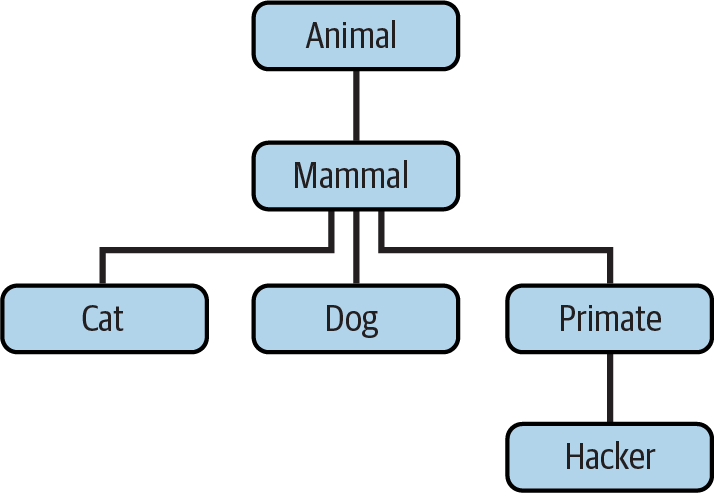
Figure 32-1. A zoo hierarchy composed of classes linked into an inheritance tree.
Code a set of six
classstatements to model this taxonomy with Python inheritance. Then, add aspeakmethod to each of your classes that prints a unique message and areplymethod in your top-levelAnimalsuperclass that simply callsself.speakto invoke the category-specific message printer in a subclass below (this will kick off an independent inheritance search fromself). Finally, remove thespeakmethod from yourHackerclass so that it picks up the default above it. When you’re finished, your classes should work this way:$
python3>>>from zoo import Cat, Hacker>>>spot = Cat()>>>spot.reply()# Animal.reply: calls Cat.speakmeow >>>data = Hacker()# Animal.reply: calls Primate.speak>>>data.reply()Hello world!