Chapter 41. All Good Things
Welcome to the end of the book! Now that you’ve made it this far, this chapter says a few words in closing about Python’s evolution before turning you loose on the software field and then wraps up with a bit of fun.
You’ve now had a chance to see the entire Python language yourself—including some advanced features that may seem at odds with a scripting language meant to be accessible to nonprofessionals. Though many users will understandably accept this as status quo, in an open source project, it’s crucial that some ask the “why” questions too. Ultimately, the trajectory of the Python story—and its true conclusion—is at least in part up to you.
Toward that end, this chapter begins by calling out what may be one of Python’s biggest downsides: its rate of change. This topic is unavoidably subjective, and you should weigh its coverage here on whatever scale you bring to the table.
The Python Tsunami
Twelve years ago, this book warned that Python was growing too convoluted and bloated—and then Python grew a lot more convoluted and bloated. Clearly, this message has not reached those behind the convoluting and bloating.
Even so, this stuff still matters. To parrot the Preface, the last dozen years have hosted the rise of f-string literals, named-assignment expressions, match statements, type hinting, async coroutines, dictionary union, star-unpacking proliferation, underscore digit separators, module attribute hooks, exception groups, dictionary-key insertion order, positional-only function arguments, hash-based bytecode files, the sys.executable snub, and other superfluous additions, opinionated deprecations, and tangled mutations we’ve met along the way.
Moreover, this tsunami of mods simply added to the flood of complexity and redundancy that came before it—including the oddly artificial MRO, the stunningly implicit super, and the horrifically convoluted inheritance algorithm of the preceding chapter, which elevates metaclasses and descriptors to prerequisites. The sum of these is an esoteric morass, which obfuscates the fundamental meaning of names in Python.
Most of what should be said about these changes already has been said in this book, but their combined weight qualifies as problematic for a tool that promotes itself as simpler than others. To illustrate, Table 41-1 updates the prior edition’s accounting of Python’s largely unchecked growth so far—a partial but representative tally.
| Category | Members |
|---|---|
| 3 major paradigms | Procedural, functional, object-oriented |
| 4 string-formatting tools | % expression, str.format, string.Template, f-strings |
| 4 attribute-accessor tools | properties, descriptors, __getattr__, __getattribute__ |
| 2 finalization statements | try/finally, with plus context managers |
| 4 varieties of comprehension | List, set, dictionary, generator |
| 3 class-augmentation options | Manual rebinding, @ decorators, metaclasses |
| 4 kinds of methods | Instance, static, class, metaclass |
| 2 attribute-storage systems | __dict__, __slots__ |
| 4 flavors of imports | Module, package, package relative, namespace package |
| 2 superclass-reference tools | Explicit class names, super plus MRO |
| 6 assignment forms | Basic, sequence, multitarget, += augmented, * unpacking, := named |
| 3 types of functions | Basic, yield generator, async coroutine |
| 6 function-argument forms | Basic, name=X, *X, **X, keyword-only, positional-only |
| 2 class-behavior sources | Superclasses, metaclasses |
| 3 multiple-choice tools | if/elif, dictionary indexing, match |
| 4 state-retention options | Classes, closures, function attributes, mutables |
| 2 bytecode storage schemes | timestamp, hashkey |
| 3 name-string importers | exec, __import__, importlib |
| 2 kinds of decorators | Function, class |
| 4 dictionary-merge options | for loops, update method, *D unpacking, | union operator |
| 2 exception-handler models | except singles, except* groups |
| 4 statement-aping expressions | if/else, comprehensions, lambda functions, := assignment |
| 8 starred collectors/unpackers | Assignment; function header, call; list, tuple, dict, set literal; match |
If you care about Python, you should take a moment to browse this table. It reflects a virtual explosion of bifurcation, redundancy, and toolbox size—and 81 concepts that can all be required reading for both newcomers learning the language and experts reusing code written by others. Most of its categories began with just one original member in Python; many were added in part to imitate other languages; and none can be simplified today by pretending that the latest Python is the only Python that matters. Python 3.X now owns the flux in full.
F-strings are a prime example in this category. This book’s prior edition lamented the three redundant string-formatting tools of its time, but this set was subsequently expanded to a colossal four. While f-strings may be deemed a refinement by some, in truth they are a minor variation on a theme that adds yet another topic to the heap. More fundamentally, millions of programmers have written millions of programs using longer-lived options; while new code has the luxury of using new tools, pretending that the past didn’t happen constitutes a break with reality.
Even extensions perhaps more unique often come loaded with surplus complexity. The match statement, for example, couldn’t simply provide a potentially useful multiple-choice option. It had to bolt on the conceptually tortuous and syntactically ad hoc structural pattern matching, which seems an answer to a question that nobody asked.
Nor are additions the only user-unfriendly theme in Python. Its subjective changes and deprecations are now so common that they must be expected as an implicit cost of using the language. To be clear, your Python code will almost certainly break eventually when you upgrade to a new Python release—and only because a Python core developer’s whim was made mandatory for everyone else.
The Python Sandbox
All of this stems from the fact that Python is, and probably always has been, a constantly morphing sandbox of ideas, which prioritizes its developers’ egos over its users’ needs. Playing in a sandbox can be fun, of course, but it’s lousy for the millions of people downstream from its churn. These people are simply trying to write software that’s reliable and durable. Like all engineering endeavors, that works best with a stable base, not constantly shifting sand.
As a pathological example, Python’s sandbox model seems to have hit its zenith in type hinting—the optional, unused, out-of-place, and embarrassingly academic subdomain we glanced in Chapter 6 but largely omitted here by design. This is unchecked convolution on parade, and leaves Python users to puzzle over the paradox of pointless type declarations in a dynamically typed language. Sadly, it’s also likely to appeal to control freaks.
As we’ve also seen regularly in this book, because the sandbox is oriented toward experts, it inevitably produces tools that assume that you have to already be an expert to use them. Classes and OOP, for example, are required skills for even simple exception handling. Python is not just for its developers, but the forward knowledge assumptions of many of its additions embed this message and raise the bar for newcomers unnecessarily and unkindly.
To be fair, it’s not just Python: the entire software field is permeated by a culture of change in which churn is an expected constant, and prowess often consists of flaunting the latest and greatest tools even when they are unwarranted. This doesn’t prove intelligence (and often demos its absence), but annual and mandatory mods are now a norm. Whether one breaks your PC, smartphone, or Python code, it’s difficult not to see this as divisive and rude.
The Python Upside
All that being said, it’s also difficult to deny that Python, despite its warts, is still more productive and pleasant to use than other programming languages. If you’ve coded other languages, you know that many come laden with extraneous syntax and rules, which seem to reflect an assumption that programmers cannot be trusted to do their jobs. By sharp contrast, Python’s dynamic typing and innate flexibility make it more ally than obstacle.
Python’s rise in popularity seems to attest to this value proposition, though it’s impetus may be more practical than academic. Today’s larger Python world may naturally be less concerned with the language’s original and perhaps idealistic goals than with solving concrete problems. In the real world that hosts Python popularity, arcane language topics usually take a back seat to libraries, platforms, and schedules—calls that Python has always answered in full.
Moreover, some change and complexity is warranted in software. Programming is a substantially challenging task (despite what you may have heard), and computer science is a field still young enough to be excused for some youthful thrashing. For Python specifically, though, complexity and thrashing should be modulated by broad appeal.
In the end, the Python language remains a remarkably expressive tool that still fits both programming tasks and your brain as well as it ever did. Especially if you stick to its tried-and-true parts that propelled Python to the top of the language charts, you’ll likely find it an enabling technology that makes coding as much fun as chore.
Prudent engineers, though, would do well to exercise caution when upgrading to the leading edge, and give a pass to the sandbox’s annual outflow except when clearly beneficial. Given that this is now an industry-wide requirement, it’s hardly cause to dismiss an otherwise useful tool. Bad practice, however, does not justify bad practice.
Closing Thoughts
So there you have it: some observations from the trenches, born of three decades using, teaching, and advocating Python, and grounded in a desire to improve the Python story.
None of these concerns are entirely new. Indeed, the growth of this very book over the years seems a testament to that of Python itself—if not an ironic eulogy to a mission statement that once stressed simplification of programming, and accessibility to both experts and nonprofessionals alike. Judging by language heft alone, that dream seems to have been either neglected over time or abandoned entirely.
But we can do better. A well-established tool like Python can afford to focus more on its users’ needs than its changers’ hubris. Per the old adage, we simply have to stop fixing what isn’t broken. If we can, it will go far toward addressing the concerns of those vetting the language for projects which cannot afford to budget for shifting sands.
More importantly, in an open source project like Python the answers to such questions must be formed anew by each wave of newcomers. Hopefully, the wave you ride in will have as much common sense as fun while plotting Python’s future.
Where to Go From Here
And that’s a wrap, folks. You’ve officially reached the end of this book. Now that you know Python inside and out, your next step, should you choose to take it, is to explore the libraries, techniques, and tools available in the application domains in which you will work.
Because Python is so widely used, you’ll find ample resources for using it in almost any domain you can think of—from GUIs, the web, and apps, to numeric programming, databases, and system administration. See Chapter 1 and your favorite web browser for pointers to popular tools and topics.
This is where Python starts to become truly fun, but this is also where this book’s story ends, and those of other resources begin. Good luck with your journey. And as always: code well!
Encore: Print Your Own Completion Certificate!
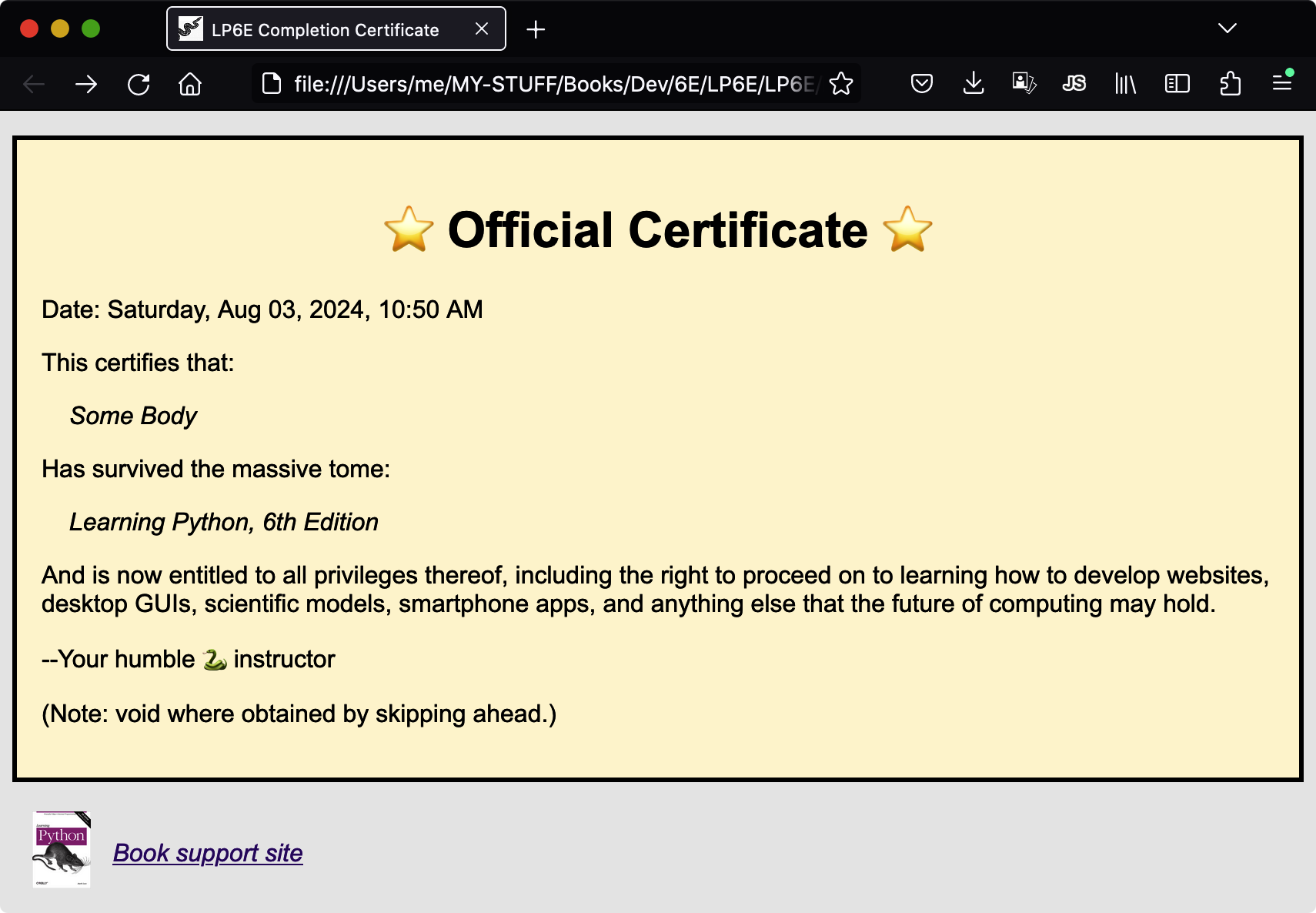
And one last thing: in lieu of exercises for this part of the book, Example 41-1 lists a bonus script for you to study and run on your own. A book can’t directly provide completion certificates for its readers (and the certificates would be worthless if it could), but it can include an arguably cheesy Python script that does. This one creates a simple book completion certificate in both plain-text and HTML files, and auto-opens them in a web browser where supported.
Example 41-1. You-made-it.py
""" Generate a simple class completion certificate: printed to the console, and saved in auto-opened text and HTML files. Run from a console, and print saved output files if desired. Works on all PCs, but may require manual opens on smartphones. """ import time, sys, html, os maxline = 60# Text separator linesbrowser = True# Display in a browser?saveto = 'Certificate'# Output filenames prefix# Template valuesSEPT = '*' * maxline DATE = time.strftime('%A, %b %d, %Y, %I:%M %p') NAME = input('Please enter your name: ').strip() or 'An unknown reader' BOOK = 'Learning Python, 6th Edition' SITE = 'https://learning-python.com'# For icon, image, link# F-string templates work for preset in-code referencestexttext = f""" {SEPT} ⭐️ Official Certificate ⭐️ Date: {DATE} This certifies that: \t{NAME} Has survived the massive tome: \t{BOOK} And is now entitled to all privileges thereof, including the right to proceed on to learning how to develop websites, desktop GUIs, scientific models, smartphone apps, and anything else that the future of computing may hold. --Your humble 🐍 instructor (Note: void where obtained by skipping ahead.) {SEPT} """# Interact, setupfor c in 'Congratulations!'.upper() + '👏' * 3: print(c, end=' ') sys.stdout.flush()# Else some shells wait for \ntime.sleep(0.25)# Reveal message slowly for funprint(); time.sleep(3)# Make text-file versiontextto = saveto + '.txt' fileto = open(textto, 'w', encoding='utf8') print(texttext, file=fileto) fileto.close()# Start HTML: replace text markers with tagshtmltext = texttext.replace(SEPT, '<div class=cert>', 1) htmltext = htmltext.replace(SEPT, '</div>') htmltext = htmltext.replace('⭐️ ', '<h1 align=center>⭐️ ', 1) htmltext = htmltext.replace(' ⭐️', ' ⭐️</h1>')# Line-by-line modslinemods = [] for line in htmltext.split('\n'): if line == '': line = '<p>' elif line[:1] == '\t': line = f"<i>{' ' * 4}{html.escape(line[1:])}</i>"# 3.6+linemods.append(line) htmltext = '\n'.join(linemods)# Ignorable HTML bits (mind the {{ and }} escapes)preamble = f'''<!doctype html> <html> <head> <meta http-equiv="Content-Type" content="text/html; charset=UTF-8"> <meta name="viewport" content="width=device-width, initial-scale=1.0"> <link rel="icon" type="image/x-icon" href="{SITE}/favicon.ico"> <style> body {{font-family: Arial, Helvetica, sans-serif;}} .cert {{background-color: cornsilk; padding: 16px; border: medium solid black;}} </style> <title>LP6E Completion Certificate</title> </head> ''' image, page = 'lp6e-large.jpg', 'about-lp.html' footer = f''' <table><tr> <td><a href="{SITE}/{page}"><img src="{SITE}/{image}" hspace=10 height=50></a> <td><a href="{SITE}/{page}" align=center><i>Book support site</i></a> </tr></table> '''# Put it all togetherhtmltext = f'{preamble}<body bgcolor="#eee">{htmltext}{footer}</body></html>'# Make HTML-file versionhtmlto = saveto + '.html' fileto = open(htmlto, 'w', encoding='utf8') print(htmltext, file=fileto) fileto.close()# Display text results in consoleprint(f'[File: {textto}]', end='') print('\n' * 2, open(textto, encoding='utf8').read())# Open docs (may also fail silently)if browser: try: import webbrowser for doc in (textto, htmlto): webbrowser.open('file://' + os.path.abspath(doc)) except Exception: print('Unable to auto-open docs: open manually.') input('[Press Enter to close]')# Keep window open if clicked
Run this script in a console or other interface on your own, and study its code for a review of some of the ideas we’ve covered in this book. Copy/paste from emedia or fetch it from this book’s examples package as described in the Preface, but ignore its undocumented and out-of-scope HTML bits if you’re not a web developer. You won’t find any descriptors, decorators, metaclasses, or super calls in this code, but it’s typical Python nonetheless:
$python3 You-made-it.pyPlease enter your name: Some Body C O N G R A T U L A T I O N S ! 👏 👏 👏 …etc…
This script works in full on PCs (where code might also open files with os.startfile, or “open” or “xdg-open” commands in os.system) but on smartphones you’ll probably need to open the output files manually in file-explorer apps. When run, it generates the web page captured in the fully gratuitous Figure 41-1. This could be much more grandiose, of course; see the web for pointers to Python support for PDFs and other document tools such as Sphinx surveyed in Chapter 15. But hey—if you’ve made it to the end of this book, you deserve another joke or two.