16.4 Using Variables with Sass
When you look at a larger CSS project, you’ll notice that many values of CSS features, such as colors, spacing, dimension, and so on, are constantly repeated. If one wants to change these values afterward, an extensive search and replace of the values is often started. With variables in Sass, you can save yourself this work. They allow you to set a value for a CSS feature as a variable and then use it anywhere in the SCSS document. After compiling the SCSS file, these variables are replaced with the actual values in the CSS file.
You introduce a variable with the dollar sign ($). This is followed by the name of the variable without spaces in between. You can assign a value to the variable via a colon and end the line with a semicolon—basically the same way you assign a value to a CSS feature. The corresponding syntax looks as follows:
$variable-name: value;
Real-life examples could look like the following:
$color-primary: #5f5f5f;
$color-primary-font: #fff;
$font: 'Franklin Gothic','Arial Narrow',Arial,sans-serif;
$spacing-std: 1em;
You can then pass the variables defined in this way to a CSS feature using $variable-name. You’re free to choose the name of the variable. Note, however, that you can’t use any special characters. It’s recommended to use a meaningful designation. A name like $heaven-blue isn’t ideal because you might decide later to change the color from blue to yellow. Thus, a label like $color-primary is more appropriate. If you define a variable multiple times in the code, the last definition made always wins the deal when it comes to assigning a value to a CSS feature. You already know this from CSS as well.
Here’s an example and what the CSS preprocessor makes of it.
|
SCSS File |
CSS File |
|---|---|
|
$color-primary: #5f5f5f; |
* { |
|
SCSS file: /examples/chapter016/16_4/style/style.scss |
CSS file: /examples/chapter016/16_4/style/style.css |
Table 16.3 The SCSS File and the CSS File after Compilation
The HTML file used is again /examples/chapter016/16_3_2/index.html from Section 16.3.2.
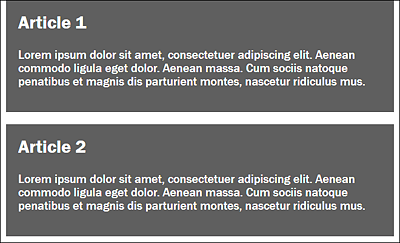
Figure 16.4 The HTML File /examples/chapter016/16_4/index.html during Execution