Keep the Information Flowing
Here are some other examples of situations in which a specific piece of information (whether a single line of text, a photo, a digital note, or an entire folder full of documents) might flow between PARA categories.
From PROJECTS to AREAS: You might find that a training plan you used to prepare for a marathon (a project) is something you’d like to become a routine. You can create a new area folder called “Exercise” and move it there so that it remains an ongoing part of your life.
From AREAS to PROJECTS: If you decide it’s time to level up operations within your organization (which will require a onetime project), the perfect place to start is with any ideas you’ve collected in an “Operations” area folder. New projects often emerge out of existing areas of responsibility.
From AREAS to RESOURCES: Sometimes, you realize that a piece of information you initially thought was relevant only to you (such as a list of event venues in a city) could also provide value to others. Move it from areas to resources, where it will be ready to share.
From RESOURCES to AREAS: Let’s say you decide to start cooking at home more to improve your health and nutrition. A perfect way to start would be to move a few easy-to-make recipes from a “recipes” resource folder to your “Cooking” area folder. That way you can get started quickly without getting distracted by “doing more research” on the Internet.
From AREAS and RESOURCES to ARCHIVES: We’ve already discussed how projects go into the Archives when they are completed or put on hold. The same is true for areas and resources: if you lose interest in bird-watching, chess, jiu-jitsu, or motorcycle repair, there’s no need to delete all that content. Just move it to the Archives in case it ever becomes relevant again.
From ARCHIVES to PROJECTS: Imagine you want to organize a conference to establish your company’s thought leadership in a new industry. A lot of the planning and materials for conferences are similar and can be reused, provided you’ve saved them. Do a search for a professional event you’ve organized in the past, and you can move any useful materials you find there to a new project folder to reuse all that past knowledge.
One final note: though my preferred method is to move notes and files wholesale from one place to another, you actually have four options for how to associate an existing piece of information with a new category:
- 1. Moving a single item (if only one item is relevant to a new project, for example)
- 2. Moving a folder full of items (if a whole group of items is relevant)
- 3. Linking two items together (if you want to keep the original item where it is)12
- 4. Tagging items with the same tag (if you want to associate many items with each other without moving them)
The only action I recommend avoiding at all costs is duplication: you never want to have two versions of a file or document, because then you never know which one is the most current.
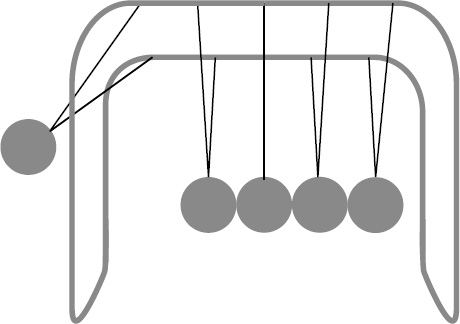
The purpose of keeping your information moving is to keep yourself moving. When the information around you is constantly flowing and changing, you’ll find it’s much easier to see problems from a new perspective and avoid getting bogged down. You’ll even find that projects get going before you even realize you’ve started them!
12 Most digital notetaking apps and file storage platforms offer the ability to create “links.” You can use that feature to create links between documents on the same platform, or even between documents located on different platforms.