18.8 Content Management Systems
Content management system (CMS) is the name given to the category of software that easily manages websites with support for multiple users. In this book we focus on web-based content management systems (WCMS), which go beyond user and document management to implement core website management principles. We will relax the formal definitions so that when we say CMS, we are referring to a web-based CMS.
With a CMS, end users can focus on publishing content and know that the system will put that content in the right place using the right technologies. Once properly configured and installed, a CMS requires only minimal maintenance to stay operational, can reduce costs, and often doesn’t need a full-time web developer to make changes.
18.8.1 Components of a Managed Website
A typical website will eventually need to implement the following categories of functionality:
Media management provides a mechanism for uploading and managing images, documents, videos, and other assets.
Menu control manages the menus on a site and links menu items to particular pages.
Search functionality can be built into systems so that users can search the entire website.
Template management allows the structure of the site to be edited and then applied to all pages.
User management permits multiple authors to work simultaneously and attribute changes to the appropriate individual. It can also restrict permissions.
Version control tracks the changes in the site over time.
Workflow defines the process of approval for publishing content.
WYSIWYG editor allows nontechnical users to create and edit HTML content and CSS styles without manipulating code.
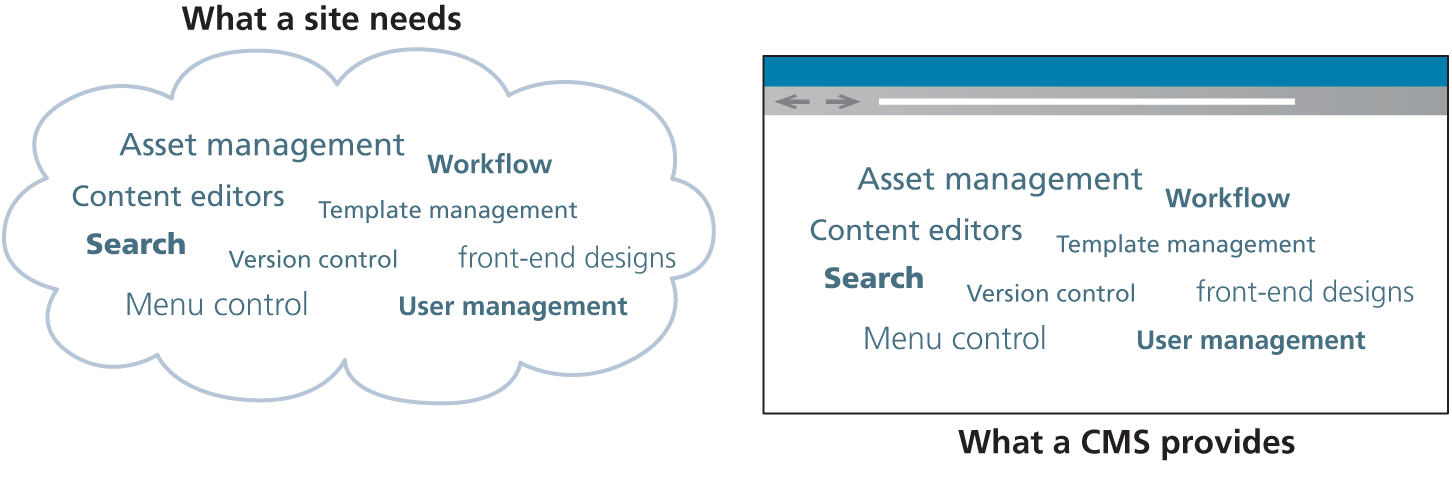
Even for a sophisticated web developer, the challenge of implementing all this functionality can be daunting as illustrated in Figure 18.25. Content Management Systems replace the network of independent pieces with a single web-based tool as illustrated in Figure 18.25.
Figure 18.25 The challenge of managing a WWW site without hosting considerations and the benefit of a web content management system
 Pro Tip
Document management systems (DMSs) are a class of software designed to replace paper documents in an office setting and date back to the 1970s. These systems typically implement many features users care about for documents including: file storage, multiuser workflows, versioning, searching, user management, publication, and others.
The principles from these systems are also the same in the web content management systems. Benefiting from a well-defined and mature class of software like DMS in the web context means you can avoid mistakes already made, and benefit from their solutions.
It also means that many companies already have a document management solution deployed enterprise wide. These enterprise software systems often have a web component that can be purchased to leverage the investment already made in the system. Tools like SharePoint are popular when companies have already adopted Microsoft services like Active Directory and Windows-based IIS web servers in their organization. Similarly, a company running SAP may opt to use their web application server rather than another commercial or open-source system.
18.8.2 Types of CMS
A simple search for the term “CMS” in a search engine will demonstrate that there are a lot of content management systems available. These systems are implemented using a wide range of development technologies including PHP, ASP.NET, Java, Ruby, Python, and others. Some of these systems are free, while others can cost hundreds of thousands of dollars.
This chapter uses WordPress as its sample CMS. Originally a blogging engine, WordPress is by far the most popular CMS 12. As a result, the ability to customize and adapt WordPress has become an important skill for many web developers. As you will see throughout this chapter, it implements all the key pieces of a complete web management system, and goes beyond that, allowing you to leverage the work of thousands of developers and designers in the form of plugins and themes (written in PHP).
Before moving on to the specifics of WordPress, it is worth noting that other content systems enjoy substantial support in industry. Table 18.1 lists some of the more popular CMSs.
Table 18.1 Some Popular Content Management Systems
| Drupal | Written in PHP, Drupal is a popular CMS with enterprise-level workflow functionality. It is a popular CMS used in many large organizations including whitehouse.gov and data.gov.uk. |
| Joomla! | Written in PHP, Joomla! Is one of the older free and open-source CMS (started in 2005). With many plugins and extensions available, it continues to be a popular CMS. |
| Contentful | A headless CMS; that is, it provides only the back-end CMS functionality and makes it available via a REST API. |
| SharePoint | SharePoint is an enterprise-focused, proprietary CMS from Microsoft that is especially popular in corporate intranet sites. It is tightly integrated with the Microsoft suite of tools (like Office, Exchange, Active Directory) and has a mature and broad set of tools. |
When selecting a CMS there are several factors to consider including:
Technical requirements: Each CMS has particular requirements in terms of the functionality it offers as well as the server software needed and the database it is compatible with. Your client may have additional requirements to consider.
System support: Some systems have larger and more supportive communities/companies than others. Since you are going to rely on the CMS to patch bugs and add new features, it’s important that the CMS community be active in supporting these types of updates or you will be at risk of attack.
Ease of use: Probably the most important consideration is that the system itself must be easy to use by nontechnical staff.