5.1 HTML Tables
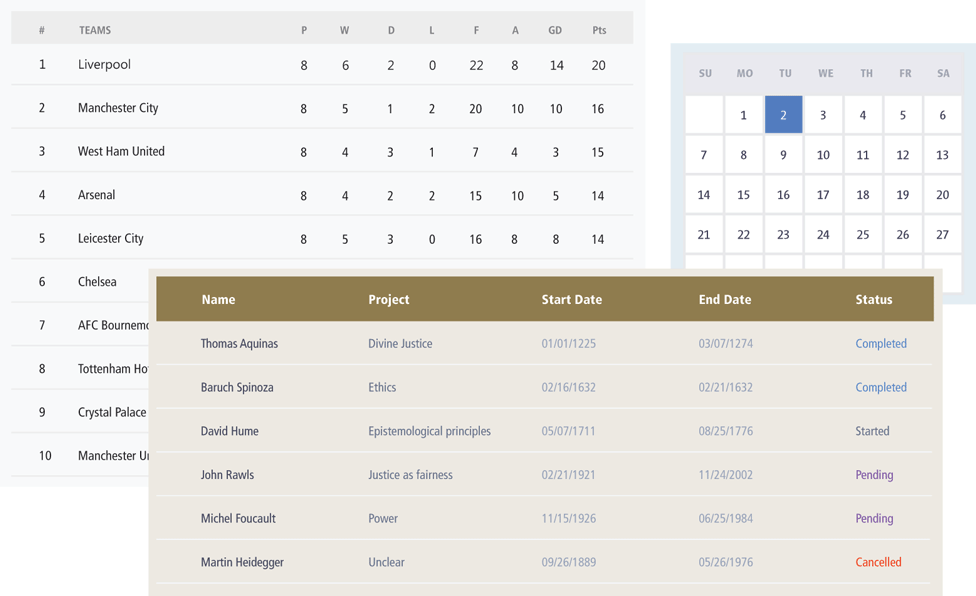
A table in HTML is created using the <table> element and can be used to represent information that exists in a two-dimensional grid. Tables can be used to display calendars, financial data, pricing tables, and many other types of data. Just like a real-world table, an HTML table can contain any type of data: not just numbers, but text, images, forms, even other tables, as shown in Figure 5.1.
Figure 5.1 Examples of tables
5.1.1 Basic Table Structure
To begin we will examine the HTML needed to implement the following table.
| The Death of Marat | Jacques-Louis David | 1793 | 162 cm | 128 cm |
| Burial at Ornans | Gustave Courbet | 1849 | 314 cm | 663 cm |
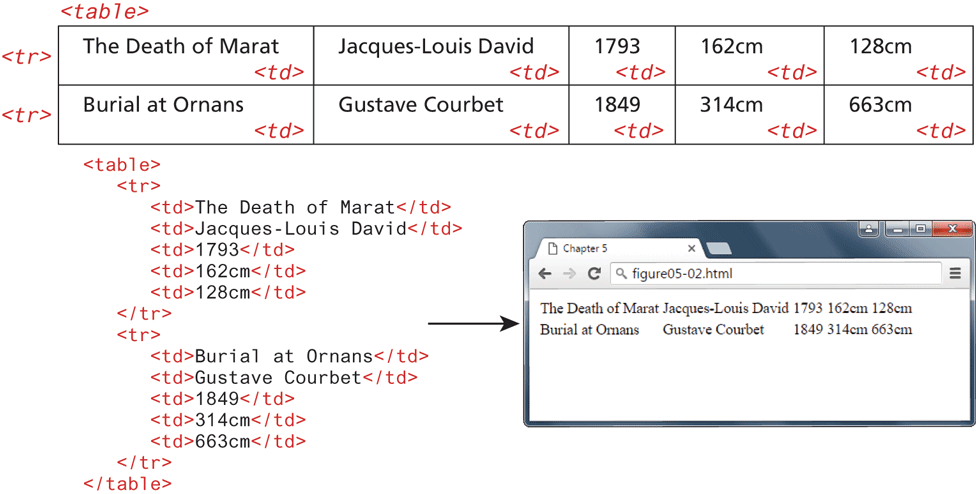
As can be seen in Figure 5.2, an HTML <table> contains any number of rows (<tr>); each row contains any number of table data cells (<td>). The indenting shown in Figure 5.2 is purely a convention to make the markup more readable by humans. Notice also that some browsers do not by default display borders for the
table; however, we can do so via CSS.
Figure 5.2 Basic table structure
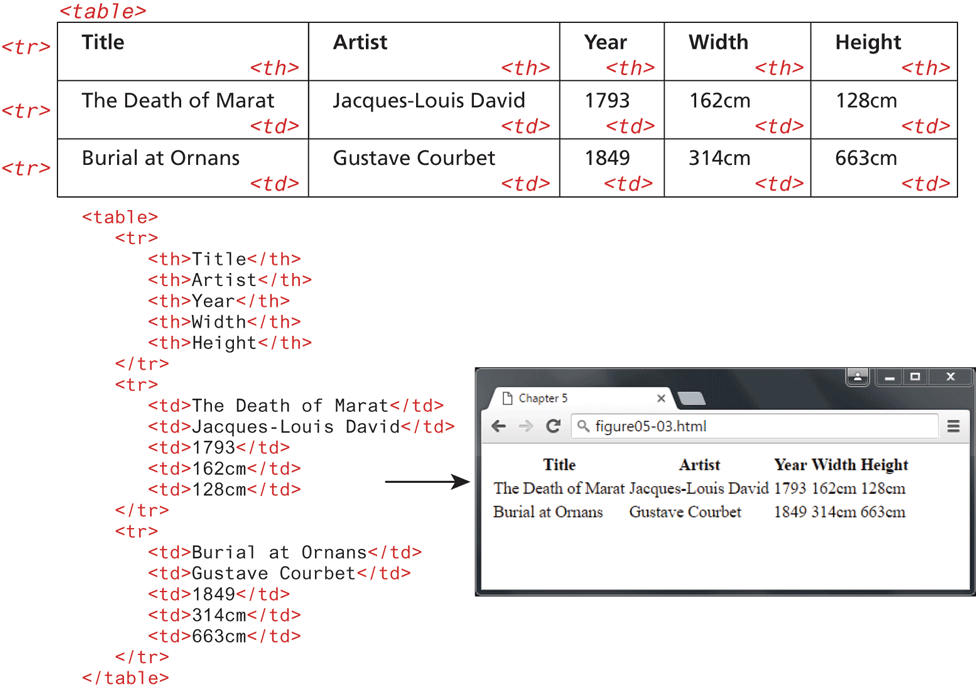
Many tables will contain some type of headings in the first row. In HTML, you indicate header data by using the <th> instead of the <td> element, as shown in Figure 5.3. Browsers tend to make the content within a <th> element bold, but you could style it anyway you would like via CSS.
Figure 5.3 Adding table headings
The main reason you should use the <th> element is not, however, due to presentation reasons. Rather, you should also use the <th> element for accessibility reasons (it helps those using screen readers, which we will cover in more detail later in this chapter) and for search engine optimization reasons.
5.1.2 Spanning Rows and Columns
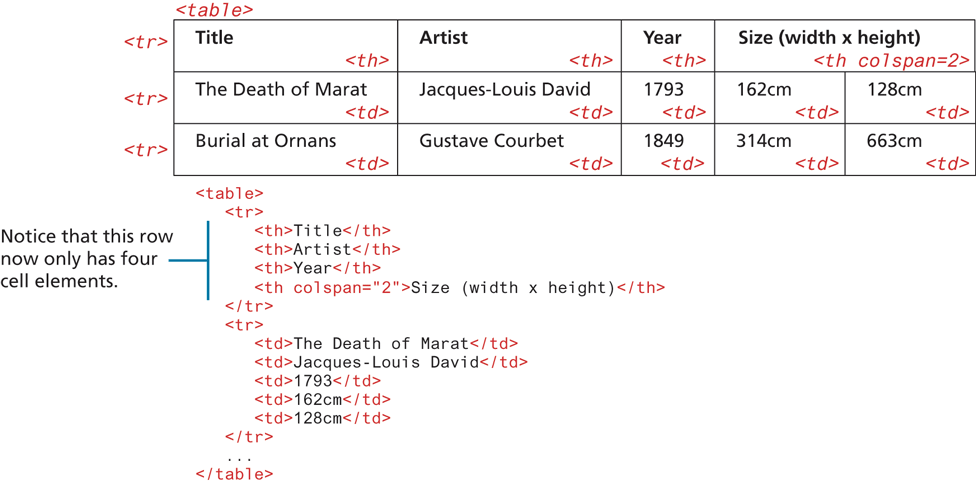
So far, you have learned two key things about tables. The first is that all content must appear within the <td> or <th> container. The second is that each row must have the same number of <td> or <th> containers. There is a way to change this second behavior. If you want a given cell to cover several columns or rows, then you can do so by using the colspan or rowspan attributes (Figure 5.4).
Figure 5.4 Spanning columns
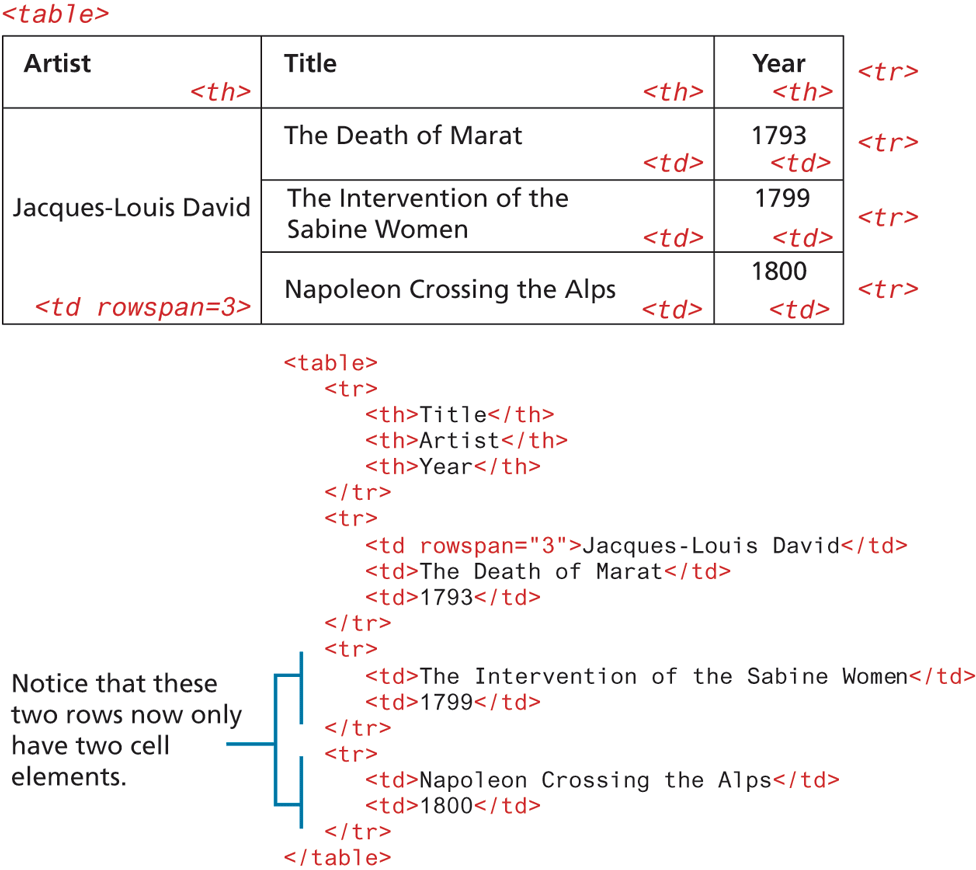
Spanning rows is a little less common and perhaps a little more complicated because the rowspan affects the cell content in multiple rows, as can be seen in Figure 5.5.
Figure 5.5 Spanning rows
5.1.3 Additional Table Elements
While the previous sections cover the basic elements and attributes for most simple tables, there are some additional table elements that can add additional meaning and accessibility to one’s tables.
Figure 5.6 illustrates these additional (and optional) table elements. The <caption> element is used to provide a brief title or description of the table, which improves the accessibility of the table, and is strongly recommended. You can use the caption-side CSS property to change the position of the caption below the table.
Figure 5.6 Additional table elements
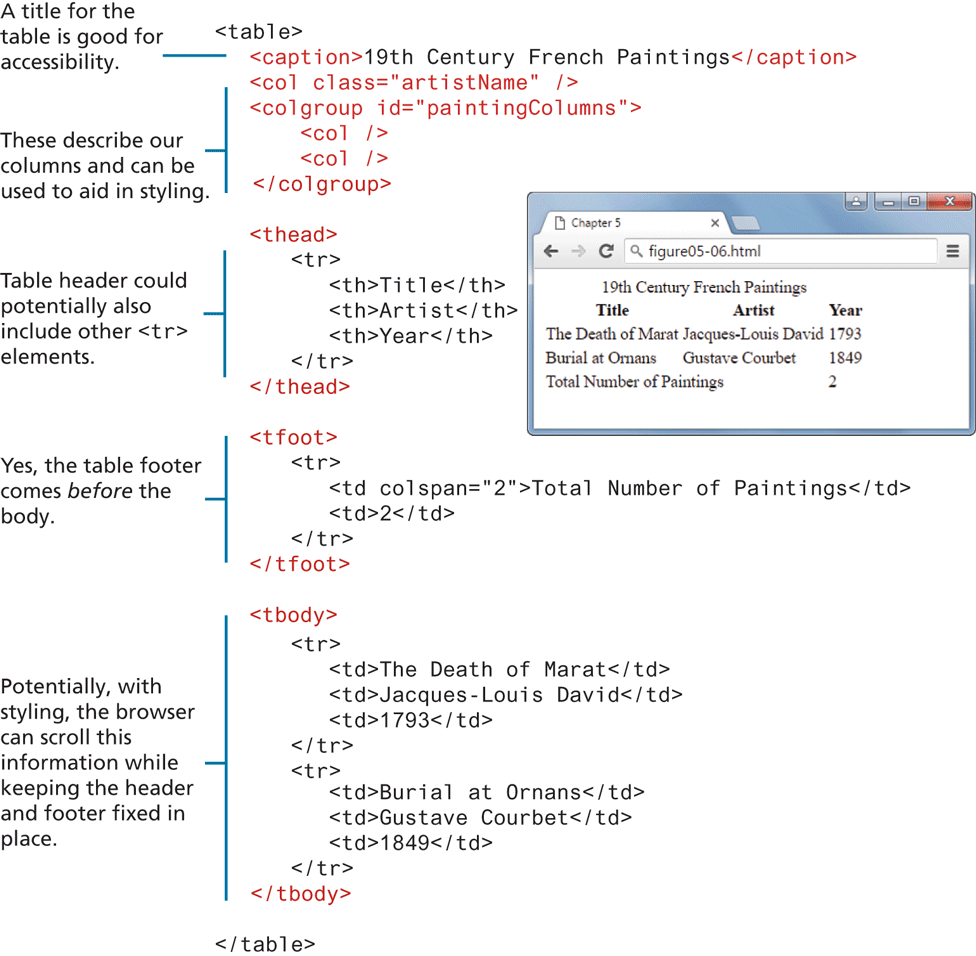
The <thead>, <tfoot>, and <tbody> elements tend in practice to be used quite infrequently. However, they do make some sense for tables with a large number of rows. With CSS, one could set the height and overflow properties of the <tbody> element so that its content scrolls, while the header and footer of the table remain always on screen.
The <col> and <colgroup> elements are also mainly used to aid in the eventual styling of the table. Rather than styling each column, you can style all columns within a <colgroup> with just a single style. Unfortunately, the only properties you can set via these two elements are borders, backgrounds, width, and visibility, and only if they are not overridden in a <td>, <th>, or <tr> element (which, because they are more specific, will override any style settings for <col> or <colgroup>). As a consequence, they tend to not be used very often.
5.1.4 Using Tables for Layout
Prior to the broad support for CSS in browsers, HTML tables were frequently used to create page layouts. Since HTML block-level elements exist on their own line, tables were embraced by developers in the 1990s as a way to get block-level HTML elements to sit side by side on the same line.
Unfortunately, this practice of using tables for layout had some problems. The first of these problems is that this approach tended to increase the size of the HTML document.
A second problem with using tables for markup is that the resulting markup is not semantic. Tables are meant to indicate tabular data; using <table> elements simply to get two block elements side by side is an example of using markup simply for presentation reasons. The other key problem is that using tables for layout results in a page that is not accessible, meaning that for users who rely on software to voice the content, table-based layouts can be extremely uncomfortable and confusing to understand. It is much better to use CSS for layout. The next chapter will examine how to use CSS for layout purposes.