3.3 Semantic Markup
In Figure 3.2, some of the yellow sticky note and red ink markup examples are instructions about how the document will be displayed (such as, “main heading” or “bulleted”). You can do the same thing with HTML presentation markup, but this is no longer considered to be a good practice. Instead, over the past decade, a strong and broad consensus has grown around the belief that HTML documents should only focus on the structure of the document; information about how the content should look when it is displayed in the browser is best left to CSS (Cascading Style Sheets), a topic introduced in the next chapter, and then covered in more detail in Chapter 7.
As a consequence, beginning HTML authors are often counseled to create semantic HTML documents. That is, an HTML document should not describe how to visually present content but only describe its content’s structural semantics or meaning. This advice might seem mysterious, but it is actually quite straightforward.
Examine the paper documents shown in Figure 3.7. One is a page from the United States IRS explaining the 1040 tax form; another is a page from a textbook (Data Structures and Problem Solving Using Java by Mark Allen Weiss, published by Addison Wesley). In each of them, you will notice that the authors of the two documents use similar means to demonstrate to the reader the structure of the document. That structure (and, to be honest, the presentation as well) makes it easier for the reader to quickly grasp the hierarchy of importance as well as the broad meaning of the information in the document.
Figure 3.7 Visualizing structure
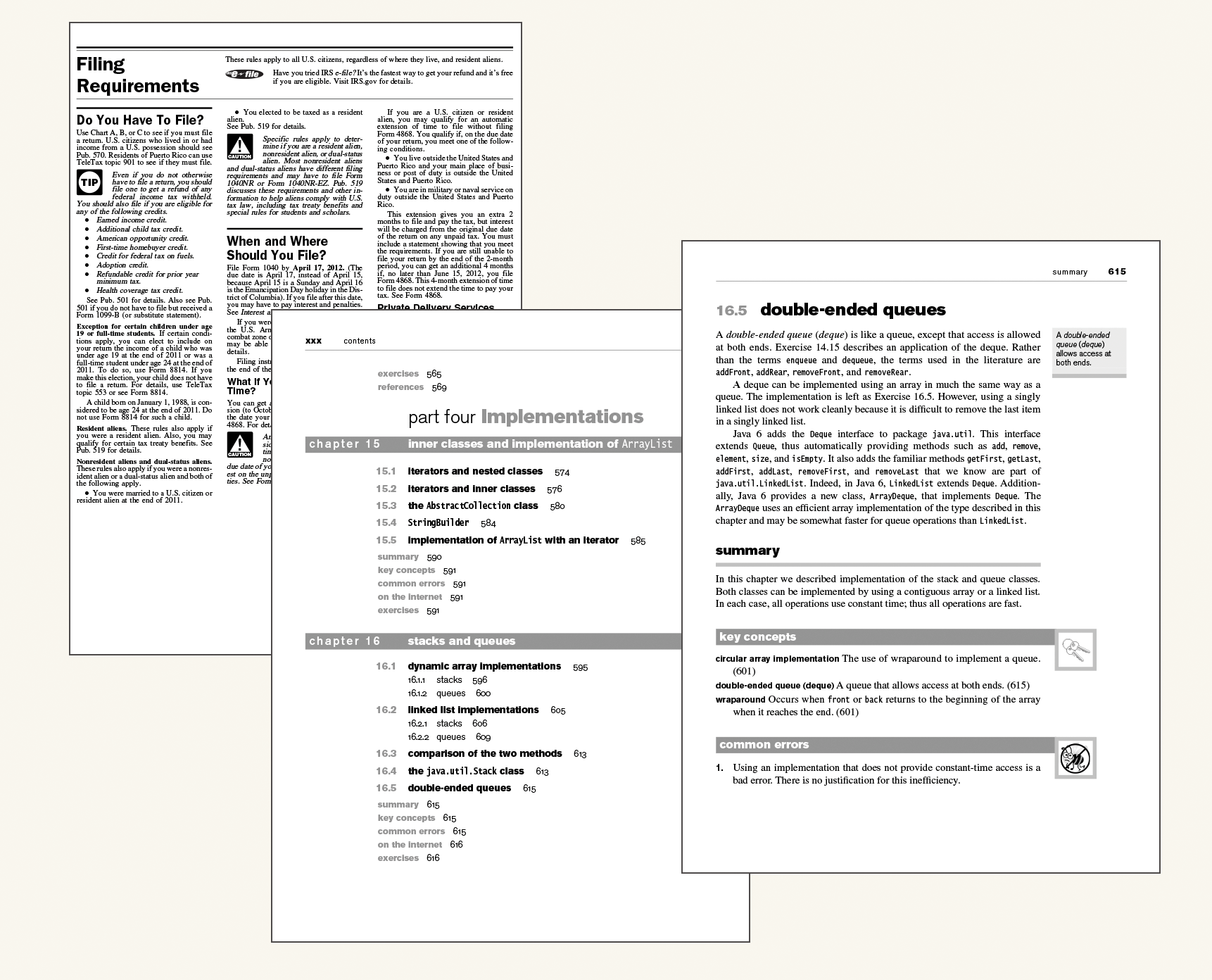
Structure is a vital way of communicating information in paper and electronic documents. All of the tags that we will examine in this chapter are used to describe the basic structural information in a document, such as headings, lists, paragraphs, links, images, navigation, footers, and so on.
Eliminating presentation-oriented markup and writing semantic HTML markup has a variety of important advantages:
Maintainability. Semantic markup is easier to update and change than web pages that contain a great deal of presentation markup. Our students are often surprised when they learn that more time is spent maintaining and modifying existing code than in writing the original code. This is even truer with web projects. From our experience, web projects have a great deal of “requirements drift” due to end user and client feedback than traditional software development projects.
Performance. Semantic web pages are typically quicker to author and faster to download.
Accessibility. Not all web users are able to view the content on web pages. Users with sight disabilities experience the web using voice-reading software. Visiting a web page using voice-reading software can be a very frustrating experience if the site does not use semantic markup. As well, many governments insist that sites for organizations that receive federal government funding must adhere to certain accessibility guidelines. For instance, the United States government has its own Section 508 Accessibility Guidelines (http://www.section508.gov).
 Pro Tip
You can learn about web accessibility by visiting the W3C Web Accessibility initiative website (http:/
/ www.w3.org/ WAI). The site provides guidelines and resources for making websites more accessible for users with disabilities. These include not just blind users, but users with color blindness, older users with poor eyesight, users with repetitive stress disorders from using the mouse, or even users suffering from ADHD or short-term memory loss. One of the documents produced by the WAI is the Web Content Accessibility Guidelines, which is available via http:/ / www.w3.org/ WAI/ intro/ wcag.php. Search engine optimization. For many site owners, the most important users of a website are the various search engine crawlers. These crawlers are automated programs that cross the web, scanning sites for their content, which is then used for users’ search queries. Semantic markup provides better instructions for these crawlers: it tells them what things are important content on the site.
But enough talking about HTML . . . it is time to examine some HTML documents.