3.2 HTML Syntax
At the time of writing, the current W3C Recommendation for HTML is the HTML5.2 specification. The key to learning HTML in all the HTML5 specifications is the syntax of elements and attributes.
3.2.1 Elements and Attributes
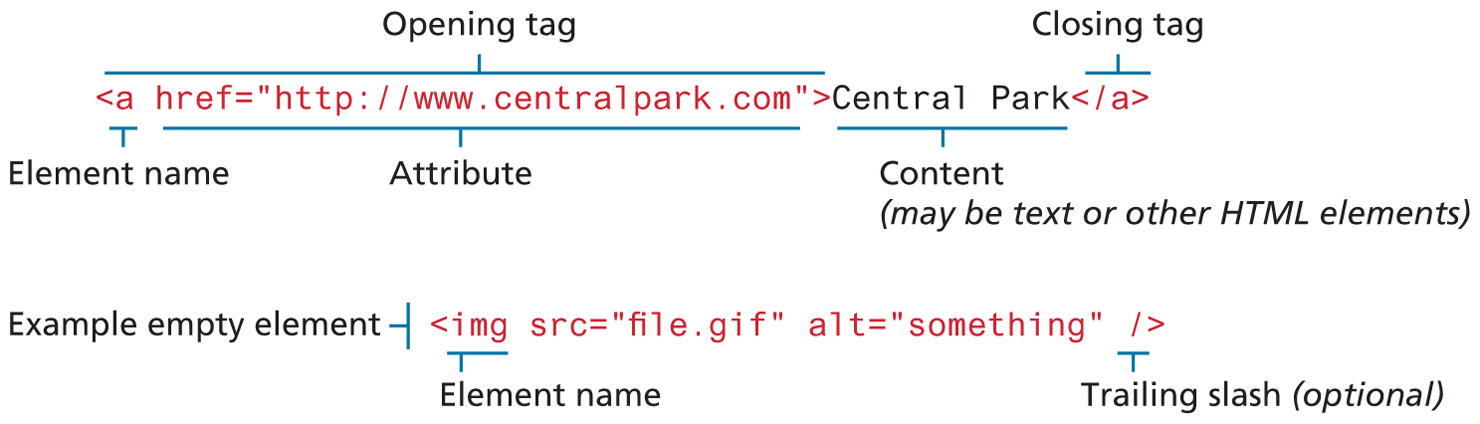
HTML documents are composed of textual content and HTML elements. The term HTML element is often used interchangeably with the term tag. However, an HTML element is a more expansive term that encompasses the element name within angle brackets (i.e., the tag) and the content within the tag (though some elements contain no extra content).
An HTML element is identified in the HTML document by tags. A tag consists of the element name within angle brackets. The element name appears in both the beginning tag and the closing tag, which contains a forward slash followed by the element’s name, again all enclosed within angle brackets. The closing tag acts like an off-switch for the on-switch that is the start tag.
HTML elements can also contain attributes. An HTML attribute is a name=value pair that provides more information about the HTML element. In XHTML, attribute values had to be enclosed in quotes; in HTML5, the quotes are optional, though many web authors still maintain the practice of enclosing attribute values in quotes. Some HTML attributes expect a number for the value. These will just be the numeric value; they will never include the unit.
Figure 3.4 illustrates the different parts of an HTML element, including an example of an empty HTML element. An empty element does not contain any text content; instead, it is an instruction to the browser to do something. Perhaps the most common empty element is <img>, the image element. In XHTML, empty elements had to be terminated by a trailing slash (as shown in Figure 3.4). In HTML5, the trailing slash in empty elements is optional.
Figure 3.4 The parts of an HTML element
3.2.2 Nesting HTML Elements
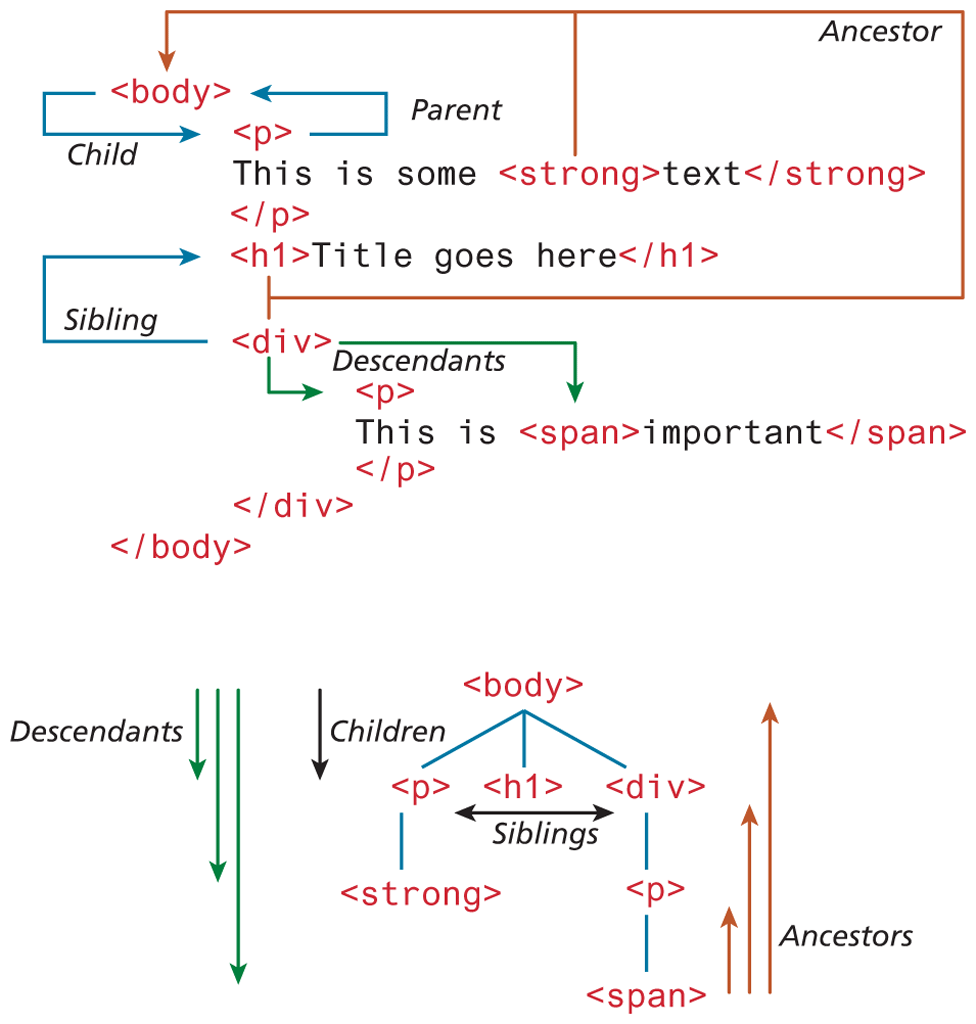
Often an HTML element will contain other HTML elements. In such a case, the container element is said to be a parent of the contained, or child, element. Any elements contained within the child are said to be descendants of the parent element; likewise, any given child element may have a variety of ancestors.
 Note
Note
In XHTML, all HTML element names and attribute names had to be lowercase. HTML5 (and HTML 4.01 as well) does not care whether you use upper- or lowercase for element or attribute names. Nonetheless, this book will generally follow XHTML usage and use lowercase for all HTML names and enclose all attribute values in quotes.
This underlying family tree or hierarchy of elements (see Figure 3.5) will be important later in the book when you cover Cascading Style Sheets (CSS) and JavaScript programming and parsing. This concept is called the Document Object Model (DOM) formally, though for now we will only refer to its hierarchical aspects.
Figure 3.5 HTML document outline
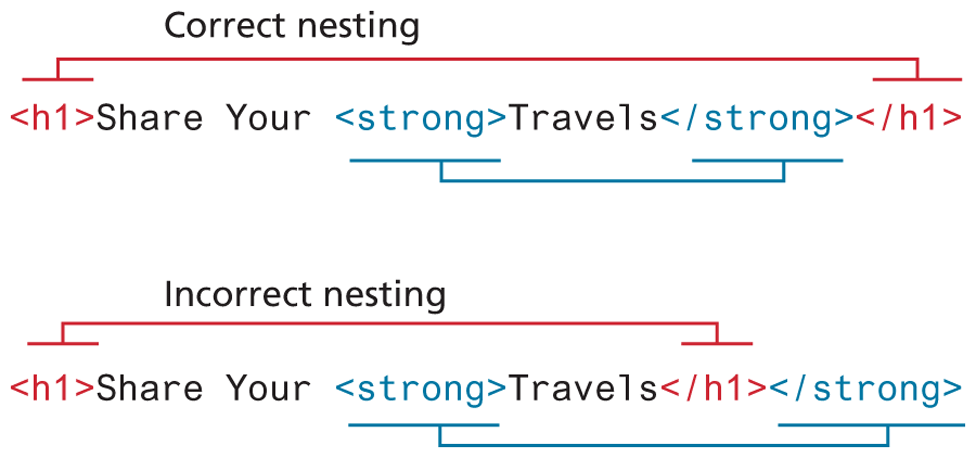
In order to properly construct this hierarchy of elements, your browser expects each HTML nested element to be properly nested. That is, a child’s ending tag must occur before its parent’s ending tag, as shown in Figure 3.6.
Figure 3.6 Correct and incorrect ways of nesting HTML elements