Long description
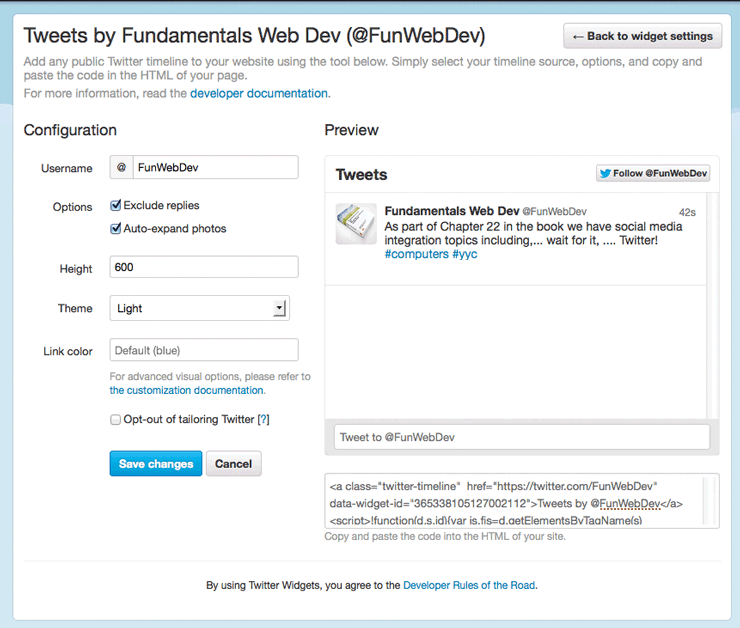
On top of the window it is labeled 'Tweets by Fundamentals Web Dev (at the rate FunWebDev)'. Below this the following message is displayed: 'Add any public Twitter timeline on your website using the tool below. Simply select your source, options, and copy and paste the code in the H T M L of your page. For more information , read the developer documentation'. On the top right end, an icon labeled 'left arrow Back to widget settings', is shown. The preview panel of Twitter is also shown here. The last few tweets by a particular person is shown in the sidebar. The form content with the configuration credentials to be entered from top to bottom are as follow: Username, Options, Height, Theme and Link color, and are shown on the left side. On left of all these form contents an empty text box is given. Below this the following note is given. ' For advanced visual options, please refer to the customization documentation.' Below this a check box with the following note is given: Opt- out of tailoring Twitter. Below this a Save changes button and a Cancel button are shown. On the right bottom of the page, the following h t m l code is given: Angle bracket open "a" class equals open double quotes twitter hyphen timeline close double quotes h r e f equals open double quotes h t t p s colon forward slash forward slash twitter dot com forward slash FunWebDev close double quotes data hyphen widget hyphen i d equals copen double quotes 365338105127002112 close double quotes close angle bracket Tweets by at the rate FunWebDev open angle bracket forward slash "a" close angle bracket open angle bracket script close angle bracket exclamation mark function open parenthesis d dot s dot i d close parenthesis open curly brace var is dot fis equals d dot "a" e t Elements By Tag name open parenthesis s close parenthesis. The following instruction is given below the code: Copy and paste the code into H T M L of your site.
Back