Long description
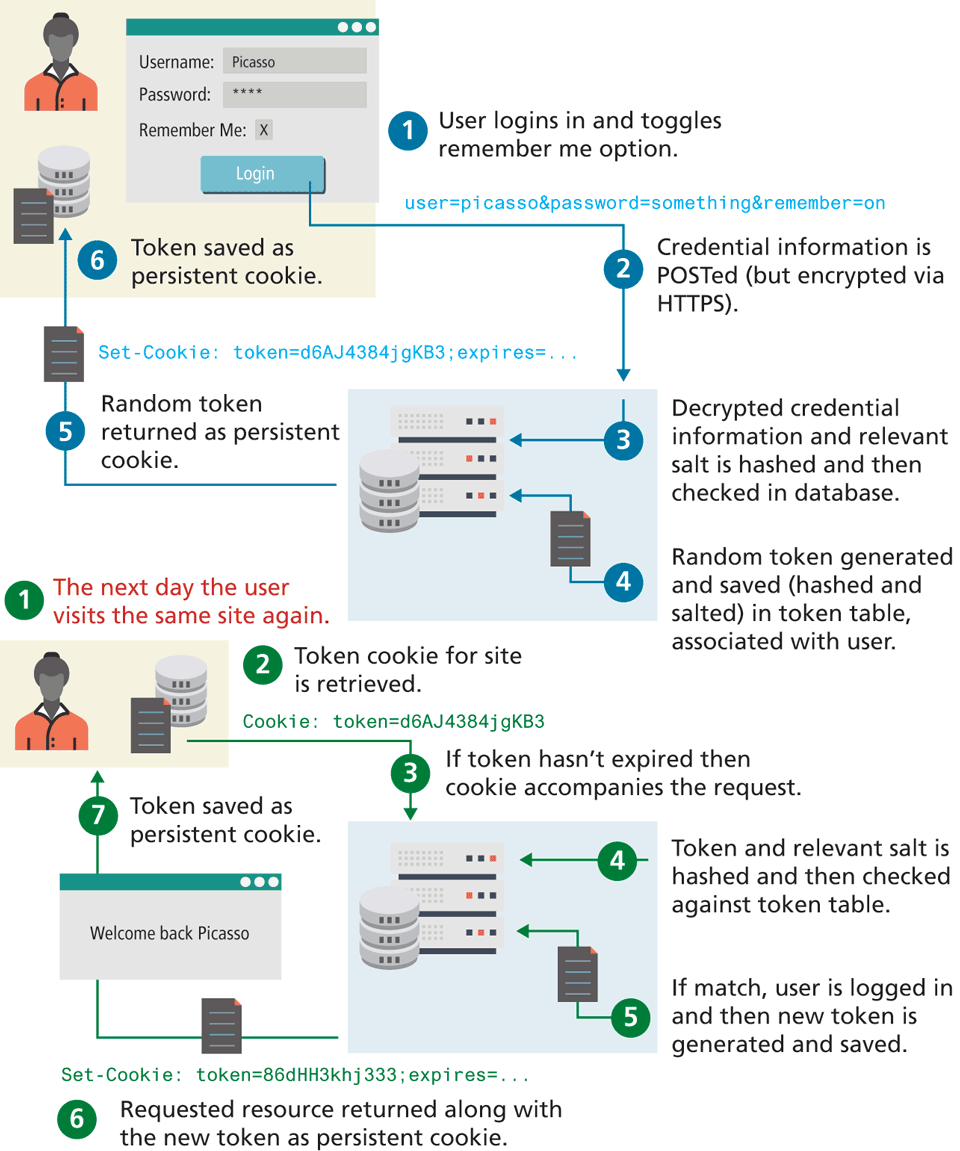
The different steps in remembering the login steps in a website is as follows:.Step 1: User logins in and toggles remember me option.
Step 2: Credential information is POSTed open parenthesis but encrypted via H T T P S close parenthesis. The H T T P header for the POST method reads as follows. User equals Picasso ampersand password equals something ampersand remember equals on.
Step 3: Decrypted credential information and relevant salt is hashed and then checked in database.
Step 4: Random token generated and saved open parenthesis hashed and salted close parenthesis in token table, associated with user.
Step 5: Random token returned as persistent cookie. The set-cookie header reads as follows. Set hyphen cookie colon token equals d 6 “A” J 4 3 8 4 j g K B 3 semicolon expires equals ellipsis.
Step 6: Token saved as persistent cookie.
The following steps illustrate the process of remembering the user login.
Step 1: The next day the user visits the same site again.
Step 2: Token cookie for site is retrieved.
Step 3: If token hasn't expired then cookie accompanies the request as follows. Cookie colon token equals d 6 “A” J 4 3 8 4 j g K B 3.
Step 4: Token and relevant salt is hashed and then checked against token table.
Step 5: If match, user is logged in and then new token is generated and saved.
Step 6: Requested resource returned along with the new token as persistent cookie. The set cookie header reads as follows. Set hyphen cookie colon token equals 8 6 d H H 3 k h j 3 3 3 semicolon expires equals ellipsis.
Step 7: Token saved as persistent cookie in the database.
Back