Long description
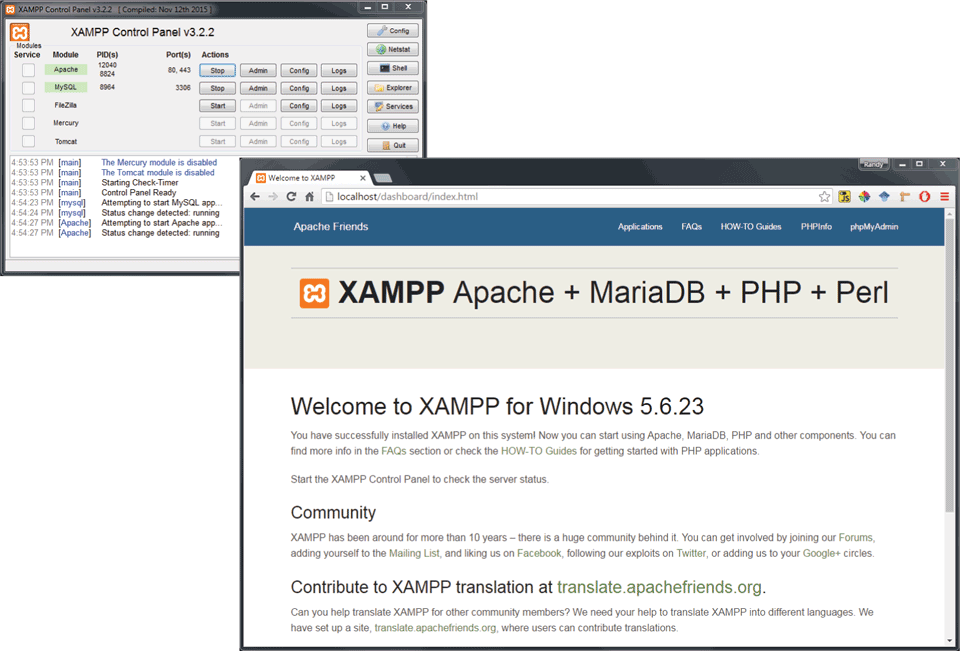
The figure shows the X “A” M P P Control Panel with the version v 3 point 2 point 2 and a browser window. The control panel is divided into 2 sections. The first section shows a list of 5 checkboxes with the modules, process I Ds, Port numbers, and Actions. The list of modules read as follows: Apache, My S Q L, FileZilla, Mercury, and Tomcat. The actions include 4 buttons in each row of the list that are labeled Stop, Admin, Config, and Logs. Seven buttons are placed at the right side that are labeled as follows: Config, Netstat, Shell, Explorer, Services, Help, and Quit. The second section, which is placed below the first section shows a few lines of text that reads the actions performed on the modules.
The browser window is placed at the bottom right of the control panel and shows the X “A” M P P home page. The homepage is titled X “A” M P P Apache plus Maria D B plus P H P plus Perl. The rest of the window shows details about X “A” M P P.
Back