Long description
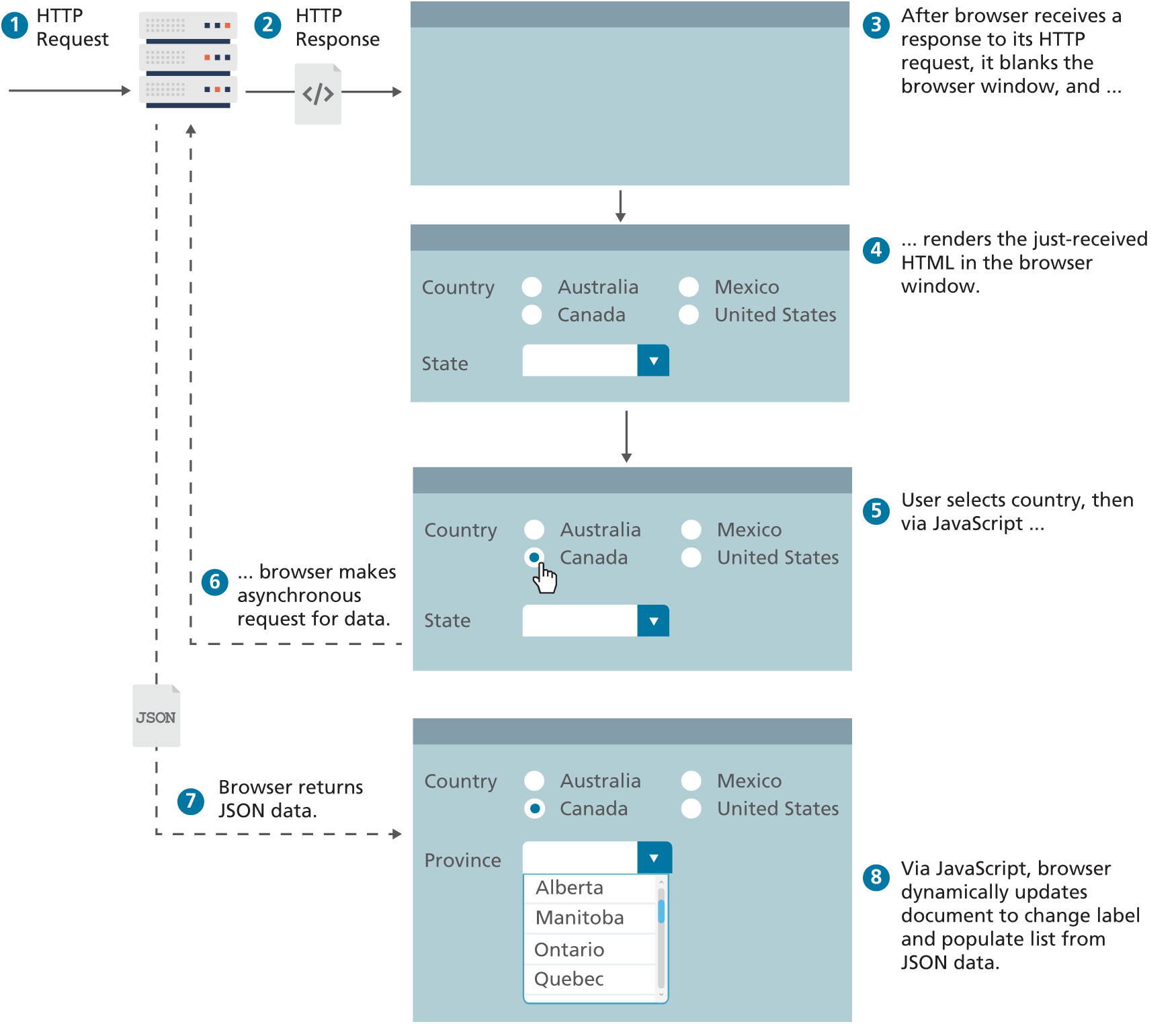
The image contains 4 browser windows and 8 steps.
Step 1: HTTP Request to Server
Step 2: HTTP Response to Browser Window 1
Step 3: After browser receives a response to its HTTP request comma it blanks the browser window comma and dots
Step 4: renders the just dash received HTML in Browser Window 2
Step 5: User selects country comma via JavaScript dots in Browser Window 3
Step 6: browser makes asynchronous request for data. Request goes from Browser Window 3 to Server
Step 7: Browser returns JSON data that is shown in Browser Window 4
Step 8: Via JavaScript comma browser dynamically updates document to change label and populate list from JSON data. This is shown in Browser Window 4
Browser window contents are as follows.
Browser 1: Empty
Browser 2: Radio buttons labeled “Country”: Australia, Mexico, Canada, United States. Button labeled “Update”. Drop down labeled “State”: Empty
Browser 3: Radio buttons labeled “Country”: Australia, Mexico, Canada, United States. Radio button Canada is selected. Button labeled “Update”. Drop down labeled “State”: Empty
Browser 4: Radio buttons labeled “Country”: Australia, Mexico, Canada, United States. Radio button Canada is selected. Button labeled “Update”. Drop down labeled “Province”: Alberta, Manitoba, Qntario, Quebec.
Back