Long description
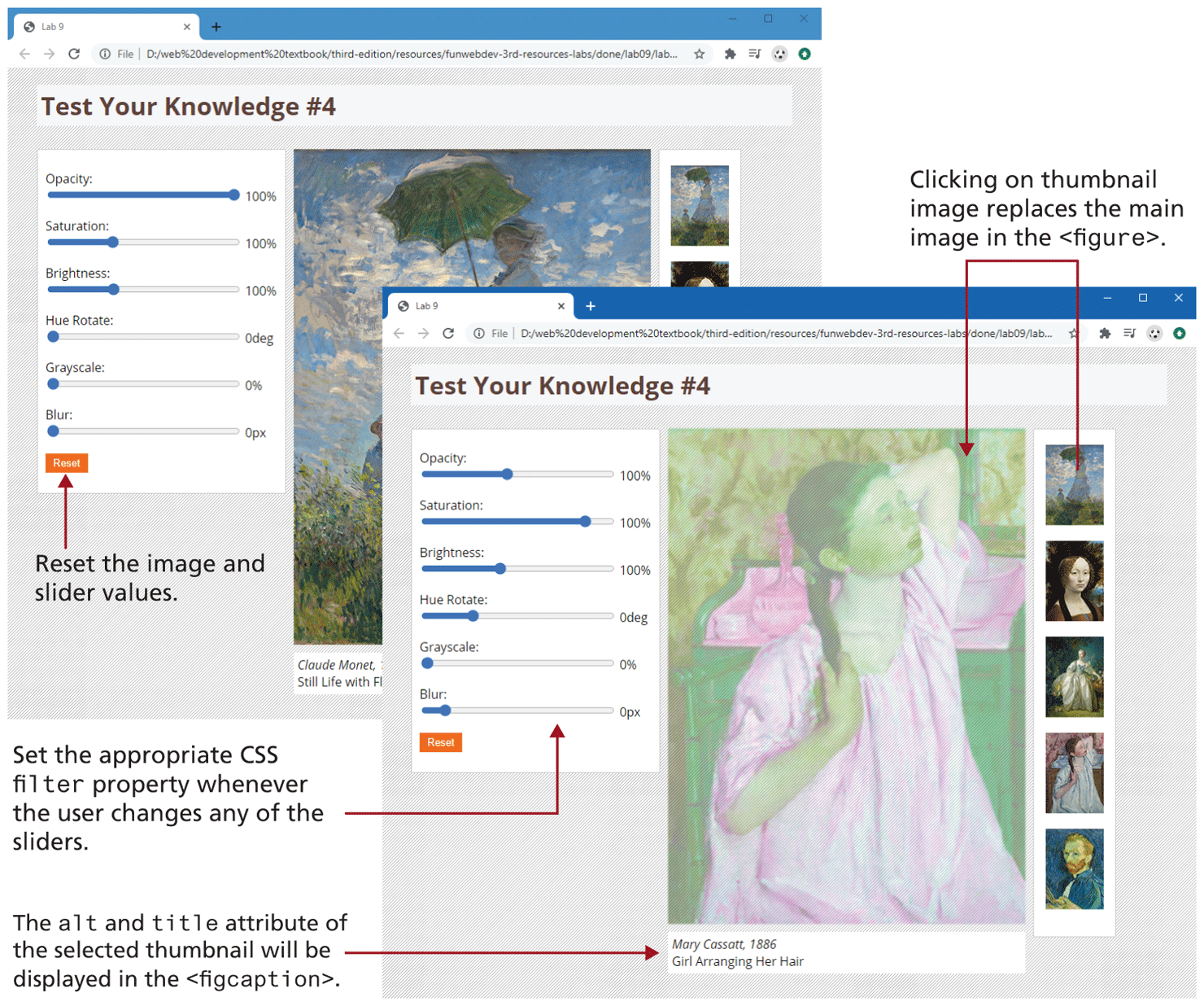
The figure shows two browser windows, where the second browser window partially overlaps the first browser window. The first browser window titled Chapter 10 has an address bar that reads, 127 dot 0 dot 0 dot 1 colon 63753 forward slash filters dot h t m l.
The first browser window shows a level-1 heading at the top that reads, Art Filters. The rest of the browser window is divided into 3 columns. Column 1 shows a block that consists of 6 sliders and a button placed one below the other. Each slider shows a label at the top left and the value selected on the selected at the right end. The button is labeled Reset. The Reset button allows the user to reset the image and slider values. Column 2 shows an image with a block of text about the image. Column 3 shows a block of 5 small images that represent the thumbnails of images.
The second browser window shows the same layout as the first browser window, where the values selected in the sliders of column 1 is different and the image in column 2 is different. The block below the image shows 2 lines of text that reads as follows. Line 1: Self-portrait. Line 2: Vincent can Gogh, 1887. Note: Set the appropriate C S S filter and webkit hyphen filter properties whenever the user changes any of the sliders. The lines of text in the block below the image indicates that the alt and title attribute of the selected thumbnail will be displayed in the open angle bracket figcaption close angle bracket. The thumbnails in column 3 indicates that Clicking on thumbnail image replaces the main image in the open angle bracket figure close angle bracket.
Back