Long description
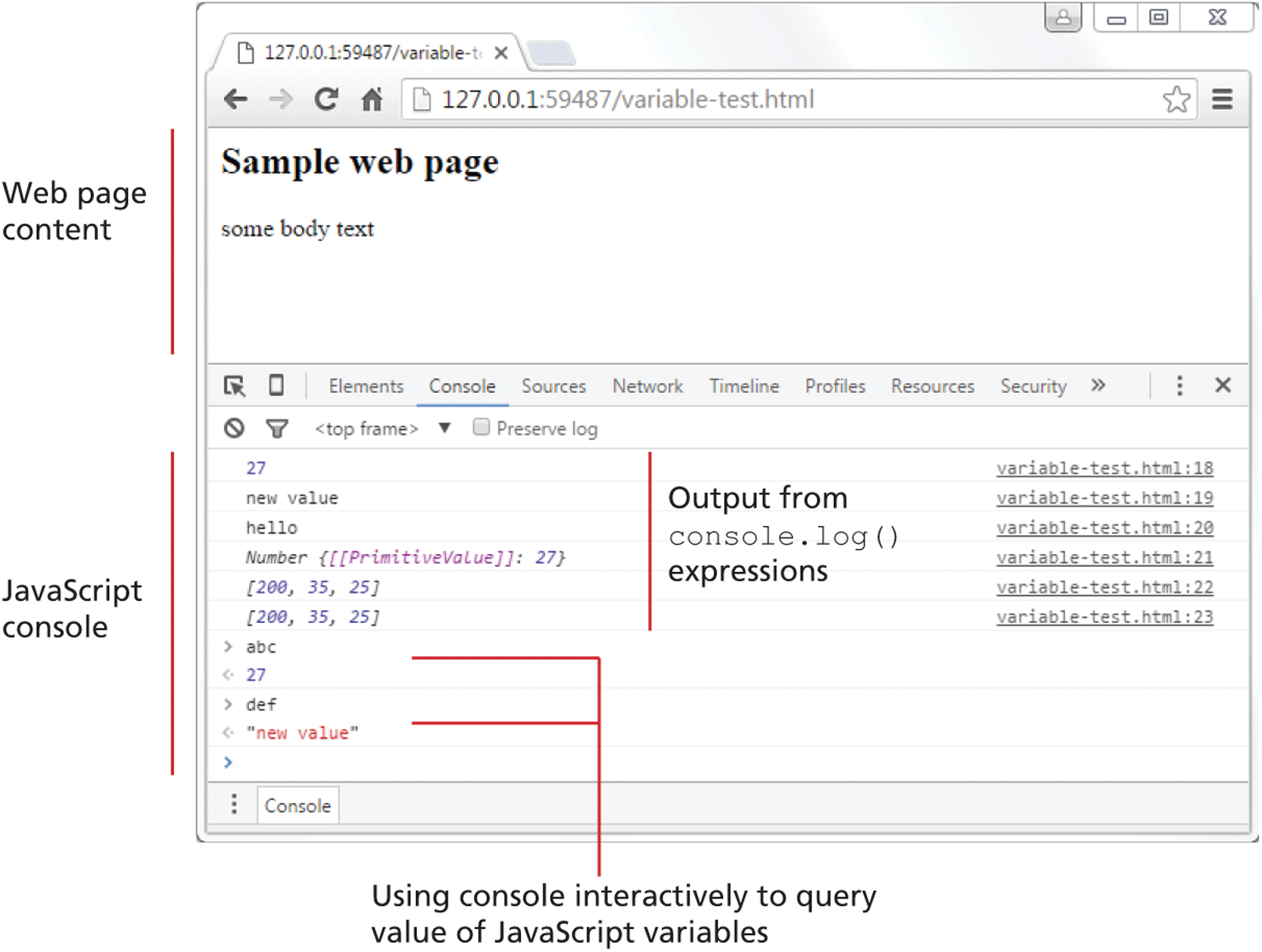
The browser window has a tab titled 127 dot 0 dot 0 dot 1 colon 59487 forward slash variable. The address bar reads, 127 dot 0 dot 0 dot 1 colon 59487 forward slash variable hyphen test dot h t m l. The browser window is divided into two sections. Section 1 labeled Web page content consists of a level-1 heading and one level-2 heading. The level-1 heading that reads, "Sample web page" is placed at the top left of the browser window. The level-2 heading that reads, "some body text" is placed below the level-1 heading.
Section 2 labeled JavaScript console is placed below section 1 and consists of a horizontal navigation bar at the top. Console from the navigation bar is selected that displays the console window below. Ten lines of text are shown in the window. Line 1: 27. Line 2: new value. Line 3: hello. Line 4: Number open curly brace open square bracket open square bracket PrimitiveValue close square bracket close square bracket colon 27 close curly brace. Line 5: open square bracket 200, 35, 25 close square bracket. Line 6: open square bracket 200, 35, 25 close square bracket. Lines 1 to 6 correspond to the output from console dot log open parenthesis close parenthesis expressions. Line 7: “a” b c. Line 8: 27. Line 9: d e f. Line 10: open double quotes new value close double quotes. Lines 7 to 10 refers to using console interactively to query value of JavaScript variables.
Back