Long description
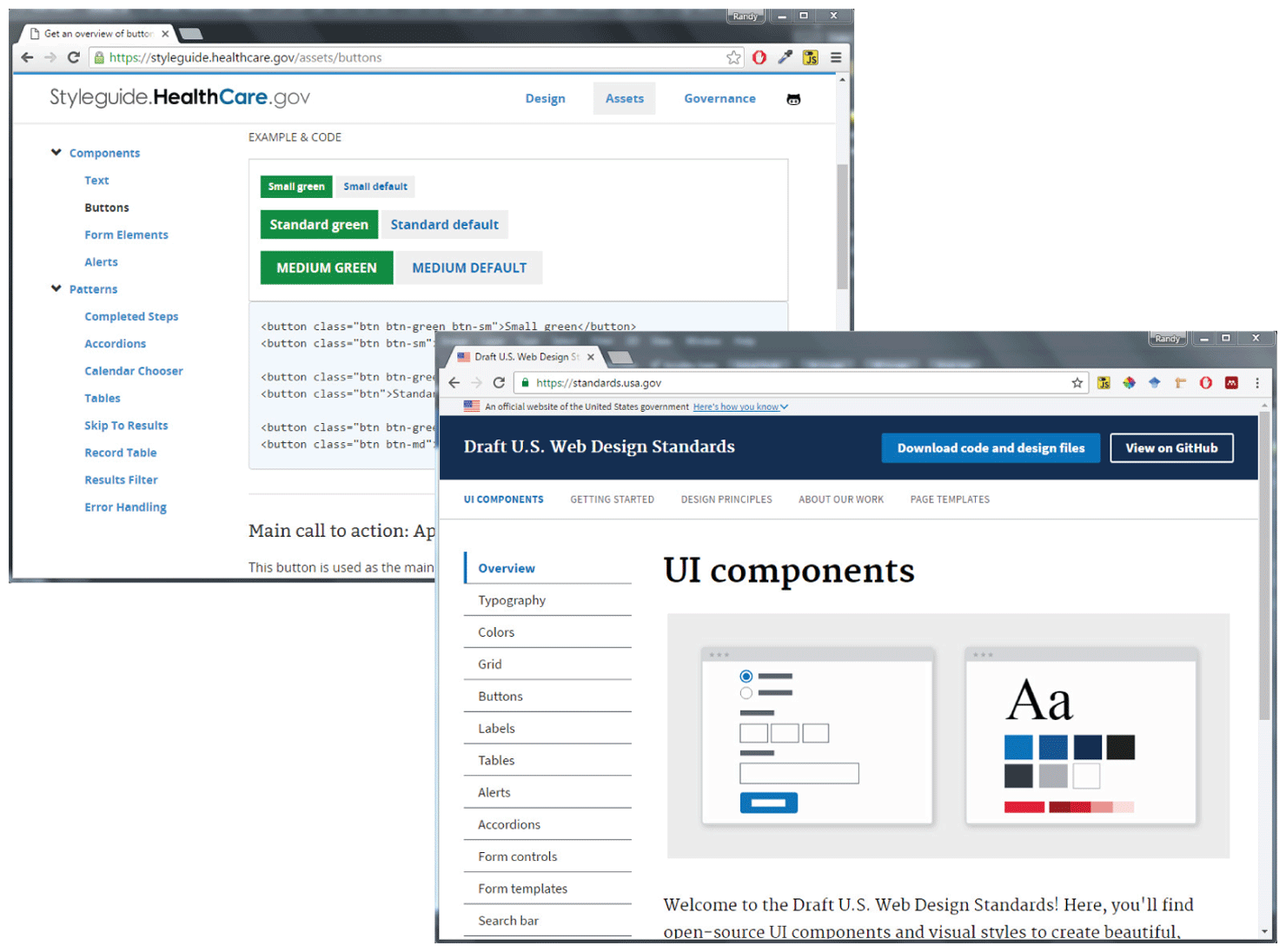
Browser Window 1 shows a web page with info listed in two columns. Column 1 lists 2 sets of dropdown menus labeled Components and Patterns. Under the Components menu, there are various options listed that are labeled as follows: Text, Buttons, Form Elements, and Alerts. Under the Patterns menu, there are various options listed that are labeled as follows: Completed Steps, Accordions, Calendar Chooser, Tables, Skip To Results, Record Table, Results Filter, and Error Handling. The Buttons option is in bold indicating its selection. Column 2 shows 3 rows with 2 sets of buttons of different sizes and colors. The buttons are labeled as follows in their respective rows. Row 1: Small green, Small default. Row 2: Standard green, Standard default. Row 3: Medium green, Medium default. The corresponding H T M L code for the buttons are mentioned in a textbox below.
Browser Window 2 shows a web page with data displayed in 2 columns. Column 1 shows a list of topics that are labeled as follows - Overview, Typography, Colors, Grid, Buttons, Labels, Tables, Alerts, Accordions, Form controls, Form templates, and Search bars. Each of the topics are tabs separated by a horizontal bar. The first option Overview is highlighted indicating its selection. Column 2 shows a level-1 heading aligned to the top left of the column. The heading is labeled U I Components. A rectangular block with two images inside it is placed below the heading. A paragraph is placed below the block.
Back