Long description
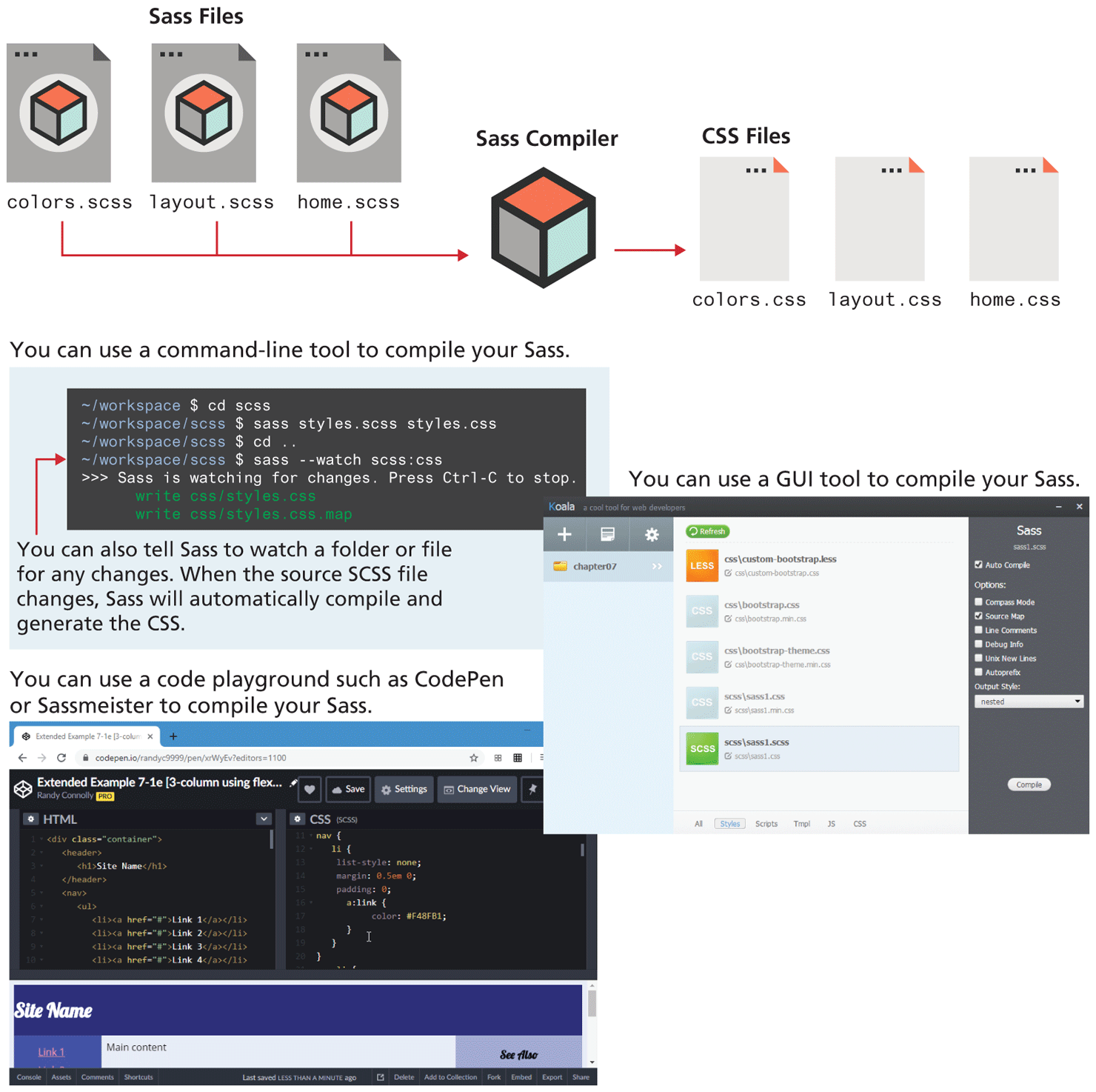
Image 1 shows the compilation of Sass files into C S S files. Three Sass files labeled colors dot s c s s, layout dot s c s s, and home dot s c s s are sent to a Sass compiler. The output of this is three C S S files labeled colors dot c s s, layout dot c s s, and home dot c s s.
Note: You can use a command-line tool to compile your Sass.
Image 2 shows a command prompt with the following lines of code.
Line 1: hyphen forward slash workspace dollar c d s c s s. Line 2: hyphen forward slash workspace forward slash s c s s dollar sass styles dot s c s s styles dot c s s. Line 3: hyphen forward slash workspace forward slash s c s s dollar c d ellipsis. Line 4: hyphen forward slash workspace forward slash s c s s dollar sass hyphen hyphen watch s c s s colon c s s. Line 5: open angular bracket open angular bracket open angular bracket Sass is watching for changes. Press Ctrl C to stop. Line 6: write c s s forward slash styles dot c s s. Line 7: write c s s forward slash styles dot c s s dot map. An arrow pointing at line 4 indicates that You can also tell Sass to watch a folder or file for any changes. When the source S C S S file changes, Sass will automatically compile and generate the C S S.
Note: You can use a GUI tool to compile your Sass.
Image 3 shows a browser window that shows the browser content in 3 columns. Column 1 shows options to add file, select file, and setting. A directory listing is shown below the options. Column 2 shows a list of files with different extensions in the selected directory. Column 3 titled Sass shows the name of the selected file from Column 2. Below the file name, there is a checkbox for Auto Compile. Below this there is text labeled Options colon. Six checkboxes are placed one below the other with their labels as follows - Compass Mode, Source Map, Line comments, Debug Info, Unix New Lines, and Autoprefix. A drop down menu labeled Output Style colon with the value nested is shown below the checkboxes. A button labeled Compile is placed at the bottom of the Column 3.
Note: You can use a code playground such as Code Pen or Sassmeister to compile your Sass.
Image 4 shows a browser window that has a sass file opened. The browser window shows an H T M L file on the left side and a C S S file on the right side. A web page is shown below the codes.
Back