Long description
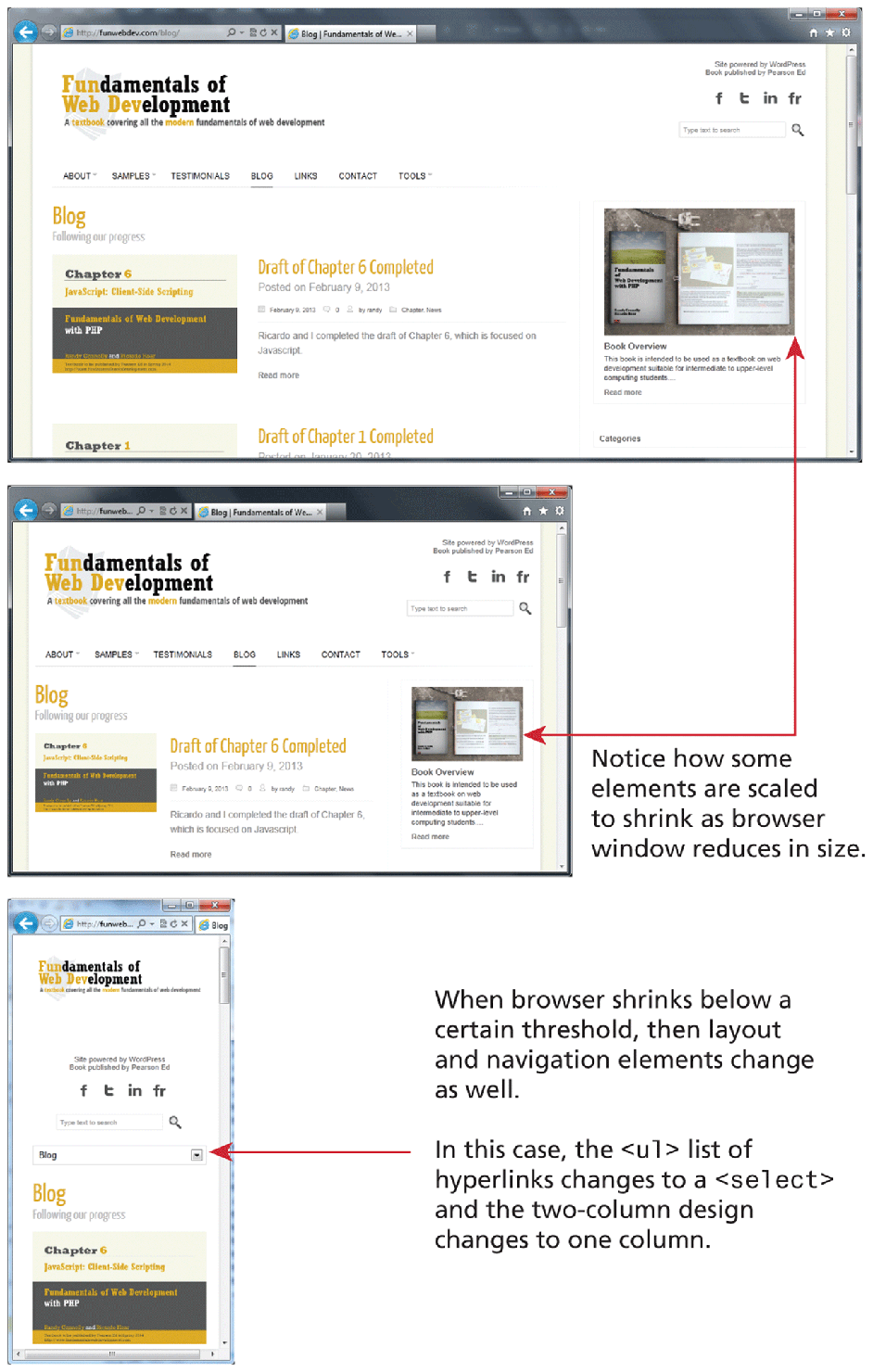
The first browser window shows a webpage with a level-1 heading, 3 level-2 headings, a navigation bar, a search textbox, a level-3 heading, and 2 images. The level-1 heading that reads, Fundamentals of Web Development is shown at the top left of the browser window. The level-3 heading that reads, A textbook covering all the modern fundamentals of web development is shown below the level-1 heading. The search textbox is placed at the extreme right side of the level-1 heading. The navigation bar with seven tabs are shown below the heading and reads as follows: ABOUT, SAMPLES, TESTIMONIALS, BLOG, LINKS, CONTACT, and TOOLS. The rest of the browser window is divided into three sections. The first section has a level-2 heading that reads, Blog. An image of a book cover labeled Chapter 6 is shown below the level-2 heading. The second section has a level-2 heading that reads, Draft of Chapter 6 completed. The details of the book is shown below the heading. The third section shows an image of the book shown in the image in the first section. The book cover along with it being opened is shown. A level-3 heading that reads, Book Overview is placed below the image in the third section.
The second browser window that shows a webpage is placed below the first browser window. The browser window shows the contents in the first browser window but in a smaller size. A double-headed arrow points to the section 3 in the first and second browser indicating that some elements are scaled to shrink as browser window reduces in size.
The third browser window that shows a webpage is placed below the second browser window. The third browser window is one-third the size of the first browser window. The browser window shows a few contents from the first browser. It also has an extra element, which is a textbox with a dropdown list that contains the value Blog. An arrow labeled In this case, the open angle bracket u l close angle bracket list of hyperlinks changes to an open angle bracket select close angle bracket and the two-column design changes to one column points to the textbox with dropdown list that contains the value Blog. Note: When browser shrinks below a certain threshold, then layout and navigation elements change as well.
Back