Long description
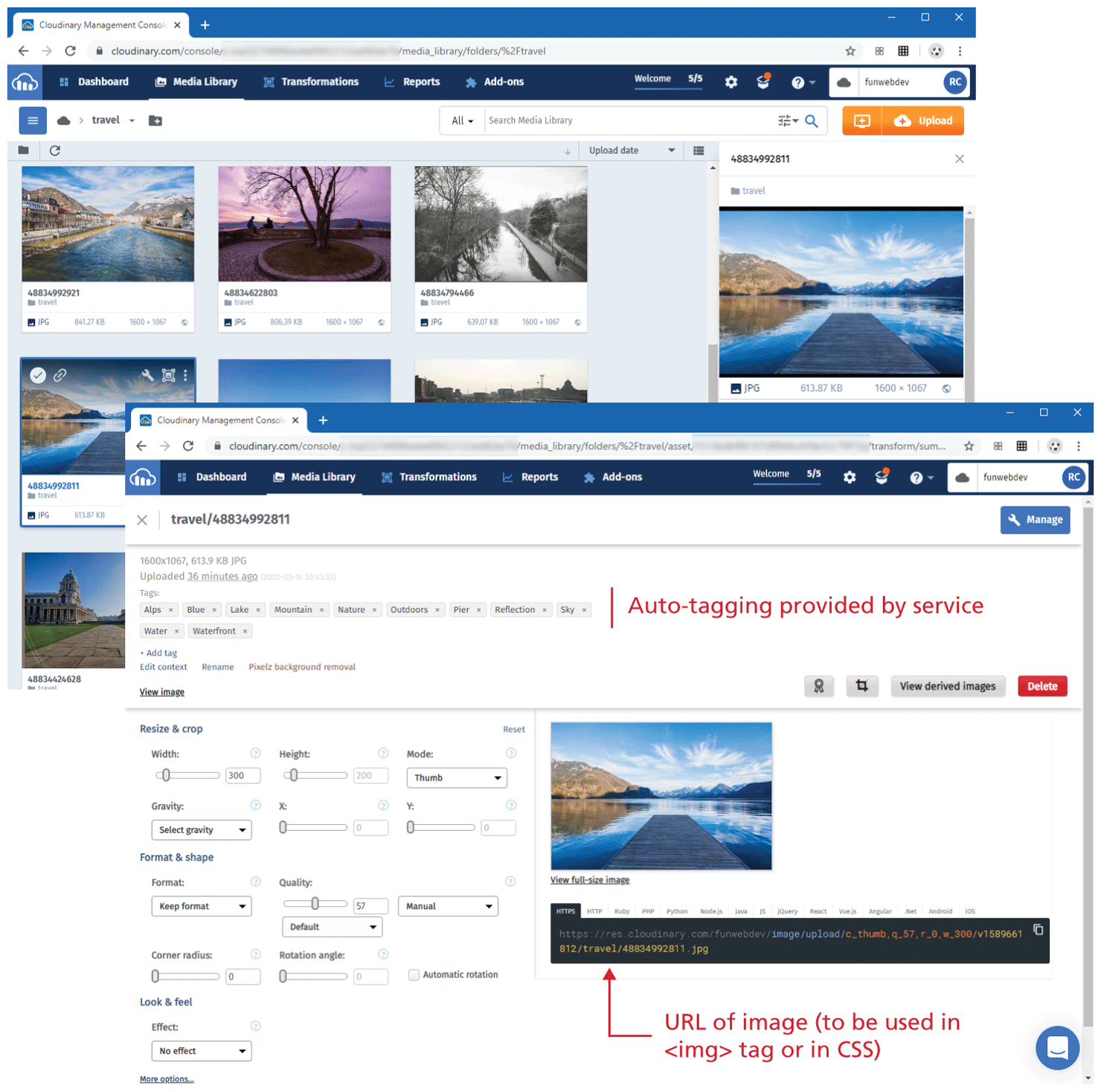
The first browser window that has a tab titled Cloudinary Management Console is placed at the top left of the figure. The browser window displays the Media Library, which is divided into two sections. The first section is on the left that consists of three rows of images placed in three columns. The second section is on the right that shows an image that is selected in the first section. The second browser window is placed at the bottom right of the first browser window, overlapping the first browser window at the bottom. The second browser window that has a tab titled Cloudinary Management Console. The browser window is divided into three sections. The first section is a horizontal section at the top of the window and consists of details about the image selected in the first browser window in three lines. Line 1 shows the aspect ratio and size of the image file are shown at the top of the section that reads, 1600 by 1067, 613.9 K B J P G. Line 2: Uploaded 36 minutes ago. Line 3: Tags: Alps, Blue, Lake, Mountain, Nature, Outdoors, Pier, Reflection, Sky, Water, Waterfront. The tags refers to auto-tagging provided by service. A button that reads plus Add tag is placed below line 3. Three buttons labeled Edit context, Rename, and Pixels background removal are placed side-by-side are shown below the Add tag button. A View image link is placed below the three buttons. Two buttons labeled View derived images and Delete are placed side-by-side at the bottom right of the first section. The second section is placed at left, below the first section. The second section consists of the resize and crop properties for the image selected in the first browser window. The third section is at the right of the second section and consists of the image selected in the first browser window. A link that reads, View full-size image is placed below the image. The U R L s of the image for different types of web templates are shown below the View full-size image link. The link selected for H T T P S reads as follows. H t t p s colon forward slash forward slash res dot cloudinary dot com forward slash funwebdev forward slash image forward slash upload forward slash c underscore thumb comma q underscore 57 comma r underscore 0 comma w underscore 300 forward slash v 1589661812 forward slash travel forward slash 48834992811 dot j p g. Note: This is the U R L of image (to be used in open angle bracket i m g close angle bracket tag or in C S S).
Back