Long description
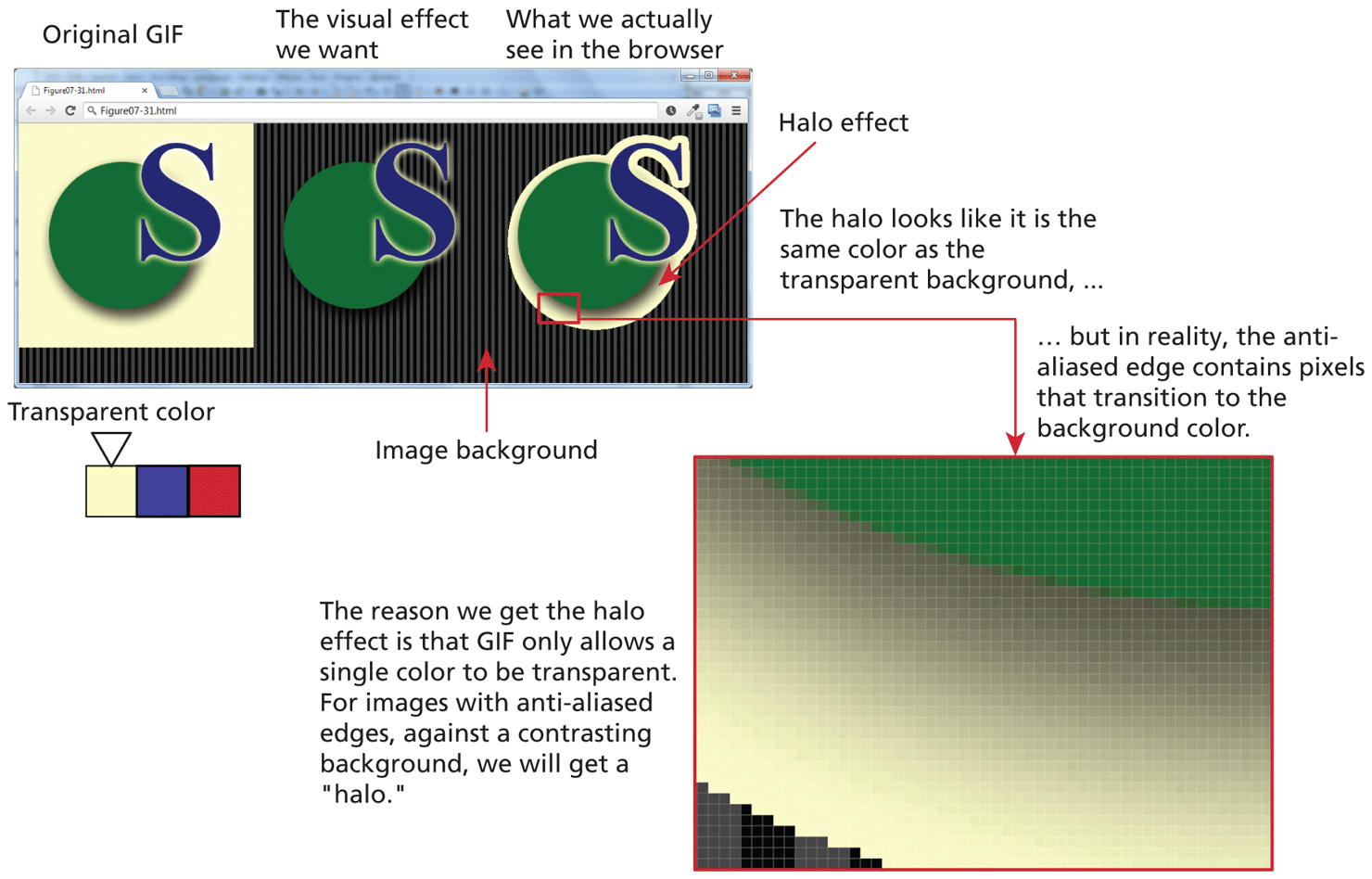
The browser window has 3 images placed side-by-side against a background image.
Image 1 is titled Original GIF. This shows an ivory colored square with a green colored circle at the center. The letter S of large font size is seen overlapping the top right of the circle. There is a small block below the Image that has 3 square boxes colored as follows - Ivory, Blue, Red. The ivory box has a downward pointing arrow with a label that reads, Transparent color.
Image 2 is titled The visual effect we want. This shows a green colored circle with the letter S of large font size overlapping the top right of the circle with no background color.
Image 3 is titled What we actually see in the browser. This shows a green colored circle with the letter S of large font size overlapping the top right of the circle. The background color appears as an ivory colored Halo around the circle and the letter. An arrow labeled Halo effect points to the halo region around the green circle.
A small portion of Image 3 comprising of the halo region and the green circle is highlighted by a red box indicating its selection. The zoomed view of the selected portion of image 3 is shown as the image outside the browser window. The zoomed view shows the halo region and the green circle as pixels. A line of text that reads, The halo looks like it is the same color as the transparent background, but in reality, the anti-aliased edge contains pixels that transition to the background color is written above the image outside the browser window.
Note: The reason we get the halo effect is that GIF only allows a single color to be transparent. For images with anti-aliased edges, against a contrasting background, we will get a open double quotes halo full stop close double quotes.
Back