Long description
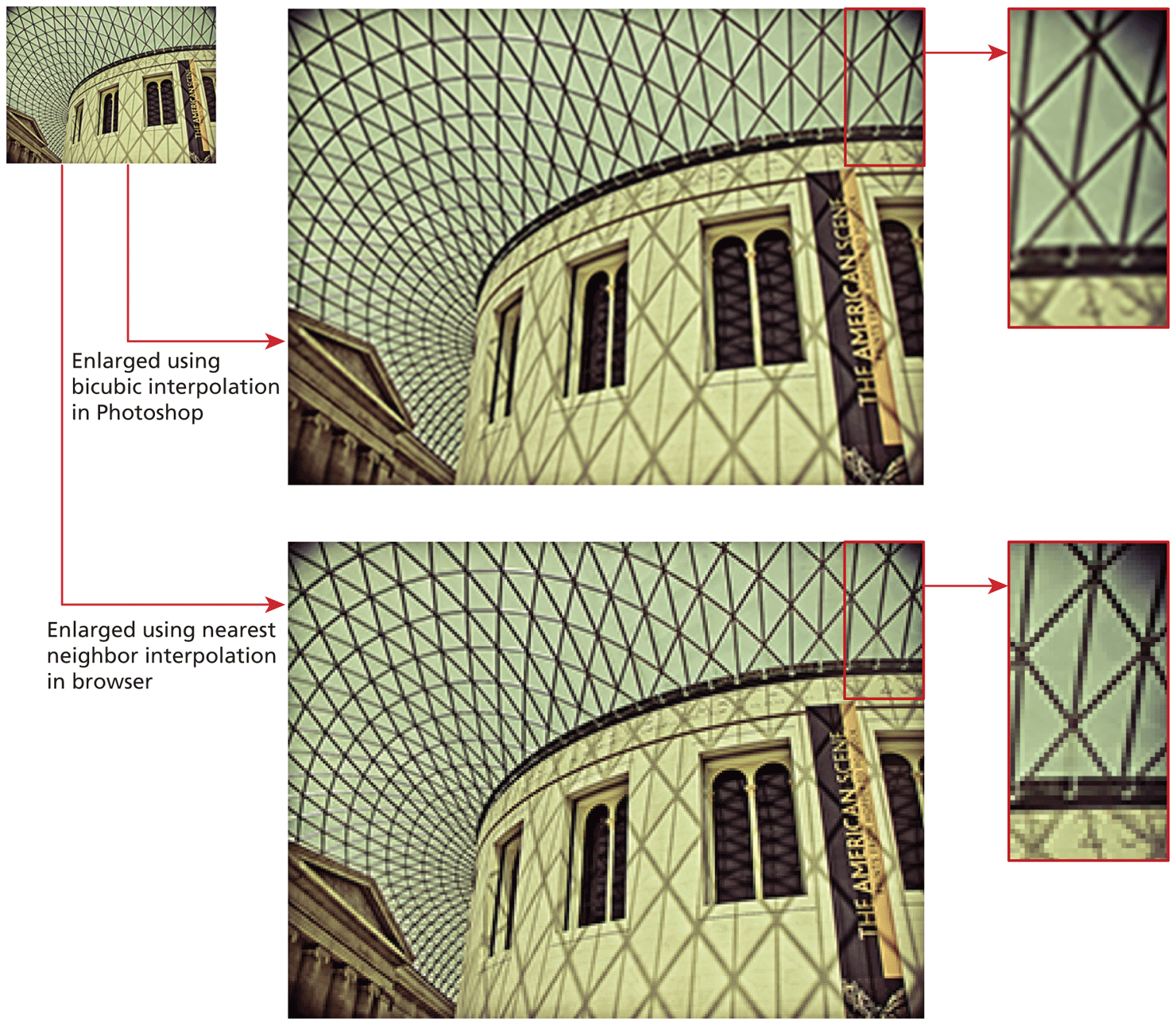
Image 1: It shows picture of a building with a roof at the top. An arrow points from Image 1 to Image 2 on the right side that is labeled, Enlarged using bicubic interpolation in Photoshop.
Image 2: This shows an enlarged version of Image 1 with good quality. A small portion of image is selected from the top right corner that points to Image 3.
Image 3: This shows an enlarged version of the selected portion in Image 2. The image clarity is good.
An arrow from Image 1 points to Image 4 on the bottom right of image 1, below image 2 and is labeled, Enlarged using nearest neighbor interpolation in browser.
Image 4: This shows an enlarged version of Image 1 that has lesser quality compared to Image 2. A small portion of the image is selected from the top right corner that points to Image 5.
Image 5: This shows an enlarged version of the selected portion in Image 4. The image clarity is not good, as it is grainy and shows large pixel blocks.
Back