Long description
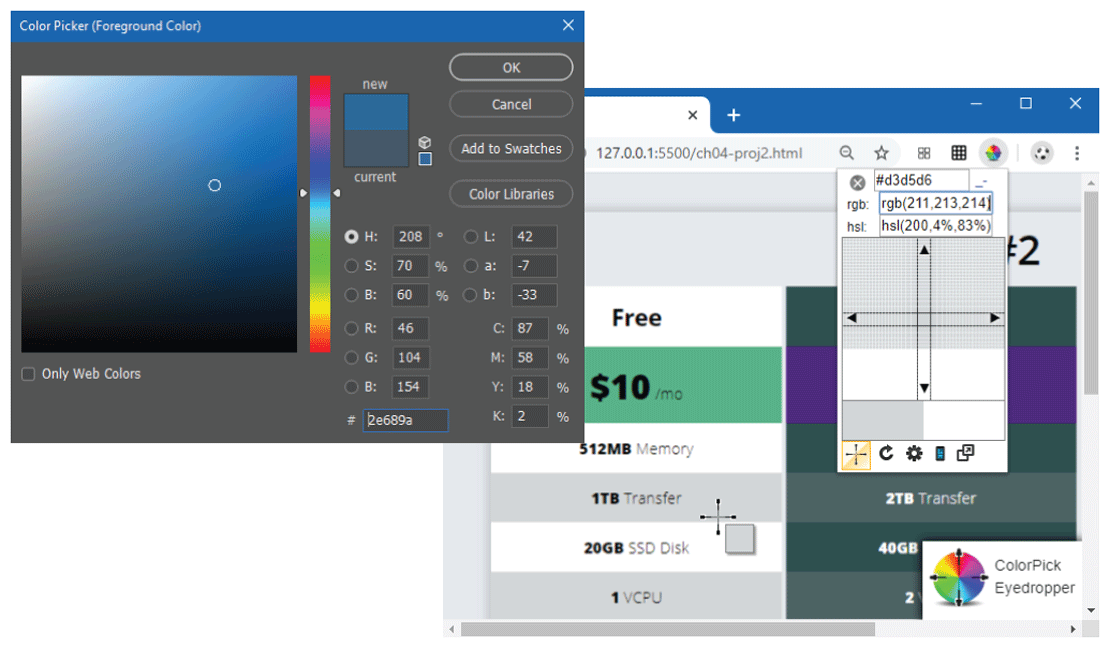
The editor widow titled Color Picker open parenthesis Foreground Colour close parenthesis is shown at the left side of the figure. There is a large box showing the full gamut of colors with the cursor pointing at one of the colors. There is a checkbox below the large box that is labeled Only Web Colors. A vertical rectangular box that shows a color bar. A small vertical rectangular box is placed at the right side of the color bar and is divided into two sections. The section at the top is labeled new and the section at the bottom is labeled current. The box shows two shades of a color. Nine radio buttons are placed at the bottom right of the color bar in two columns. The first column shows six radio buttons each with a textbox for modifying Hue, Saturation, Brightness, Red, Green, and Blue. Hue is measured in degrees and the saturation and brightness are measured in percentage. A textbox labeled hash is placed below the radio buttons. The second column shows three radio buttons each with a textbox labeled L colon, “a” colon, and b colon. Four textboxes labeled C colon, M colon, Y colon, and K colon are placed below the radio buttons in the second column and are measured in percentage. Four buttons labeled O K, Cancel, Add to Swatches, and Color Libraries are placed one below the other at the top right of the editor window.
The browser window is shown at the right side of the editor window, where the editor window slightly overlaps the browser window. The browser window shows a Color Picker button on the Navigation Bar. A window appearing from the color picker button indicates its selection and shows 3 textboxes placed one below other that contain values for color code, r g b, and h s l, a grid that shows the magnified area around the point where the cursor is placed on an image in the browser window is shown below the textboxes. A toolbar with 5 options is at the bottom of the window. Textbox 1 is labeled by x mark and contains the value hash d 3 d 5 6. Textbox 2 is labeled r g b colon and contains the value r g b open parenthesis 211 comma 213 comma 214 close parenthesis. Textbox 3 is labeled h s l colon and contains the value h s l open parenthesis 200 comma 4 percentage symbol comma 83 percentage symbol close parenthesis. The Browser window shows an image over which the cursor is placed. There is a small dialog box at the bottom right that shows a color wheel labeled ColorPick Eyedropper. There is a horizontal and vertical scrollbar on the browser.
Back