Long description
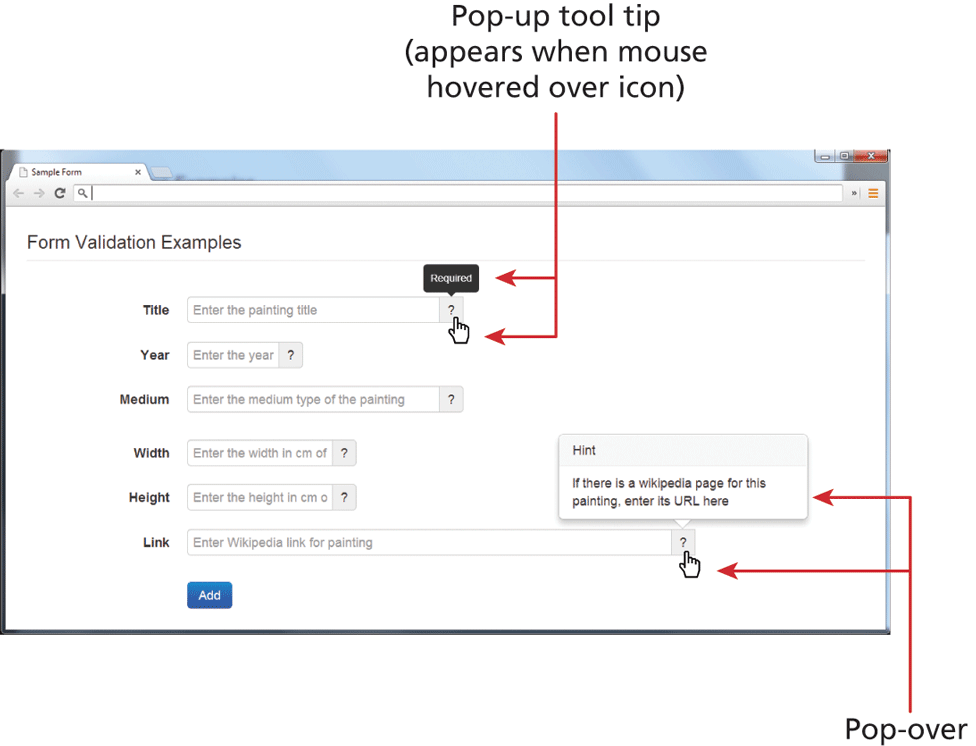
The browser window has a tab titled "Sample Form." The browser window consists of a level-1 heading and a form content The level-1 heading that reads, "Form Validation Examples" is placed at the top left of the browser window. The form content is placed below the heading from top to bottom as follows: An empty textbox with placeholder value "Enter the painting title" labeled Title. An empty textbox with placeholder value "Enter the year" labeled Year. An empty textbox with placeholder value "Enter the medium type of the painting" labeled Medium. An empty textbox with placeholder value "Enter the width in c m of" labeled Width. An empty textbox with placeholder value "Enter the height in c m" labeled Height. An empty textbox with placeholder value “Enter Wikipedia link for painting” labeled Link. A button labeled "Add". The end of each textbox consists of a question mark icon. A link select cursor is placed on the question mark icon in the textbox labeled Title. A pop-up that reads Required appears above the icon. An arrow labeled "Pop-up tool tip (appears when mouse hovered over icon)" points to the link select cursor and the pop-up that reads, Required. Another link select cursor is placed over the question mark icon on in the textbox labeled Link. A popover that reads. Hint If there is a Wikipedia page for this painting, enter its U R L here appears at the top of the icon.
Back