Long description
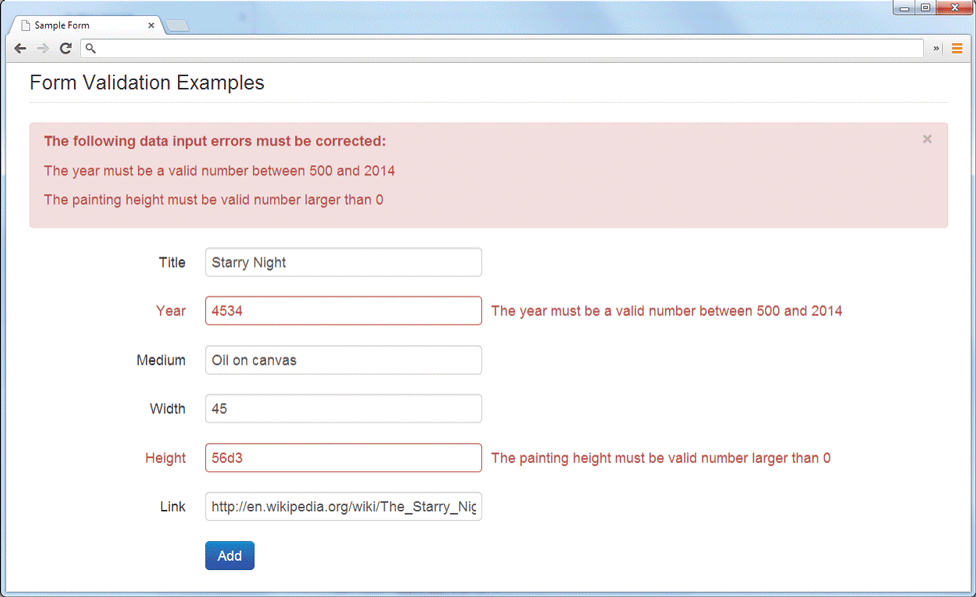
The browser window consists of a level-1 heading, 3 lines of text, and form content. The level-1 heading that reads "Form Validation Examples" is aligned to the left at indentation level 1. Three lines of text are placed in a rectangular window with a close button at the top right, below the heading. The lines of text are aligned to the left of the rectangular window at indentation level 2. The lines of text read as follows. Line 1: "The following data input errors must be corrected colon.” Line 2: “The year must be a valid number between 500 and 2014.” Line 3: “The painting height must be valid number larger than 0." The form content are placed one below the other are as follows: Label and textbox. Title and textbox 1 with the value "Starry Night.” Next Year and textbox 2 with the value “4534.” Textbox 2 and its label are highlighted red and shows a condition that reads, "The year must be a valid number between 500 and 2014.” Next Medium and textbox 3 with the value “Oil on canvas.” Next Width and textbox 4 with the value “45.” Next Height textbox 5 with the value “56 d 3.” Textbox 5 and its value are highlighted red and shows a condition that reads, "The painting height must be valid number larger than 0.” Last Link and textbox 6 with the value “h t t p colon forward slash forward slash en dot Wikipedia dot org forward slash wiki forward slash The underscore starry underscore Nig.” The labels are aligned to the right at indentation level 5 and the values in the textboxes are aligned to the left at indentation level 0. A button labeled Add is placed below textbox 6 and is aligned to the left at indentation level 7.
Back