Long description
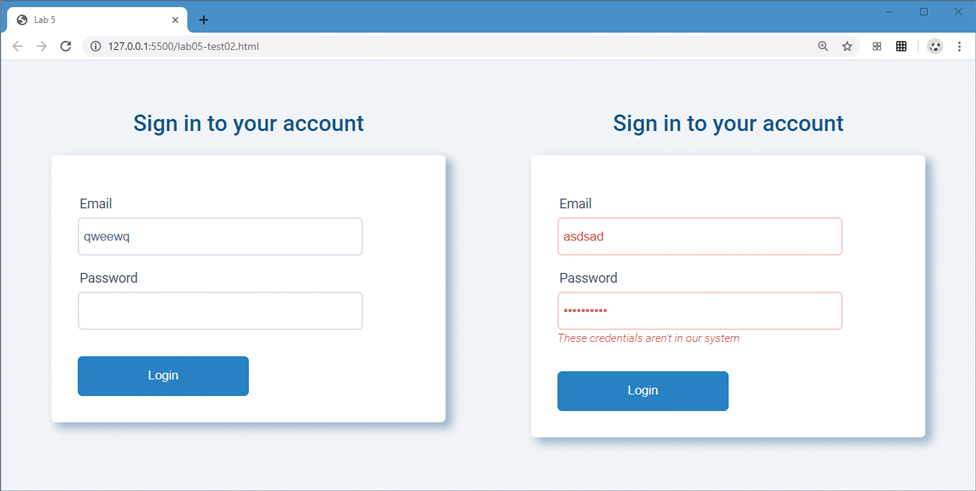
The browser window has a tab titled Lab 5. The address bar reads, "127 dot 0 dot 0 dot 1 colon 5500 forward slash lab 05 hyphen test 02 dot html". The browser window is divided into 2 divisions placed side-by-side. Division 1: A form titled "Sign in to your account" is shown. A textbox labeled Email with a value q w e e w q is shown at the top of the form. Another textbox labeled Password is placed below the first textbox. A button labeled Login is placed below the second textbox. The elements of the form are aligned to the left at indentation level 1. Division 2: A form titled "Sign in to your account" is shown. A textbox labeled Email with a value “a” s d s “a” d is shown at the top of the form. Another textbox labeled Password with a value showing hidden characters is placed below the first textbox. A line of text that reads, These credentials aren’t in our system is shown below the second textbox. The textboxes and the line of text are highlighted red. A button labeled Login is placed below the line of text. The elements of the form are aligned to the left at indentation level 1.
Back