Long description
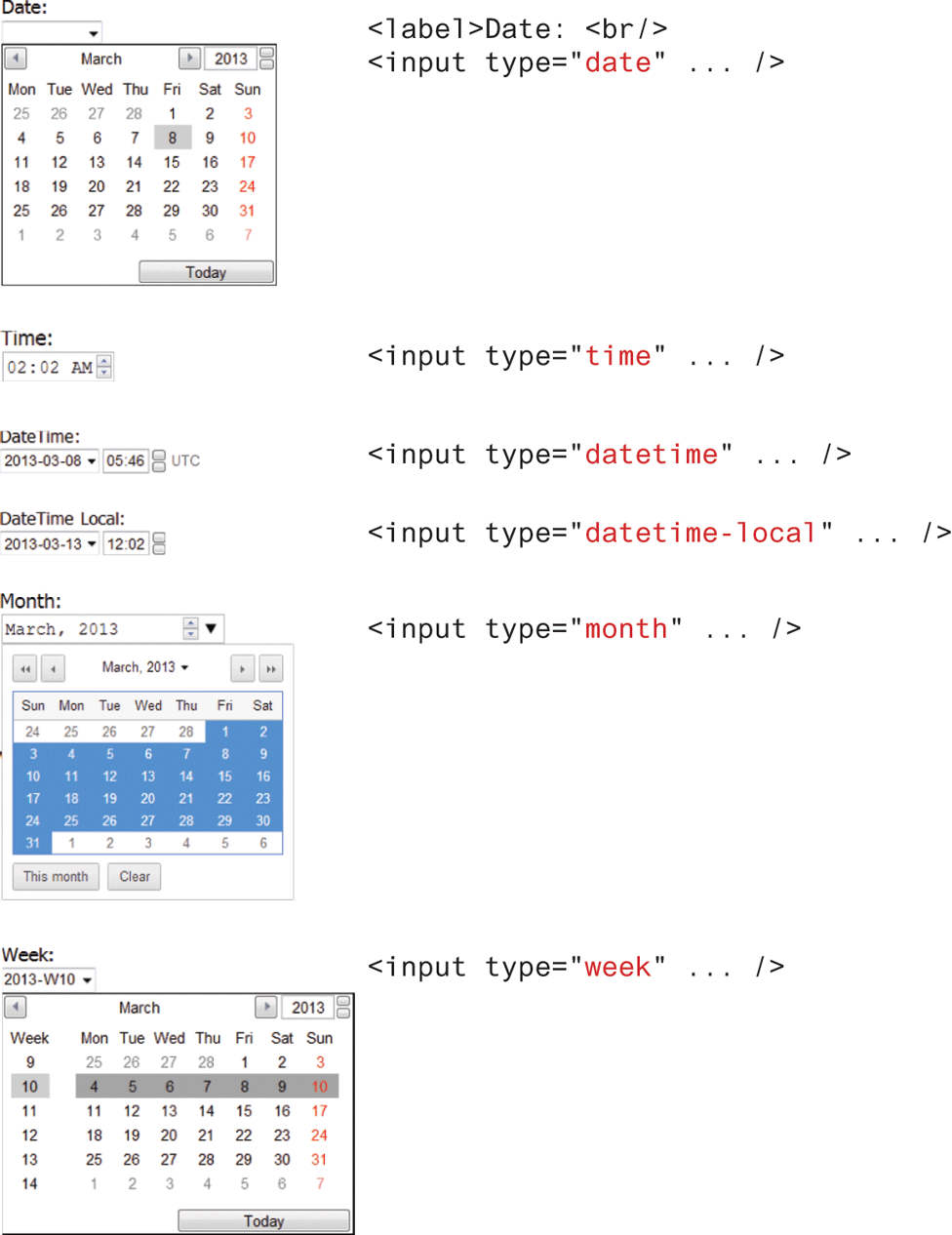
The figure consists of 13 textboxes, three calendars, and four buttons on the left. The textboxes allow different of input types. There are Seven lines of code on the right. The first textbox with a dropdown menu labeled Date: is placed at the top left of the figure. The first calendar for the month of March is placed below the first textbox. The second textbox with the value March is placed at the top left of the calendar. The third textbox with the value 2013 is placed at the top right of the calendar, next to the third textbox. The names of the days and the number of days in March are displayed below the second and third textboxes. The first button labeled Today is placed at the bottom right of the calendar. The first and second lines of code are placed at the right of the calendar and are as follows: Line 1: Open angle bracket label close angle bracket Date: open angle bracket b r forward slash close angle bracket. Line 2: Open angle bracket input type equals open double quotes date close double quotes ellipsis forward slash close angle bracket. The day numbered 8 is highlighted in the calendar. The fourth textbox labeled Time: is placed below the first calendar. The fourth textbox has the value 02:02 A M. The third line of code is placed at the right of the fourth textbox and is as follows: Line 4: open angle bracket input type equals open double quotes time close double quotes ellipsis forward slash close angle bracket. The fifth textbox with a dropdown menu labeled DateTime: is placed below the fourth textbox. The fifth textbox has the value 2013-03-08. The sixth textbox with the value 05:46 is placed at the right of the fifth textbox. U T C is written at the right side of the sixth textbox. The fifth line of code is placed at the right of the sixth textbox and is as follows: Line 5: open angle bracket input type equals open double quotes datetime close double quotes ellipsis forward slash close angle bracket. The seventh textbox labeled DateTime Local: is placed below the fifth textbox. The seventh textbox has the value 2013-03-13. The eighth textbox with the value 12:02 is placed at the right of the seventh textbox. The sixth line of code is placed at the right side of the seventh textbox and is as follows: Line 6: Open angle bracket input type equals open double quotes datetime-local close double quotes ellipsis forward slash close angle bracket. The ninth textbox with a dropdown menu labeled Month: is placed below the seventh textbox. The ninth textbox has the value March, 2013. The second for the month of March is placed below the ninth textbox. The tenth textbox labeled March, 2013 is placed at the top of the second calendar. The names of the days and the number of days in March are displayed below the tenth textbox. The second button labeled This month is placed below the number of days in the calendar. The third button labeled Clear is placed at the right of the second button. The sixth line of code is placed at the right side of the ninth textbox and is as follows: Open angle bracket input type equals open double quotes month close double quotes ellipsis forward slash close angle bracket. The number of days in the second calendar is highlighted. The eleventh textbox with a dropdown menu labeled Week: is placed below the second calendar. The eleventh textbox has the value 2013-W10. The twelfth textbox labeled March is placed at the top left of the third calendar. The thirteenth textbox labeled 2013 is placed at the top right of the third calendar, at the right of the twelfth textbox. The names of the days and the number of days in March are displayed below the twelfth and thirteenth textboxes. The fourth button labeled Today at the bottom right of the third calendar. The seventh line of code is placed at the right of the third calendar and is as follows: Line 7: Open angle bracket input type equals open double quotes week close double quotes ellipsis forward slash close angle bracket.
Back