19 Continuous delivery and deployment
Once a change and its newly introduced tests have been merged to a repository, it needs to be released to production.
When releasing a change requires a manual process, it won’t happen frequently. Meaning that several changes, possibly over days or even weeks, end up being batched and released together. This makes it harder to pinpoint the breaking change1 when a deployment fails, creating interruptions for the whole team. The developer who initiated the release also needs to keep an eye on it by monitoring dashboards and alerts to ensure that it’s working as expected or roll it back.
Manual deployments are a terrible use of engineering time. The problem gets further exacerbated when there are many services. Eventually, the only way to release changes safely and efficiently is to automate the entire process. Once a change has been merged to a repository, it should automatically be rolled out to production safely. The developer is then free to context-switch to their next task, rather than shepherding the deployment. The whole release process, including rollbacks, can be automated with a continuous delivery and deployment (CD) pipeline.
CD requires a significant amount of investment in terms of safeguards, monitoring, and automation. If a regression is detected, the artifact being released — i.e., the deployable component that includes the change — is either rolled back to the previous version, or forward to the next one, assuming it contains a hotfix.
There is a balance between the safety of a rollout and the time it takes to release a change to production. A good CD pipeline should strive to make a good trade-off between the two. In this chapter, we will explore how.
19.1 Review and build
At a high level, a code change needs to go through a pipeline of four stages to be released to production: review, build, pre-production rollout, and production rollout.
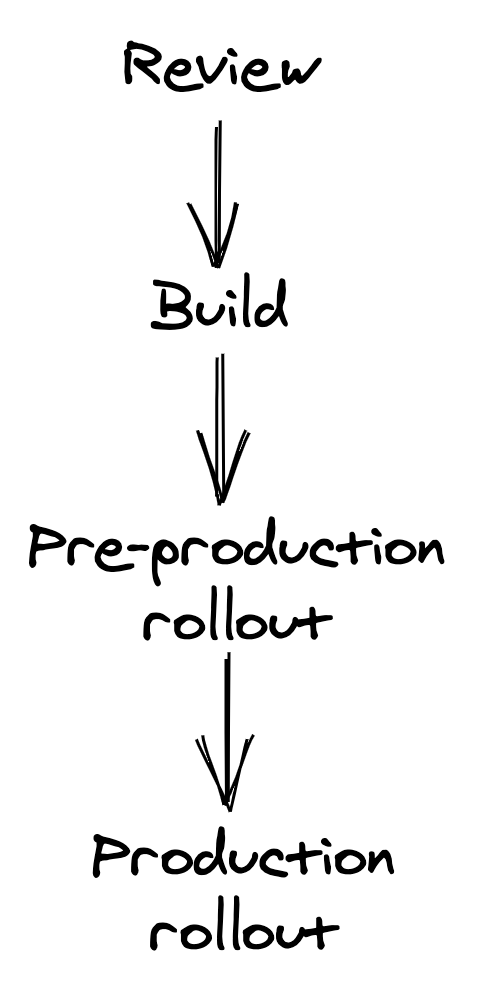
Figure 19.1: Continuous delivery and deployment pipeline stages
It all starts with a pull request (PR) submitted for review by a developer to a repository. When the PR is submitted for review, it needs to be compiled, statically analyzed, and validated with a battery of tests, all of which shouldn’t take longer than a few minutes. To increase the tests’ speed and minimize intermittent failures, the tests that run at this stage should be small enough to run on a single process or node, like e.g., unit tests, with larger tests only run later in the pipeline.
The PR needs to be reviewed and approved by a team member before it can be merged into the repository. The reviewer has to validate whether the change is correct and safe to be released to production automatically by the CD pipeline. A checklist can help the reviewer not to forget anything important:
- Does the change include unit, integration, and end-to-end tests as needed?
- Does the change include metrics, logs, and traces?
- Can this change break production by introducing a backward-incompatible change, or hitting some service limit?
- Can the change be rolled back safely, if needed?
Code changes shouldn’t be the only ones going through this review process. For example, cloud resource templates, static assets, end-to-end tests, and configuration files should all be version-controlled in a repository (not necessarily the same) and be treated just like code. The same service can then have multiple CD pipelines, one for each repository, that can potentially run in parallel.
I can’t stress enough the importance of reviewing and releasing configuration changes with a CD pipeline. One of the most common causes of production failures are configuration changes applied globally without any prior review or testing.
Once the change has been merged into the repository’s main branch, the CD pipeline moves to the build stage, in which the repository’s content is built and packaged into a deployable release artifact.
19.2 Pre-production
During this stage, the artifact is deployed and released to a synthetic pre-production environment. Although this environment lacks the realism of production, it’s useful to verify that no hard failures are triggered (e.g., a null pointer exception at startup due to a missing configuration setting) and that end-to-end tests succeed. Because releasing a new version to pre-production requires significantly less time than releasing it to production, bugs can be detected earlier.
You can even have multiple pre-production environments, starting with one created from scratch for each artifact and used to run simple smoke tests, to a persistent one similar to production that receives a small fraction of mirrored requests from it. AWS, for example, uses multiple pre-production environments (Alpha, Beta, and Gamma).
A service released to a pre-production environment should call the production endpoints of its external dependencies to make the environment as stable as possible; it could call the pre-production endpoints of other services owned by the same team, though.
Ideally, the CD pipeline should assess the artifact’s health in pre-production using the same health signals used in production. Metrics, alerts, and tests used in pre-production should be equivalent to those used in production to avoid the former to become a second-class citizen with sub-par health coverage.
19.3 Production
Once an artifact has been rolled out to pre-production successfully, the CD pipeline can proceed to the final stage and release the artifact to production. It should start by releasing it to a small number of production instances at first2. The goal is to surface problems that haven’t been detected so far as quickly as possible before they have the chance to cause widespread damage in production.
If that goes well and all the health checks pass, the artifact is incrementally released to the rest of the fleet. While the rollout is in progress, a fraction of the fleet can’t serve any traffic due to the ongoing deployment, and the remaining instances need to pick up the slack. To avoid this causing any performance degradation, there needs to be enough capacity left to sustain the incremental release.
If the service is available in multiple regions, the CD pipeline should start with a low-traffic region first to reduce the impact of a faulty release. Releasing the remaining regions should be divided into sequential stages to minimize risks further. Naturally, the more stages there are, the longer the CD pipeline will take to release the artifact to production. One way to mitigate this problem is by increasing the release speed once the early stages complete successfully and enough confidence has been built up. For example, the first stage could release the artifact to a single region, the second to a larger region, and the third to N regions simultaneously.
19.4 Rollbacks
After each step, the CD pipeline needs to assess whether the artifact deployed is healthy, or else stop the release and roll it back. A variety of health signals can be used to make that decision, such as:
- the result of end-to-end tests;
- health metrics like latencies and errors;
- alerts;
- and health endpoints.
Monitoring just the health signals of the service being rolled out is not enough. The CD pipeline should also monitor the health of upstream and downstream services to detect any indirect impact of the rollout. The pipeline should allow enough time to pass between one step and the next (bake time) to ensure that it was successful, as some issues can appear only after some time has passed. For example, a performance degradation could be visible only at peak time.
The CD pipeline can further gate the bake time on the number of requests seen for specific API endpoints to guarantee that the API surface has been properly exercised. To speed up the release, the bake time can be reduced after each step succeeds and confidence is built up.
When a health signal reports a degradation, the CD pipeline stops. At that point, it can either roll back the artifact automatically, or trigger an alert to engage the engineer on-call, who needs to decide whether a rollback is warranted or not3. Based on their input, the CD pipeline retries the stage that failed (e.g., perhaps because something else was going into production at the time), or rolls back the release entirely. The operator can also stop the pipeline and wait for a new artifact with a hotfix to be rolled forward. This might be necessary if the release can’t be rolled back because a backward-incompatible change has been introduced.
Since rolling forward is much riskier than rolling back, any change introduced should always be backward compatible as a rule of thumb. The most common cause for backward-incompatibility is changing the serialization format used either for persistence or IPC purposes.
To safely introduce a backward-incompatible change, it needs to be broken down into multiple backward-compatible changes. For example, suppose the messaging schema between a producer and a consumer service needs to change in a backward incompatible way. In this case, the change is broken down into three smaller changes that can individually be rolled back safely:
- In the prepare change, the consumer is modified to support both the new and old messaging format.
- In the activate change, the producer is modified to write the messages in the new format.
- Finally, in the cleanup change, the consumer stops supporting the old messaging format altogether. This change should only be released once there is enough confidence that the activated change won’t need to be rolled back.
An automated upgrade-downgrade test part of the CD pipeline in pre-production can be used to validate whether a change is actually safe to roll back or not.